

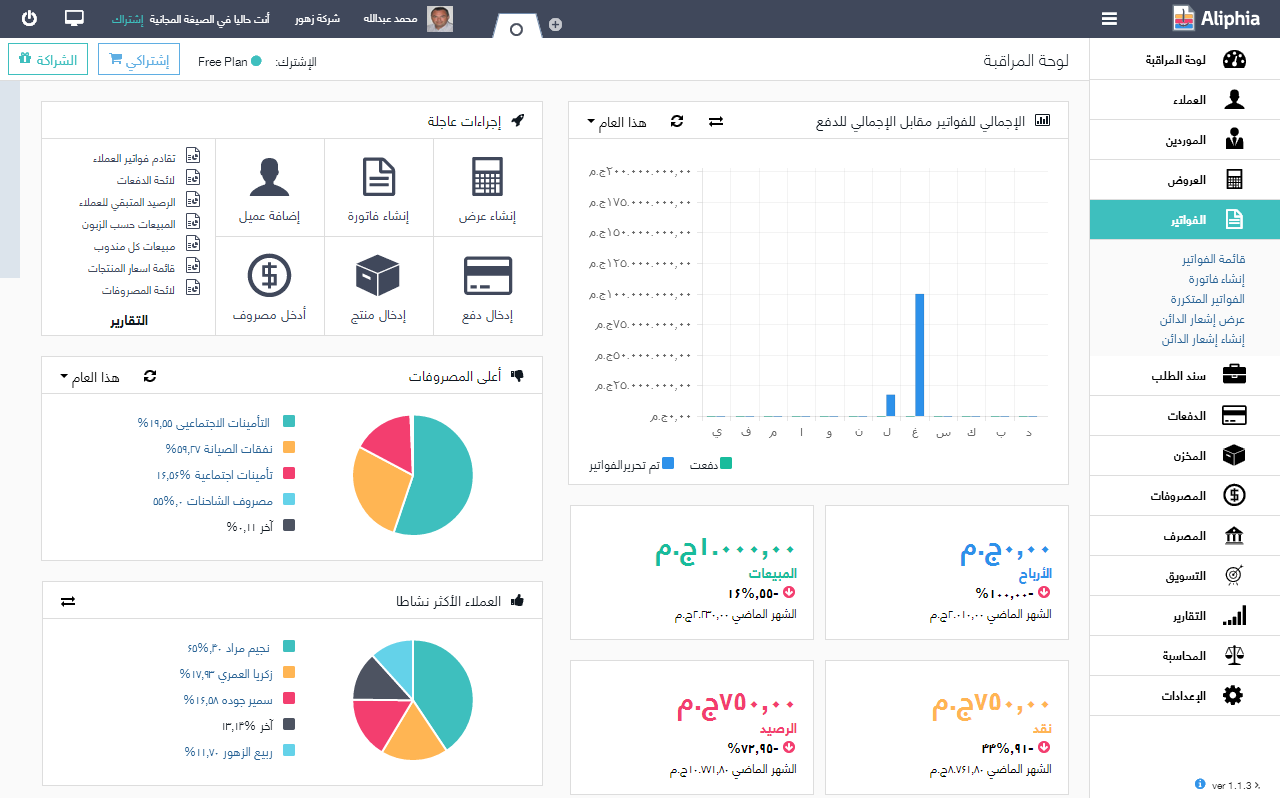
The Best Invoicing Software of 2025: The work is done, and it's time to get paid. But that's not always easy. You need to send a professional-looking invoice that includes all the information about you, your client, and the services you provided or the products you delivered.
There are many invoicing applications available. Choosing the best one isn't straightforward, so in this article, we'll explore the top eight applications for 2025.
Best Invoicing Software of 2025
1- PayPal (Web, iOS, Android)

Advantages of PayPal
- Strong security
- Many features for merchants
Disadvantages of PayPal
- Your account can be restricted or blocked if PayPal detects suspicious activity
Launched in 1999, PayPal had ample time to grow into a robust platform with a solid reputation, especially when online money transfers weren't as common as they are today.
Invoicing is just one of the many capabilities it offers. To get started, log into your account, click on "Pay & Get Paid" in the top menu, and select "Create and Manage Invoices" to access the invoicing interface. You can view all your information and create invoices without using any other features if you don't need them.
The invoice creation screen is straightforward, allowing you to focus on what you need.
When it comes to invoice design, PayPal only allows you to add your logo, and that's it. This can be a bit disappointing if you want to customize the look of your invoice, but keep this in mind: when you send an invoice through PayPal, you also benefit from the platform's reputation by using its basic design template and branding. People know what PayPal is and trust it, which is crucial when you're trying to get paid.
All online payments are handled by PayPal. When you create an invoice and send it to a client with a PayPal account, they'll receive a notification on their app, making it easy for them to pay you with just a few clicks.
If they don't have a PayPal account, your clients can still pay by entering their credit card details. If you're doing business in person, there's also an option to pay using a QR code: create an invoice on the PayPal mobile app, show the QR code to your client, and they can pay using their smartphone right there and then. This app offers a lot of flexibility, so if you do a lot of online sales, it's worth trying out.
One note: payment processing fees can be a bit complex, as they vary depending on the payment method, type, and currency. As a rule of thumb, you can expect a fixed fee per transaction and a percentage of the total amount. Make sure you understand all the fees involved.
For additional features, PayPal allows you to create payment links that you can share with your clients, leading them to a nice page that prompts them to pay. You can enable tips, accept partial payments, and if your clients are in financial distress, they can take advantage of PayPal's "Buy Now, Pay Later" services.
2- Square (Web, iOS, Android)
Advantages of Square
- Supports digital wallets like Apple Pay and Google Pay
- Real-time inventory tracking available
Disadvantages of Square
- Generally not customizable
Like PayPal, Square is a payment platform with invoicing features. You can integrate it with Facebook and Instagram to manage your sales centrally.
You can add your products and manage your inventory in Square, and this information syncs automatically with your profiles. You can chat with your clients without leaving Square using the Messenger integration it provides. The setup process is a bit lengthy and requires attention to detail, but the time you save in the future will be worth it. Take your time getting to know it, and work with it when you feel comfortable with the software.
If you're not selling on social media, Square still has the features you need to create all the invoices you require. The interface is practical, fast, and user-friendly. The invoicing page has plenty of options you can configure, such as invoice recurrence, when to send it to your client, and the payment methods you'll accept. All features are available on the page—there are no hidden menus—so you won't forget anything.
To modify your invoice design, click on settings and then customization. There, you can choose from one of three layouts, add your logo, set invoice colors, and hide or show specific fields. It may not have as many features as others on this list, but it's good considering it's a payment platform.
Payments are processed online by Square. It accepts credit card payments online, ACH bank transfers, and also has many add-ons, such as buy now, pay later support, contract creation, tipping options, in-person sales, and numerous integrations with restaurant and e-commerce software.
3- Billdu (Web, iOS, Android)
Pros of Billdu
- Loaded with website and sales add-ons
- Tracks quotes, purchase orders, delivery notes, and other related documents
Cons of Billdu
- Customer support is not very responsive
When you land on Billdu's homepage, you're greeted by an enthusiastic beaver, and once you create your account, you'll find a checklist for setup with tasks to help you get started. The app is fast and has many settings to help you create more invoices.
You can customize your invoice design with five layouts to choose from, all based on simplicity. You can add your logo or signature, customize fonts, and hide or show invoice fields. The final result is clean and professional. Once you've finished customizing the look, head to the settings section and click on payment options.
But the most interesting feature Billdu offers is the sales page. You can create a public page that includes your business hours, contact details, and profile. On that page, you'll also be able to handle online bookings, allowing your clients to schedule calls with you; set up an online store where you can sell your products and services; allow your clients to request quotes; and even integrate a live chat feature.
Once you've filled in all the details, you can publish it on what Billdu calls an "instant website." You'll get a short link you can share wherever you want, with all the information your clients need to do business with you. Do you already have a website? You can embed the page as a tool there instead.
When a client requests a quote through this page, you'll receive a notification on the platform and via email. You can turn this request into a report and send it to the client's email address. The client can then view it online and approve it with a single click. Once they do, you can convert it into an invoice with just one click as well.
Another nice touch is the inbox section in the app, which helps you keep track of everything being sent back and forth. You'll see interactions in the chat window, and you can even write emails from there.
4- InvoiceQuick (Web, iOS)
Pros of InvoiceQuick
- Includes client management
- You can create client portals
Cons of InvoiceQuick
- Limited integration with other applications
I know invoices are supposed to be professional—a document related to a transaction. But they can also be an opportunity to express your company's identity. If you're looking for that kind of impact, InvoiceQuick is your best bet.
There are 28 templates to choose from; pick the one you want, and it will be ready to use with just one click. If you want to tailor it to your brand colors, you can change the color scheme, add your logo, and show or hide invoice fields.
The platform is intuitive: all the features you need are available as buttons on all screens, without hiding much in settings menus. There's a checklist and a setup tutorial, which are enough to help you do everything you need. You won't have to spend a lot of time in the documentation section to take advantage of all the app's features.
You can allow your clients to pay your invoices online by integrating InvoiceQuick with Stripe or PayPal. When your clients click the link to view the invoice, you receive a notification letting you know they've seen it.
Some great add-ons here include setting up payment reminders, creating estimates, and accessing a simple reporting dashboard that includes a cash flow chart, statistics on your invoices, and a summary of client activities. If you want to dive deeper, you can click on the accounting tab and access basic accounting features as well. Despite these additional features, InvoiceQuick still focuses on invoicing.
Conclusion
What is the best invoicing software? Only you can answer that question. All the applications on this list either have free plans or free trials to help you get familiar with their features. Whichever you choose, make sure to automate your invoicing application so you can advance your business faster.


