


If you're looking for a browser for Windows 11, just keep reading as you'll find the best browsers for Windows 11 in this article.
While Windows 11 comes pre-installed with Microsoft Edge, which works for most of your needs like opening URLs or browsing the web, finding a browser that meets all your requirements and runs flawlessly on Windows 11 can be a challenging task.
The browsers shared in this article are followed by a detailed description of their features and drawbacks.
Thus, after browsing through all the web browsers, you can easily choose the perfect one for your work.
What is a web browser?
A web browser is an application program for accessing the World Wide Web. In simple terms, it allows users to browse the internet and access millions of websites and services available online.
Browsers are available for both desktop and mobile devices, and each browser has a unique set of features. Some offer better performance, while others focus on providing online security for their users.
Moreover, some allow users to access the dark web. With the shared list in this article, you can find the ideal web browser for Windows 11.
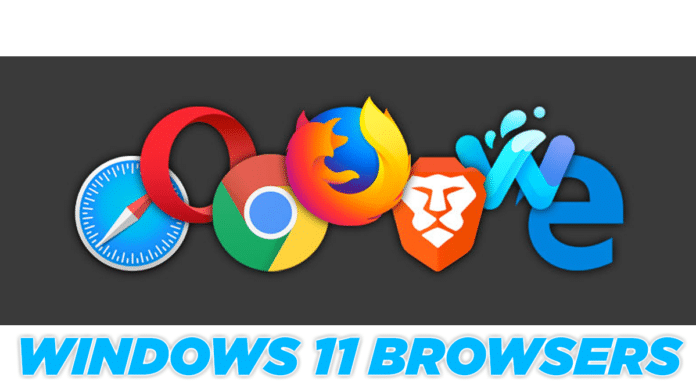
Best Browser for Windows 11
Microsoft Edge
Mozilla Firefox
Google Chrome
Yandex
Opera GX
Vivaldi
Opera
Slim Browser
Avast Secure Browser
Tor Browser
Brave
Waterfox
1. Microsoft Edge

Microsoft has left Internet Explorer behind and continued to develop Edge, which is integrated into Windows 11. The latest version of Edge is one of the best browsers for Windows 11, now powered by Chromium and significantly faster than its predecessor.
What’s the best part about Edge? You can install Chrome extensions on it without any issues. This is a great addition since it’s based on Chromium.
Most popular extensions like payment wallets, password managers, ad blockers, and many more are now available for Edge.
Similar to Chrome, Edge also allows users to download web pages as standalone applications that can be run and used as Windows programs without opening the browser.
The default home page on the Windows 11 browser can be customized, and it also offers tracking prevention.
2. Mozilla Firefox

Next on the list is the tried-and-true Mozilla Firefox browser. Firefox is available for all desktop and mobile operating systems, providing unmatched privacy and security online. Additionally, the browser runs smoothly even on older devices.
Mozilla Firefox supports most major extensions and plugins, allowing you to customize the interface based on your preferences.
The Picture-in-Picture feature for multitasking with videos, extended dark mode, unified search bar, Pocket integration, and passwordless login are some notable features of Mozilla Firefox. Clearly, Firefox is the best privacy-focused browser.
Switching from windowed mode to fullscreen on any video on sites like YouTube, Vimeo, or even Facebook is easy. It dims and lights up the screen in less than a second.
Due to web engine issues, it went through a slump between 2013-2015. Firefox made a remarkable comeback, offering reliability and accessibility.
3. Google Chrome

The cross-platform web browser Google Chrome is the most popular browser, used by millions worldwide.
With over 75% market share, it is undoubtedly among the best browsers for Windows 11 for users. You’ll find it on computers, tablets, smartphones, TVs, and even gaming consoles.
Despite consuming a significant amount of system resources, Google Chrome is user-friendly and syncs well across all your devices.
Chrome also doubles as a secure and reliable password manager. Depending on your preferences, you can customize the overall look and feel of the browser. Their extension library will surely keep you busy for a long time.
If you feel like experimenting, head over to the Google Chrome Labs, which features the best Chrome flags. Essentially, you can try out new features that aren’t part of the standard release.
Chrome is regularly updated, with new features being added from time to time. So if you’re a good investor in the Google ecosystem, Chrome should be your go-to browser for Windows 11.
Their latest update includes a tab music manager and tab grouping, making life easier for the power user.
4. Opera GX

We are all familiar with the Opera browser, which offers a seamless experience with enhanced privacy options, without the bloat.
Gaming has evolved beyond the clutches of gaming consoles and PCs. You can now enjoy a significant amount of gaming on both browser and mobile.
This time, Opera presents its gaming browser for Windows 11. Opera GX is everything you wish for while gaming in the browser.
The initial version features an interesting musical intro that sets the tone for gamers. Just like the standard version, there’s a sidebar on the left. Here, the overall appearance screams red, which can be changed in the settings.
The aesthetic isn’t the only new thing on the cards. There are sound effects for typing and navigating through settings, and more.
Users get comprehensive control over their tabs through the GX control panel. You can kill resource-hungry tabs; limit network, RAM, and CPU usage through specific tabs.
We get a sidebar loaded with Discord. Log in and chat with your crew. Wait, that’s not all. The sidebar also includes a Twitch option. Stay updated with notifications from the channel you follow.
You can add Facebook Messenger, WhatsApp, Telegram, and Vkontakte for browsing and chatting simultaneously.
This Windows 11 browser keeps giving. Enjoy music right in the browser with the built-in music player. Connect with your favorite audio streaming services like Spotify, Apple Music, YouTube Music, and region-specific music.
5. Slim Browser

Roll out the red carpet for an open-source and free browser for Windows 11, which takes cues directly from Firefox. It uses the Gecko browser engine, developed by Mozilla, and also used on Firefox.
The default search engine in the address bar is the built-in search engine of Slim Browser. You can always change it to your preferred search engine.
First, the security dashboard provides insights into blocked items - site trackers, cookie trackers, and so on. This is useful in an age where privacy is an increasing concern.
We were impressed by their bookmarks feature for its utility and intuitiveness. We get a dedicated button right on the front, which has more features compared to other browsers, including Firefox. You can search bookmarks right in the address bar.
In this day and age of multi-device syncing, you’re not left behind here either with a Firefox account. Stay synced across all devices using your Firefox account. You can also use all (almost) Mozilla Firefox extensions on Slim Browser.
6. Vivaldi

Vivaldi is another feature-rich browser for Windows 11 that deserves a review. If you’re someone who loves customizing every aspect of their browser, you’ll enjoy using Vivaldi.
Under the hood, Vivaldi is also powered by Chromium, and as a result, you can use every single Chrome extension on Vivaldi.
Stacked tab groups, built-in ads blocker, tracking blocker, multiple colorful themes, screen capture, and notes are some of the standout features of Vivaldi that help it stand out from the rest.
Vivaldi’s visual bookmarks help it stand out from the rest of the Windows 11 browsers. You can also group them into different categories. For example, bookmarks for news sites can be under a folder named News.
7. Yandex

Not many of you may have heard of Yandex, which represents less than a percentage of the web browser market share. At first glance, the layout feels like a breath of fresh air.
All the utilities are positioned on the left side of the screen. It efficiently uses space on wide displays. You’ll find a bookmark manager, tab music controller, tab manager, a screenshot button, and some other things.
When you first launch Yandex


