

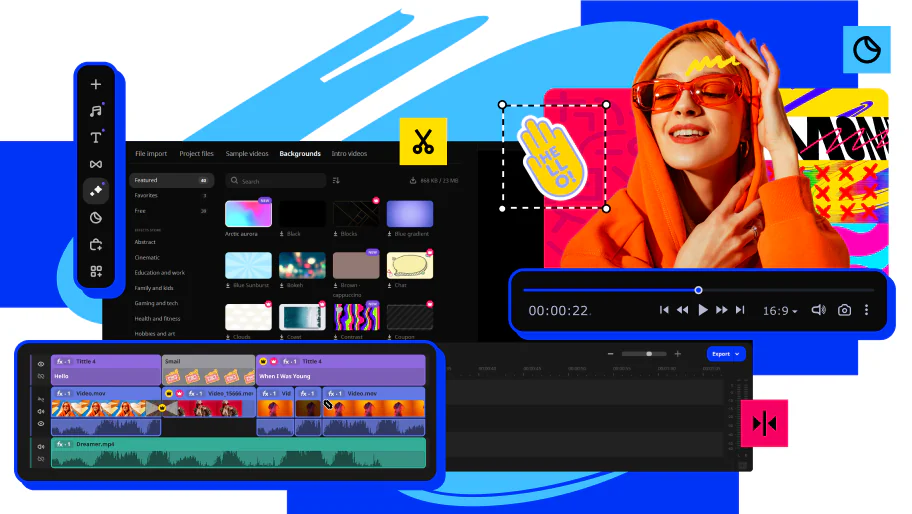
Are you looking for the best free MOV editor on the market in 2025? In this article, you'll find a list of the top MOV movie editing software for Windows 10, Mac, iOS, and Android. You'll also discover an online option for those who prefer not to download software on their PCs or Macs.
Keep reading to explore the pros and cons of these tools that you need to create professional videos for iOS, Android, PC, and Mac.
Best Free MOV Editor on the Market in 2025?
iMovie
iMovie is a free editing platform available for macOS and iOS devices. Users can import videos and photos to create stunning videos and video collections. iMovie is a top-rated QuickTime movie editing tool with a simple user interface and many features, but it's only available for Apple products.
Pros
Free and available with all Mac and iOS devices
Drag-and-drop capability for importing and video editing
Extremely user-friendly interface
Cons
Lacks advanced video editing tools
No version available for Windows or Linux or Android
DaVinci Resolve
DaVinci Resolve, created by Blackmagic Design, is a free video editing application for macOS. It offers a complete set of editing tools and controls, including color correction and audio mixing tools. Users have reported enjoying the color matching controls, but there is a steep learning curve for effects and animation tools.
Pros
Includes color correction capabilities
Audio mixing features are fairly intuitive
Cons
You may feel frustrated by the steep learning curve with some editing features
VSDC Free Video Editor

VSDC Free Video Editor is a free video editing tool from Multilab LLC. This platform can handle high-resolution footage, including 3D video file formats and 4K UHD. While the free VSDC Video Editor appears to be a powerful editing tool at first glance, it lacks some professional tools that set other video editing software apart.
Pros
100% free with no watermarks
3D video editing and high-resolution 4K capabilities
Cons
Lacks some professional editing tools
No stabilization feature
Movavi Video Editor
Movavi Video Editor is a free downloadable video editor for MOV files with a free trial period. Movavi Video Editor is available for both Mac and Windows computers and offers a wide range of special effects, transitions, titles, captions, audio tools, and filters. The interface is designed to be visually intuitive with drag-and-drop capabilities for effects.
Pros
Includes all the professional features to create stunning videos
Easy drag-and-drop timeline editing capabilities
Stabilization, chroma key, and hundreds of great features and effects
Cons
Limited advanced features
No free lifetime version
Windows Movie Maker

Windows Movie Maker is an older MOV film editor bundled with Windows XP and Windows 10, along with some other versions of Windows. Microsoft no longer supports Windows Movie Maker, so it may be difficult to find an update for the software when you need it. However, it is still available for download online from other sites. For PC users who enjoy the Windows Movie Maker interface and features like automatic previews of visual effects, this MOV editor remains a suitable option. However, users should be aware that it lacks options for color correction, saturation adjustments, or modifications for other visual effects.
Pros
Free and available with computers prior to Windows 11
Automatic previews while editing
Cons
No longer supported or available from Microsoft
Movavi Clips
Movavi Clips for iOS and Android is an advanced MOV editor for mobile devices. It includes features that content creators look for, such as filters, transitions, cropping, rotating, and exporting in HD quality. You can do all of this from your phone, iPad, or any other mobile device. The free version includes a Movavi watermark on exported videos, but users can create videos without a watermark in the premium version.
Pros
Powerful professional-level video editing on your mobile device
Add filters, effects, transitions, and titles instantly
Easy to learn, even if you've never used a video editor before
Cons
Requires a subscription to enjoy full-featured video editing
Fastreel by Movavi
If you're using a shared desktop and can't download a MOV editor on your device, Fastreel by Movavi offers an online option. Without installing any software on your computer or tablet, Fastreel allows you to edit .mov files in your browser. This online editor includes many ready-to-use video templates and editing tools to create stunning, professional-looking videos.
Pros
Easy online video editing
Lots of filters, effects, and video editing tools
No need to download any software
Cons
Requires an internet connection to work
Frequently Asked Questions
How can you choose the right editor for editing .mov files?
First, you need to determine what matters most for your videos. Are you looking for a professional program that allows you to create standout artwork? Do you have a budget for video editing, or are you limited to free options only? What visual and audio effects are most important to you? Let's go over the most important aspects of choosing the right .mov video editor.
<!-- /wp


