

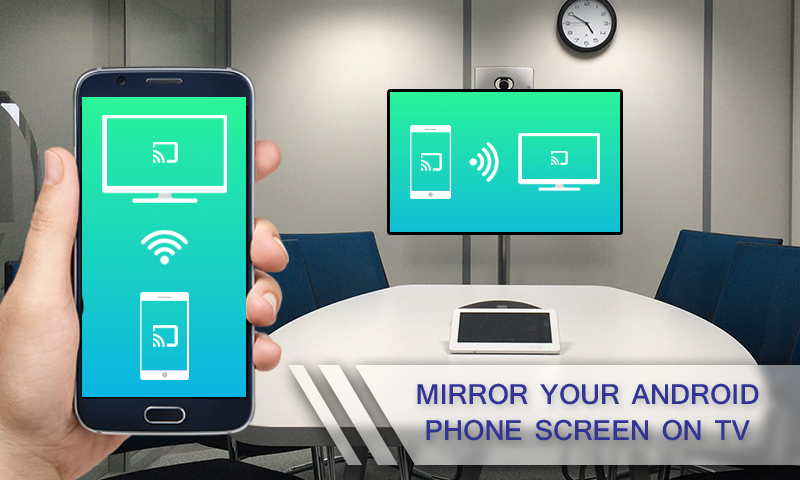
The 7 Best Screen Mirroring Apps for Android and iOS: Screen mirroring and sharing is a way to project your phone's screen onto a larger display, such as a computer or TV. But what are the best free apps for screen mirroring, and how do you choose the right one?
In this article, we reviewed the top 7 free screen mirroring apps for Android and iPhone.
What are Good Free Screen Mirroring Apps?
When searching for various screen mirroring apps for Android, iPhone, or iPad, you’re likely to come across many different options. Here are the key points to consider when selecting a good and free screen mirroring app:
Performance: A reliable screen mirroring app should provide smooth and stable performance without any lag.
Compatibility: A good screen mirroring app should support all major devices and operating systems to meet your needs.
Free or Free Trial: The app should be free to use or offer a free trial for basic features.
User-Friendly: The app you choose should have an intuitive and easy-to-use interface.
Security: Always choose a screen mirroring app that offers secure protection for your data privacy.
The 7 Best Screen Mirroring Apps for Android and iOS
In this section, we will provide detailed information about 9 free screen mirroring apps.
Google Home
The Google Home app is a mobile application developed by Google that allows you to set up and control smart devices, such as Chromecast TVs and speakers. You can also wirelessly cast your Android device's screen to a Chromecast TV and control media playback if you wish.
You can use this device to stream videos and display anything from your phone on your computer or TV.
Key Features of Google Home
Mirror Android screen to Chromecast TV
Control media playback on your mobile device
Voice control for smart devices in your home
Compatibility: Android and iOS
Screen Mirroring Performance
The screen mirroring feature is good and worth trying. We found that it can mirror the entire Android screen to the TV, but for iOS users, you can stream media from Chromecast apps but cannot mirror the entire screen.
User Reviews
Google Home is the most widely used app, with a rating of 4.5. According to users who expressed satisfaction with this app, it is easy to use and takes less time to cast from an Android device to others.
AirDroid Cast
AirDroid Cast is one of the best free and user-friendly screen mirroring apps. You can cast Android and iOS screens to a larger display or use a PC for full control over all these mobile devices.
Key Features of AirDroid Cast
Cross-platform compatibility for screen mirroring on major devices, including Android, iOS, Windows, and smart TVs
Remote control feature to use your mobile apps from your PC
Two-way audio for direct communication during screen mirroring
Free trial available for use
Web version available
Compatibility: Android, iOS, Windows, Mac, Linux, and smart TV
Screen Mirroring Performance
The screen mirroring performance in AirDroid Cast is impressive. It streams the screen with audio, providing full-screen mode and easy rotation of your device's screen.
User Reviews
Some popular features of AirDroid Cast that users love include its ease of use, wide compatibility, minimal audio and video latency, and high-quality mirroring capability. One user mentioned in their review that this app is the best.
TeamViewer

TeamViewer is one of the best free screen mirroring apps that is smart enough to compress data to save bandwidth and carefully monitor screen activity. It also features a stable remote screen sharing link and very high image quality.
Key Features of TeamViewer
File transfer between connected devices
Strong security connections with end-to-end encryption
Compatibility: Android, iOS, Windows, MacOS, Linux, and ChromeOS
Screen Mirroring Performance
Connecting is easy by entering the connection ID, with high-speed and stable connectivity.
User Reviews
The overall rating for TeamViewer is 4.6, but regarding screen mirroring, it has received average ratings from users.
ApowerMirror
ApowerMirror is a fantastic screen mirroring app developed by Apowersoft. You can display your mobile device's screen on a PC or TV, making it easy to share content, give presentations, and play games.
You can also control your Android or iOS device from your computer, such as using apps or playing mobile games from your PC. However, this app does have a watermark for free users.
Key Features of ApowerMirror
Mirror phone screen to PC or TV
Mirror PC screen to phone
Assign keys to play Android games from PC
Record phone screen from PC
Compatibility: Android, iOS, Windows, macOS, and smart TV
Screen Mirroring Performance
We can mirror the phone screen using Wi-Fi or USB, but it only allows screen mirroring for 10 minutes at a time for the free trial, and a subscription request pops up frequently, which can be somewhat annoying.
User Reviews
Some users find it very limited for the free trial with a less enjoyable experience, while others appreciate the image quality and user interface.
MirrorGo
MirrorGo is a well-known screen mirroring app with a free trial, suitable for presentations, gaming, and multitasking. MirrorGo also supports wireless or USB cable screen mirroring.
The technical specifications are less restrictive as it works on Windows Vista and XP or Android 6.0.
Key Features of MirrorGo
Share screen from mobile to Windows PC
Share files between Android and your computer
Record your phone screen on the PC
Compatibility: Android, iOS, and Windows
Screen Mirroring Performance
This app offers a large number of additional features, although it is less compatible with limited supported devices, but the screenshot image quality is amazing.
User Reviews
Most people think the feature sets are great and powerful, but there are connection issues while using this app, and some find it very difficult to connect their phone to the computer.
Mirroring360
Mirroring360 is also a free screen mirroring app that allows teachers to wirelessly mirror the screens of smartphones, including iPads, iPhones, tablets, or Android smartphones, or Chromebook devices to a front display in a classroom or meeting area.
You can use Mirroring360 to display multiple wireless device screens on the same display at the same time and record everything being displayed. Mirroring360 works on Windows, Mac, iOS, Android, and Chromebook.
Key Features of Mirroring360
You can use a Chrome extension to mirror your phone to your PC
Supports AirPlay and Google Cast
You can share up to 40 screens for online meetings
Compatibility: Android, iOS, Windows, MacOS, and Fire TV
Screen Mirroring Performance
Streaming downloaded videos is very fast and smooth, but streaming online videos can be slow.
User Reviews
One user mentioned that game streaming is slow through this app. Additionally, many users reported that this app does not work properly on Samsung devices. On the Google Play Store, the Mirroring360 app received a poor rating of 2.5 stars based on over 5000 reviews.
LetsView
As a versatile screen


