

Photo editing software for beginners in 2024: Who hasn't been amazed by the camera apps on our smartphones and their incredible ability to edit photos with just a few simple taps? We can now say that these apps have only opened the door for us. With real photo editing software, you can make stunning adjustments to your images. If you take a look at photos before and after editing, you'll see that the complete success of an image relies on proper editing. Anyone can buy a camera and take some pictures, but only a few can turn an ordinary photo into a work of art. So, how can someone new to this world choose the best photo editing software for beginners in 2024?
Fortunately, you don't have to search for long. Start developing your photo editing skills with our list of the best photo editing software for beginners in 2024.
Whether you want to create a website and need exclusive images for your site or a look that fits your brand, or if you're considering working as a graphic designer, the right photo editing tools can help you achieve your goals and set you on the right path.
Best Photo Editing Software for Beginners in 2024
In this article, we've tested and organized a list of the best photo editing software for beginners in 2024. We'll take a look at the key features of the different tools and help you choose the program that suits your needs.
1. Adobe Lightroom (7-day free trial)

Adobe Lightroom is the king of photo editing software; it's one of the best easy-to-use photo editing programs. Why? Simply put, all you have to do is upload a photo, and then you can unleash your creative potential for hours and more. There's so much you can apply in this amazing editor, but don't worry; once you master Lightroom, you can create your own presets and apply them to your next photo sets. The only downside to Lightroom is that it's a bit pricey, so try the trial version first and decide if you want to pay for this feature-rich program.
2. Snappa
Create graphics online in a flash with Snappa. This program allows SMM specialists and bloggers to create eye-catching images for their audiences. Besides being fast and fun, the platform is also very flexible. You can create perfect images for Facebook, Twitter, LinkedIn, Pinterest, Instagram, and other social media platforms. Additionally, it creates stunning ads, blog stickers, posts, email graphics, and more.
If you don't have time or prefer to use ready-made images, Snappa has a large stock that suits you. Moreover, this photo editor has basic presets that you can either apply directly or use as a guide.
With Snappa, you can make your images unique using beautiful fonts, effects, and filters, and you'll see your dreams come true.
3. ACDSee Photo Studio Ultimate (free trial available)
If you're looking for an editor that supports RAW files and fixes all details without harming the entire image, the answer is ACDSee. Its GPU-powered system and updated adjustment layers help you achieve your creative goals and exceed your clients' expectations.
It's one of the best photo editing software for beginners in 2024 if you want good results and don't have much time to edit photos.
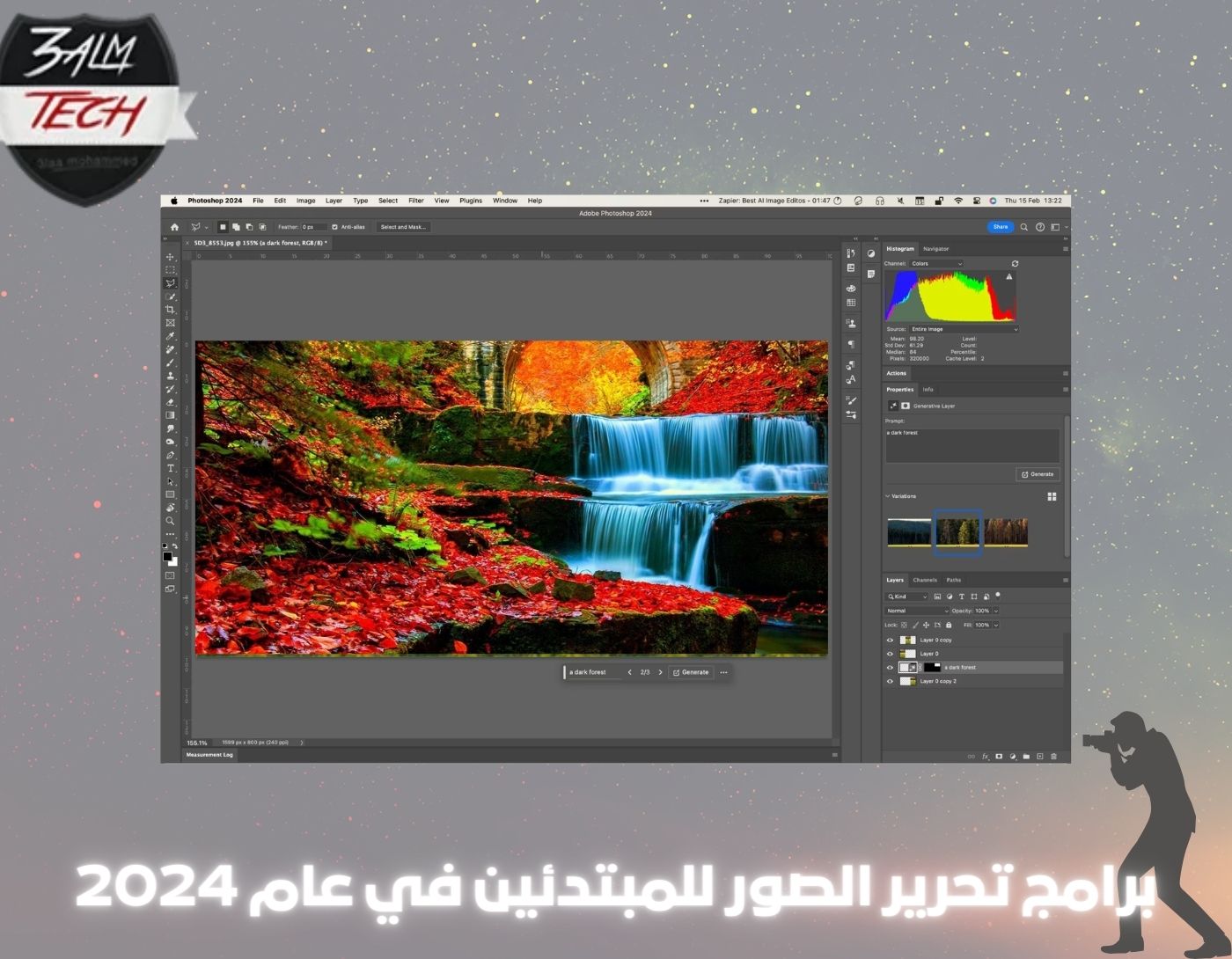
4. Adobe Photoshop (7-day free trial)
One of the best photo editing software for beginners that you can literally master in just two weeks! Yes, this exceptional program can do truly amazing things.
While Photoshop and Lightroom are good for editing, Photoshop focuses more on creation, while Lightroom is concerned with enhancing images, adding effects, resizing, and cropping. On the other hand, Photoshop supports 3D designs, illustrations, graphics, flyers, cards, stickers, banners, website images, logos, and icons. You can create them all using your Photoshop program. You can trust this graphic design tool as it is a well-tested and established program used by millions of designers and photographers.
5. Corel PaintShop Pro (free trial available)
If you're looking for a tool with comprehensive editing options and stunning results, this is the best free photo editing software for beginners. This graphics maker has a design reminiscent of Paint from the early 2000s.
Hundreds of designers and photographers use Corel PaintShop Pro for massive and impressive projects. Simple design and ease of use are important for photo editing software for beginners, and this program has both.
6. GIMP (Free)
If you're looking for a simple and free photo editing program that delivers stunning professional-level results, this version is for you. GIMP allows you to make as many adjustments as you want, and you can also use third-party plugins to create an unparalleled editing platform in the market.
High-quality image processing and tools for creating original artwork are the two main things GIMP offers. You can create artistic images with perfect lighting, exposure, and contrast through a variety of graphic design elements and unique effects, and it's completely free, making it one of the best photo editing software for beginners who can't spend a lot of money.
7. PicMonkey (7-day free trial)
When processing a large number of images for a blog, social media, and other purposes, high speed and the ability to work with different files are important: PicMonkey is perfect for this purpose.
PicMonkey helps you edit most images in the least amount of time, and you can do this by collaborating with your team or friends in real-time.
You can also add elements like fonts, logos, presets, and brand colors.
Images can be exported in PDF, JPG, and PNG formats, which are the formats most users need. Moreover, edits are automatically saved to the cloud!
8. Pixlr Editor (free basic plan)
Pixlr Editor is one of the best easy photo editing software for creative people just starting out in photo editing. It's very easy to work with this program.
With it, you can edit a single image or a whole batch of images effortlessly and in no time. The editor's design is smart and intuitive, so you will mostly not face any problems or difficulties in finding the right effect.
Pixlr allows users to make the most of their images. The Pixlr team understands that many people are far from the world of design and need a photo editor that easily transforms ordinary shots into logos, cards, stickers, posts, and quotes. Use Pixlr and forget about professional photo editing software forever.
9. Serif Affinity Photo (free trial available)
Serif Affinity Photo is one of the best photo editing software for beginners. Using it, you'll feel like a pro, even if you have little experience with editing techniques.
Along with its great design, Affinity offers RAW editing, 360-degree photo editing, panorama stitching, HDR merging, PSD editing, and more. Retouching is a strong aspect of Affinity Photo as it has a full suite of essential functions like cloning tools and blemish correction.
Reviews say the program runs without crashes, and it has also earned the title of "Apple's App of the Year," meaning it operates with the latest powerful technologies.
Conclusion
In this article, we discussed photo editing software for beginners in 2024. Whether you're editing photos for social media, a professional website, or as part of graphic design work, the right tool can significantly enhance your workflow and creativity. Good luck!
You might also like this
Best Free Programs to Recover Deleted Photos from Computer 2024
<a href="https://3almalt9nia.com/%d8%ad%d9%84-%d9%85%d8%b4%d9%83%d9%84%d8%a9-%d8%b9%d8%af%d9%85-%d8%b8%d9%87%d9%88%d8%b1-%d8%a7%d9%84%d8%b5%d9%88%d8%b1-%d9%81%d9%8a-%d


