

YouTube is the preferred choice for many, and it truly deserves that title. The site offers a wide variety of videos that combine diverse content with high quality. However, the age-old problem remains: enjoying these videos without an internet connection. If you're looking for the best video downloader for YouTube on Windows 10, this article is perfect for you. Stay with us and don't go far.
A YouTube video downloader for PC helps you download your favorite videos and save them in a format of your choice. It's a fantastic tool that gives you access to videos whenever and wherever you want. These programs are also very user-friendly, allowing you to save both videos and audio clips.
In this article, we've selected a range of the best YouTube video downloaders for Windows 10.
Best YouTube Video Downloader for Windows 10
1. By Click Downloader
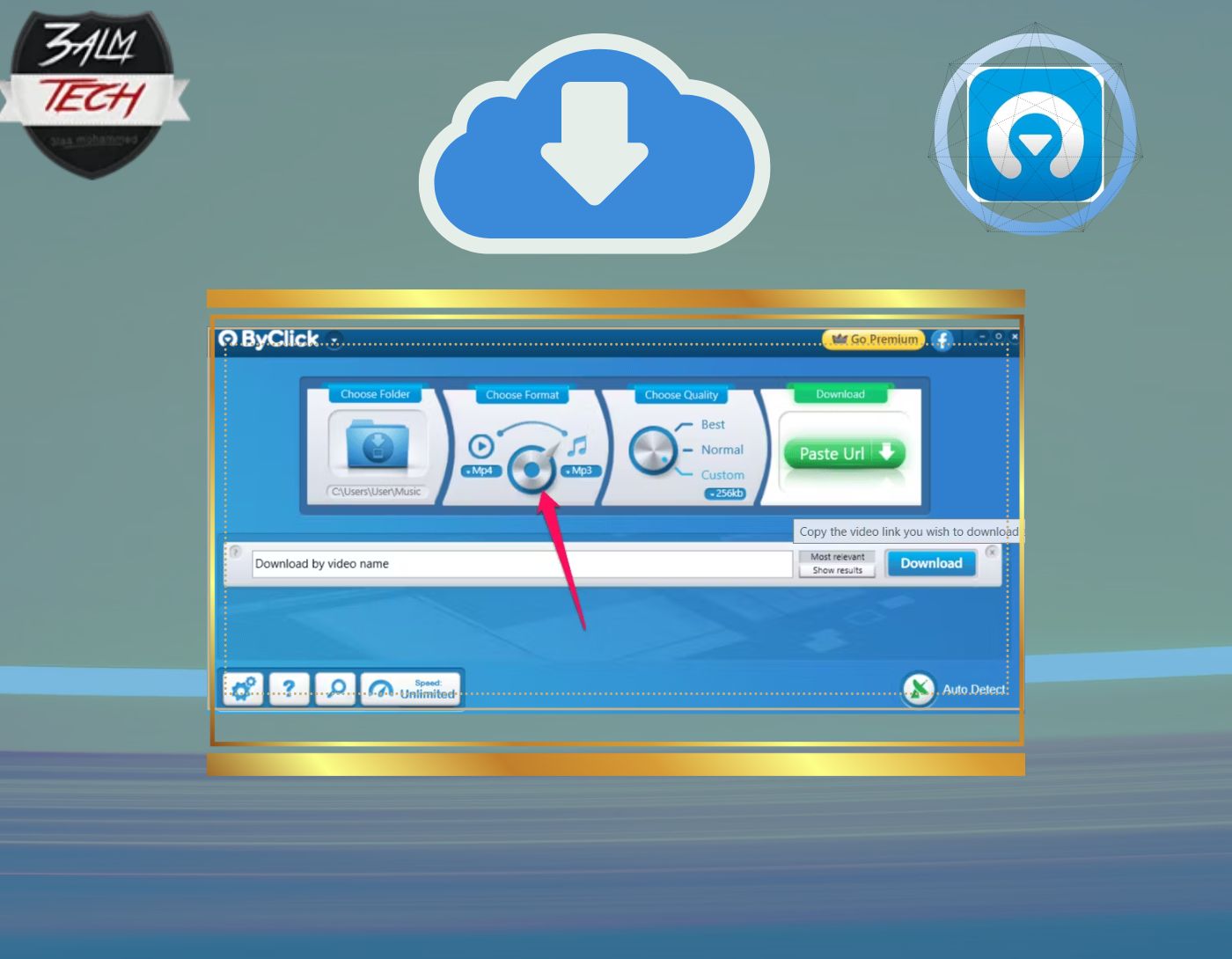
We start our list of the best YouTube video downloader for Windows 10 with this tool, By Click Downloader. It is a free downloading program that also offers a paid version with additional features. By Click Downloader supports all websites, including YouTube, Facebook, Instagram, Twitter, TikTok, Vimeo, Dailymotion, and many more.
You can download videos from any of these sites with just one click. The program allows users to easily and quickly download videos in HD and 4K quality. The formats supported by By Click Downloader include MP3, MP4, AVI, FLV, WMV, 3GP, WEBM, MKV, WAV, AAC, and M4A.
Pros
- By Click Downloader helps users download videos from over 40 online sites and platforms.
- It comes with a feature to download entire playlists from YouTube with just one click.
- The developers regularly release updates for the program.
By Click Downloader is a free and easy-to-use YouTube downloader for Windows 10. It gives users the option to download files in audio or video format, and it also allows downloading multiple videos or files at once, saving users a lot of time.
2. 4K Video Downloader
The next program is 4K Video Downloader. This fast application offers a great option for downloading multiple playlists and also supports 360-degree and 3D videos. This hassle-free tool allows you to customize videos according to your requirements, and the platform is user-friendly without bundled software. Just copy the video URL, paste it, and select the output quality and format. You can choose from MP3 and MP4 formats to save videos and audio. Additionally, it allows you to select multiple stream downloads, but excessive downloads may put your IP address on YouTube's block list.
Pros
- It is the best free YouTube downloader and is fully compatible with all versions of Windows operating systems.
- 4K Video Downloader allows you to download YouTube videos in any preferred format.
- The application comes with a feature that helps you automatically download videos from your favorite YouTube channel.
- It supports over 50 languages for captions and subtitles for downloaded YouTube videos.
4K Video Downloader is completely free, but you can always unlock advanced features by subscribing to the premium version. This YouTube downloader is useful when you don't have regular high-speed internet access, helping you download YouTube videos directly to your computer so you can enjoy watching them later. Some videos need to be watched multiple times (for example, educational videos), and you can easily download them and watch them for free repeatedly.
3. Gihosoft TubeGet
Gihosoft works on both Mac and Windows versions, providing a one-click download option that allows you to download your favorite videos on Windows XP/7/8/10 and Vista, as well as on USB drives and memory cards.
This portable video downloader not only supports YouTube but is also compatible with other video streaming sites. The program has many features, supporting UHD and HD video downloads in 8k, 4k, 2k, 1080P, and 720P resolutions. To keep up with YouTube's constantly changing algorithms, GihoSoft regularly upgrades its codes, adds new features, and fixes all bugs.
Pros
- You can download multiple videos at once.
- It also supports downloading automatically generated subtitles for embedded YouTube items.
- It can extract MP3 files directly from videos and supports SD and HD content along with various video types.
With a slow internet connection, the viewing experience can be very poor. Using Gihosoft TubeGet, you can download your favorite videos overnight and enjoy watching them in the morning.
4. Any Video Converter
This excellent program can download your videos, supporting multiple formats, adding special effects, and comes with a built-in video editor without any bundled software.
Pros
- One of the best YouTube downloaders for Windows.
- Offers multiple formats for its users.
- Comes with a basic video editor that allows you to add special effects.
In fact, Any Video Converter is fantastic to use, as the video download and save process is very fast and straightforward. Overall, however, its free version only supports one video at a time.
5. aTube Catcher
This great tool can save your videos while they are playing. Contrary to its name, aTube can save videos not only from YouTube but also from many other sites.
Pros
- Downloaded videos can be saved in multiple formats, and you can customize them according to your requirements and needs.
- Supports batch downloading, allowing multiple downloads at once.
- Offers additional features like video merging, burning discs, and gives users the ability to record screen videos.
There is a cautionary note to be aware of: you may encounter some unwanted adware during the download process.
6. Free Youtube Download
This program features a simple interface that helps you work easily without distractions. You can save your favorite video with just a few clicks; all you need to do is copy the URL and download the video.
Pros
- Comes with an automatic download option that supports autoplay without any clicks.
- You can save various videos and convert them into multiple formats.
Despite all its advantages, Free Youtube Download has a significant drawback: it does not support downloading videos longer than three minutes.
Conclusion
Does a slow internet speed affect your ability to enjoy your favorite videos? Well, I think it's time to choose the best YouTube video downloader for Windows 10.
This article contains a list of the best YouTube video downloaders for Windows 10, making the task of downloading videos very easy and straightforward when using the programs mentioned above.
If you have any questions about these programs or would like to share your thoughts on the topic, there is a comment section below where you can easily reach out to us.


