

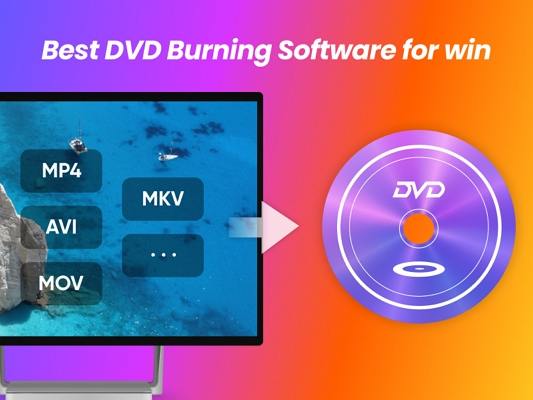
(8 Photo Recovery Apps in 2024 (Free and Paid)) Free DVD Copy Software for Windows 10: Are you looking for a suitable DVD copying program for your Windows 10 device? DVD copying software helps convert extracted content into a file that can be easily stored on the system, and the extracted content in the destination format is referred to as a rip.
A DVD copying program typically changes a DVD or Blu-ray movie into an ISO file format. This can help store your favorite videos, and you can also convert it into a compatible file format supported by your smart device.
These types of applications are still in demand because they can be used to back up important files. Copying a DVD may seem like a daunting task; however, it can be easy if you have a good DVD copying program.
Therefore, in this article, we have organized a list of the best free DVD copying software for Windows 10 that you can use according to your needs.
Free DVD Copy Software for Windows 10
DVD files are usually quite large, making it somewhat challenging to copy the entire content, thus a DVD copying program can re-encode the content to fit smaller file sizes.
We will take a look at the best free DVD copying software for Windows 10 in this article.
1. WinX DVD Ripper Platinum
Let's see what WinX DVD Ripper Platinum can do?
This program supports various input files such as DVD discs, DVD folders, ISO files, and images, with a 30-day money-back guarantee. This backup tool can copy DVDs and convert them into over 350 output file formats for devices from Apple, Microsoft, Android, Sony, and many other platforms like Chromecast, Blackberry, Samsung, LG TV, etc.
It features advanced options that make it easy to adjust video resolution, trim videos, and change frame rates. Moreover, it also helps exclude titles, includes subtitles, and supports many other customizations.
2. HandBrake

HandBrake is the best free DVD copying tool as it is an open-source application. This tool is also known as a video encoding converter and provides multiple presets for copying DVDs and extracting video files.
If you are looking for a program that can perform multiple conversions, you can choose this one as it can handle several encoding tasks for ISO images or disc folders simultaneously.
However, one limitation of this tool is that it cannot bypass copyright protection. This is the best open-source DVD copying application compatible with devices running Windows, Linux, and Mac operating systems.
3. DVDFab

DVDFab is undoubtedly another excellent choice in the category of DVD copying applications for Windows 10, as it quickly copies a DVD and converts it into any of the popular video formats as well as audio formats.
There is also a premium version that offers high-end features. The program supports Windows 10, 8.1, 8.7, as well as Mac operating systems, and it supports various inputs along with many output formats.
When paired with the DVDFab ripper, DVDFab can enhance the output video quality from 480p to 1080p.
4. Freemake Video Converter
This tool is primarily a free video conversion and copying program. Freemake Video Converter can also copy and create discs, allowing you to edit video content with customizations like adding subtitles and video editing, etc.
It also provides presets for Android, Blackberry, Apple, Xbox, and Sony devices, and supports over 500 input formats.
Wondering what it can do for you? The DVD version for Windows 10 allows you to download and edit videos from online streaming sites like Dailymotion, YouTube, and Vimeo. You can also use this free tool to convert YouTube videos to any other file formats you prefer.
5. MakeMKV
MakeMKV is the best free DVD copying software for computers running Mac, Linux, and Windows. It can read DVD and Blu-ray discs and is capable of preserving all video and audio tracks while also performing fast conversions.
No other software is needed for decryption or conversions. The DVD opening function is a free feature, and all features, including Blu-ray decryption and processing, are completely free in the trial version.
6. WonderFox DVD Ripper Pro
Use this application to complete DVD backups in just three simple steps. What makes this tool unique is that it maintains a perfect balance between compression ratio, file size, and output quality.
For example, it compresses a 7.5 GB DVD into a digital format ranging from 0.5 to 1 GB without compromising video quality.
Now you can copy a DVD quickly within 20 minutes using this tool. The tool can also remove unwanted ads, trailers, and videos, making it ideal for users looking for a comprehensive DVD copying program for their Windows 10.
7. VLC Media Player
VLC Media Player is more than just a media player application as it can also be used as a DVD or Blu-ray copying program.
The application can copy a DVD if you go to the "Convert/Save" function under the "Media" tab.
Moreover, you can go to the "Disc" tab and select the DVD or Blu-ray disc you wish to back up, and you can also use the "No Disc Menu" option if you want to skip menus.
8. Aimersoft DVD Ripper
This is one of the best DVD Ripper programs that can convert over 200 formats at six times the normal speed. The output quality of these DVD videos is excellent and highly reliable.
Aimersoft can copy DVDs to the following formats such as MPEG, MP4, H.264, WMV, MOV, AVI, MKV, M4V, and also HD & 3D video formats.
It is compatible with devices like iPhone, Samsung Galaxy Tab, iPad, Nokia, and other Android-based smartphones.
A DVD can be converted to FLV, SWF, F4V, and other video formats. Audio tracks can be extracted from DVDs to M4A, MP3, AC3, WMA, and many other formats.
9. Magic DVD Ripper
Magic DVD Ripper can easily copy a DVD, and you can definitely convert your DVD to AVI, SVCD, WMV, MP3, VCD discs, and other formats.
There are many features that support Magic DVD players, such as the ability to copy videos from a DVD to the hard drive without significant loss in quality.
10. DVD Shrink
This is an excellent free tool for copying DVDs across platforms, equipped with specialized settings and a default compression algorithm to provide standard quality for outputs.
The tool has a responsive interface; one limitation of this program is that it must be used with a DVD copying program to create a backup of a DVD.
11. DVD Decrypter
Another free DVD copying tool for Windows 10 that helps copy a DVD to a single ISO file or VOB file or IFO files attached within a folder. The interface is simple and offers plenty of customization options.
Conclusion
DVDs are mostly encrypted, so it is essential to use a DVD copying tool equipped with decryption capabilities. While copying DVDs, you should be aware of copyright laws in your region, especially if the content being copied is not available in the public domain. Otherwise, creating unauthorized copies may be treated as a copyright infringement.
If you want to create copies and keep collections of your favorite videos, it is highly recommended to use a free DVD copying program for Windows 10. You can choose the perfect application mentioned in this post that can easily handle the task for you.
You might also like
Photo merging programs for Windows 10 and 11
<a href="https://3almalt9nia.com/%d8%a8%d8%b1%d8%a7%d9%85%d8%ac-%d9%84%d8%aa%d8%ad%d8%b3


