

Video editing applications have become essential for anyone looking to create professional content. Whether you're a beginner or a seasoned content creator, free editing tools like CapCut offer incredible capabilities to turn your ideas into engaging videos. In this article, we will provide an in-depth explanation of CapCut, focusing on how to use it, its features, and its benefits. You can now download CapCut for free and create high-quality content using this powerful and free program.
What is CapCut?
CapCut is a free video editing software available on mobile phones and desktop devices, perfect for easily editing both short and long clips. With advanced tools like automatic text, background removal, and a library of effects, CapCut allows anyone to produce professional-looking videos. CapCut integrates seamlessly with TikTok, enabling users to upload their videos directly to the platform. With CapCut, you can create exciting content with just a few clicks, whether you're targeting YouTube, Instagram, or TikTok.
A Free and User-Friendly Editing Program
CapCut features an easy-to-use interface that allows you to get started right away, without needing advanced technical skills. You can download and install the program for free, then use the editing tools directly on the timeline. With CapCut, users can trim clips, add visual effects, and format audio. The program is fully activated and provides direct links that enable you to start working immediately without complications.
Support for Phones and Computers
CapCut is not limited to mobile devices; it can also be downloaded and used on computers. The desktop version includes advanced professional features, such as editing videos in 4K and adding complex transitions. The Windows version allows for faster and more precise video editing thanks to tools designed for desktop use. By downloading CapCut on your computer, you get stable performance and unlimited capabilities for video editing.
What are the Key Features of CapCut?
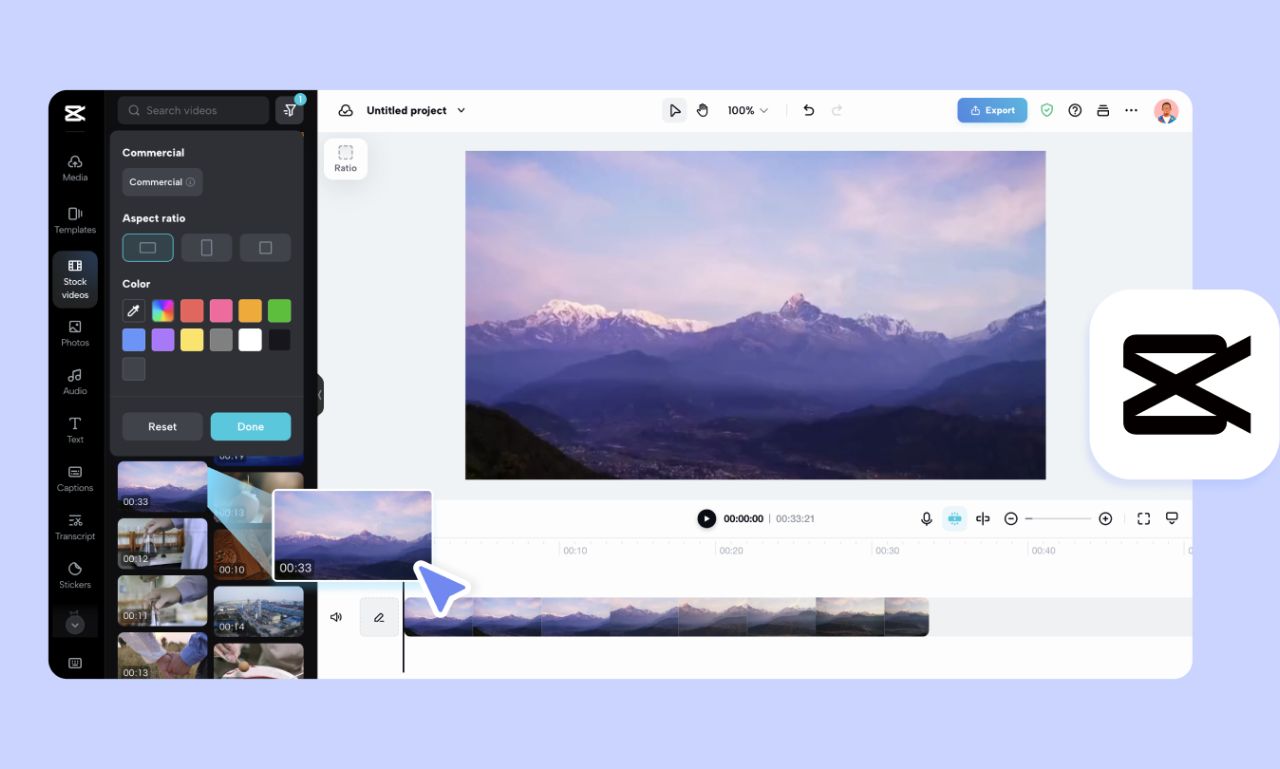
CapCut is not just a traditional video editing application; it is a comprehensive toolkit that supports users at all levels. With a library of professional templates and unique sound effects, users can save a significant amount of time and effort. The program's interface is organized to allow easy access to tools and task execution. With features like automatic translation and text conversion, the program becomes a comprehensive platform for video editing with ease.
Ready-to-Edit Templates
CapCut offers a massive library of templates that can be used to create professional videos quickly. These templates come with ready-made effects, stock audio, and dynamic transitions suitable for various types of content. Whether you're creating an entertaining, educational, or promotional video, you'll find a template that fits your needs. Downloading the full CapCut program gives you direct access to these templates.
Professional Editing Tools
Tools like color keying, animated text, and visual effects help significantly enhance video quality. You can also edit audio, control pacing, and add sound effects precisely. The program can also be used to convert long videos into shorter clips suitable for social media platforms. With the activated CapCut program, you can easily apply all these tools at no cost.
What are the CapCut Editors?
CapCut provides three main editors suitable for different uses: mobile, desktop, and photo editor. Each editor is designed to meet user needs, whether working on short videos or editing high-resolution images. Each editor is an independent tool that can be relied upon to create creative and professional content. Downloading the CapCut program allows you to switch between these editors as needed.
Mobile Video Editor
The mobile editor offers an easy interface and smart tools like text conversion, background removal, and ready-made effects. Through the app, you can share videos directly to social media platforms like TikTok and Instagram. The cloud storage feature is one of its standout characteristics, automatically saving your projects. All you need to do is download CapCut for free to start using these features.
Desktop Video Editor
This version combines performance power with ease of use, allowing you to work on large projects using more precise tools. You can edit videos in 4K, add text and animations with AI support. A vast library of effects and filters enhances the editing experience. Downloading the program with direct links allows you to work quickly and effectively.
How Does CapCut Work?
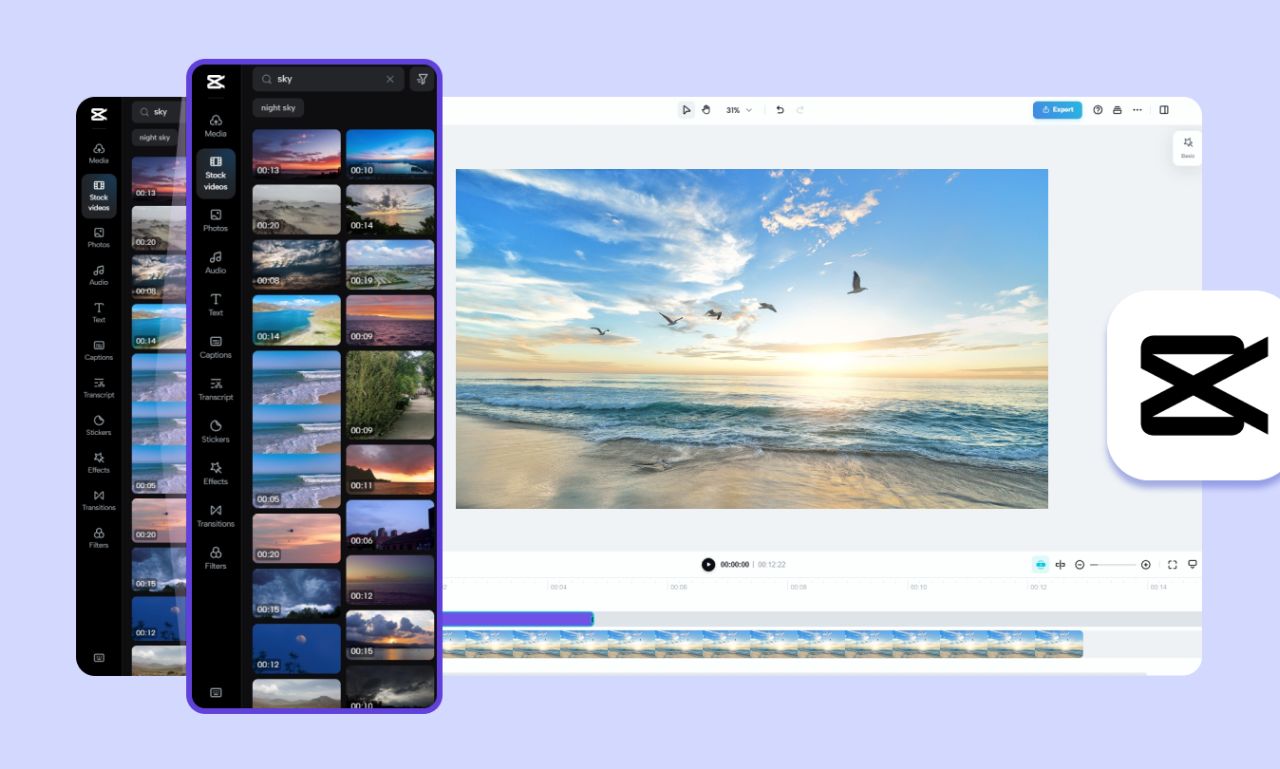
The CapCut interface is divided into four main areas: the preview window, timeline, main toolbar, and sub-toolbars. Using these sections, you can manage clips, arrange them, add effects, and adjust audio precisely. CapCut supports automatic project saving, ensuring that edits are not lost. All you need to do is download the CapCut program and follow the simple steps to get started.
Steps to Use the App on Mobile
Start by downloading the CapCut app on your device, then create a new project and select the clips you want to edit. You can easily trim clips, add audio, subtitles, and stickers. The user interface makes the editing process simple even for beginners. With repeated downloads of the CapCut app on mobile, you'll receive continuous updates that enhance the program's efficiency.
Installation Steps on Computer
Click the link, then click "Download." After installation, log in with your account or create a new one. After that, you can start creating and editing videos right away. CapCut is a fully activated application on desktop.
What are the Main Benefits of Using CapCut?
CapCut is not just a simple editing tool; it is a means to enhance content quality and speed up production processes. It allows you to customize videos and add your unique creative touch. It integrates with marketing tools and is ideal for content creators and businesses. With this program, you can download professional videos without the need for paid tools.
Time-Saving and Efficiency Improvement
The program is an ideal alternative to complex tools thanks to its simplified interface and ready-made templates. With tools like automatic translation and multi-layer editing, you can execute your tasks quickly. Whether you're editing short clips or lengthy projects, you'll find everything you need in the CapCut app. Downloading the full CapCut program ensures this efficiency every time.
Versatility and Platform Support
CapCut supports working across various platforms and devices, giving you complete flexibility in editing. You can start your project on mobile and seamlessly continue it on your computer. Additionally, the program does not display ads during editing, providing a clean working environment. Using direct links, you can download the program and start immediately.
What are the Best Practical Applications for CapCut?
CapCut serves its users in multiple fields, from digital media to education and presentations. Whether you're creating awareness, promotional, or educational videos, you'll find that CapCut provides the right tools. It outperforms its competitors thanks to its support for instant collaboration and cloud storage. The program is designed to meet the demands of the modern digital age.
Social Media Video Editing
CapCut is perfect for creating short clips for TikTok, Reels, and YouTube Shorts. You can use modern effects and seasonal stickers to increase audience engagement. It also supports importing favorite songs and effects to make videos more exciting. You can download the app for free and create interactive content directly.
Educational Videos and Presentations
Using tools like text-to-speech conversion, you can create educational videos targeted at all audiences. Its interface allows for creating professional presentations that combine information with attractive design. CapCut also offers flexibility in adjusting texts and visual elements to suit your goals. The CapCut download program is an ideal choice for anyone looking to produce rich and powerful content.
Conclusion
The explanation of CapCut demonstrates its strength and ease of use as a tool for editing high-quality videos. The program provides everything you need to create stunning videos without incurring any costs. Whether you're a beginner or a professional, CapCut is the perfect choice for developing your content. Don't hesitate to download the program now from direct links and start creating for free!


