

Free FireAlpaca brushes for digital drawing and painting: Digital drawing has never been easier with so many free tools available online.
The most popular free drawing tool might be Krita, but it has competition; FireAlpaca is a free drawing program that is gaining popularity every day.
Anyone diving into this program will learn it quickly, but it's helpful to have the right brushes to get started.
There are some default settings with features like watercolor. But why not add more to your toolkit?
This list includes every brush you'll need to create stunning artwork in FireAlpaca.
1-Oououtto Brushes
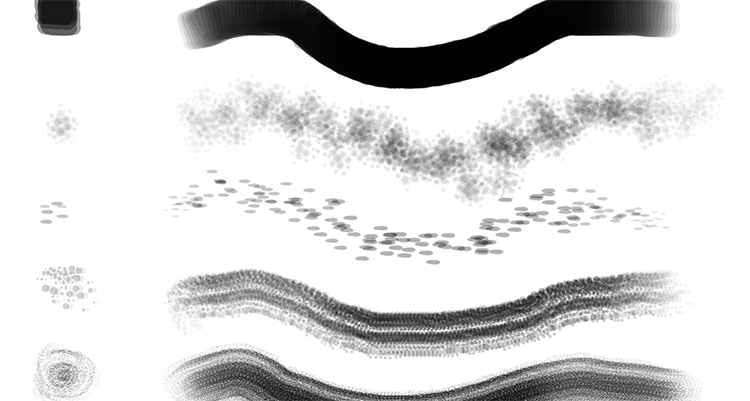
If you need variety, check out this free pack from Ooupoutto.
The DeviantArt community is full of these brush sets and is the best place to find similar resources, especially for FireAlpaca.
With this pack, you'll get over 20 different brushes along with some setup instructions.
They're very easy to work with, and there's a good mix for digital drawing, sketching, or inking.
I would recommend them to both beginner and more experienced users alike. You can do a lot with FireAlpaca and this user-friendly brush pack.
2-P2U: Brush Pack 9
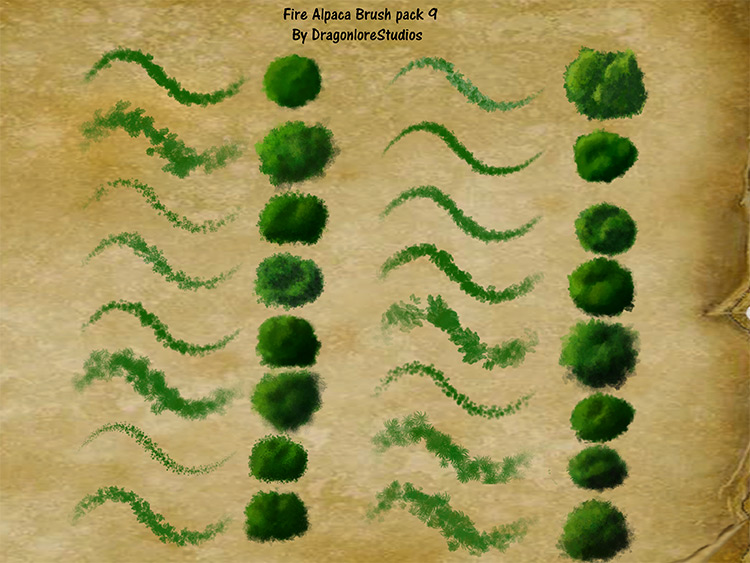
In this unique brush set, we have a collection of leaf print designs. They are definitely eye-catching and can be used effectively in the right scenario.
Content creator DragonLoreStudios has released several brush packs for free on DeviantArt.
There's a lot here, and most of it is 100% free.
This pack is great if you're drawing trees, grass, or even some finer materials like clothing or hair.
But use this as just one of many packs for your work.
3-Brush Pack 2
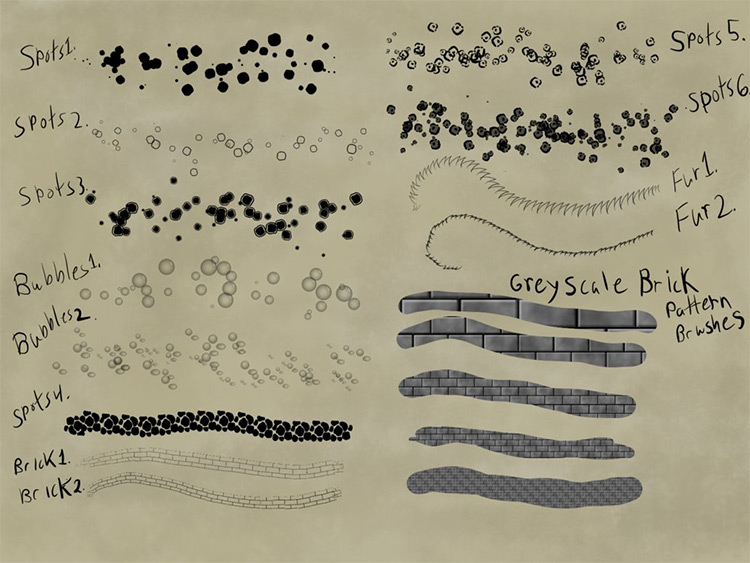
Another fantastic collection from DragonLoreStudios. This one features a good mix of styles along with "typical" brush patterns.
The "Brush Pack 2" is available for free download and can be used in any art project.
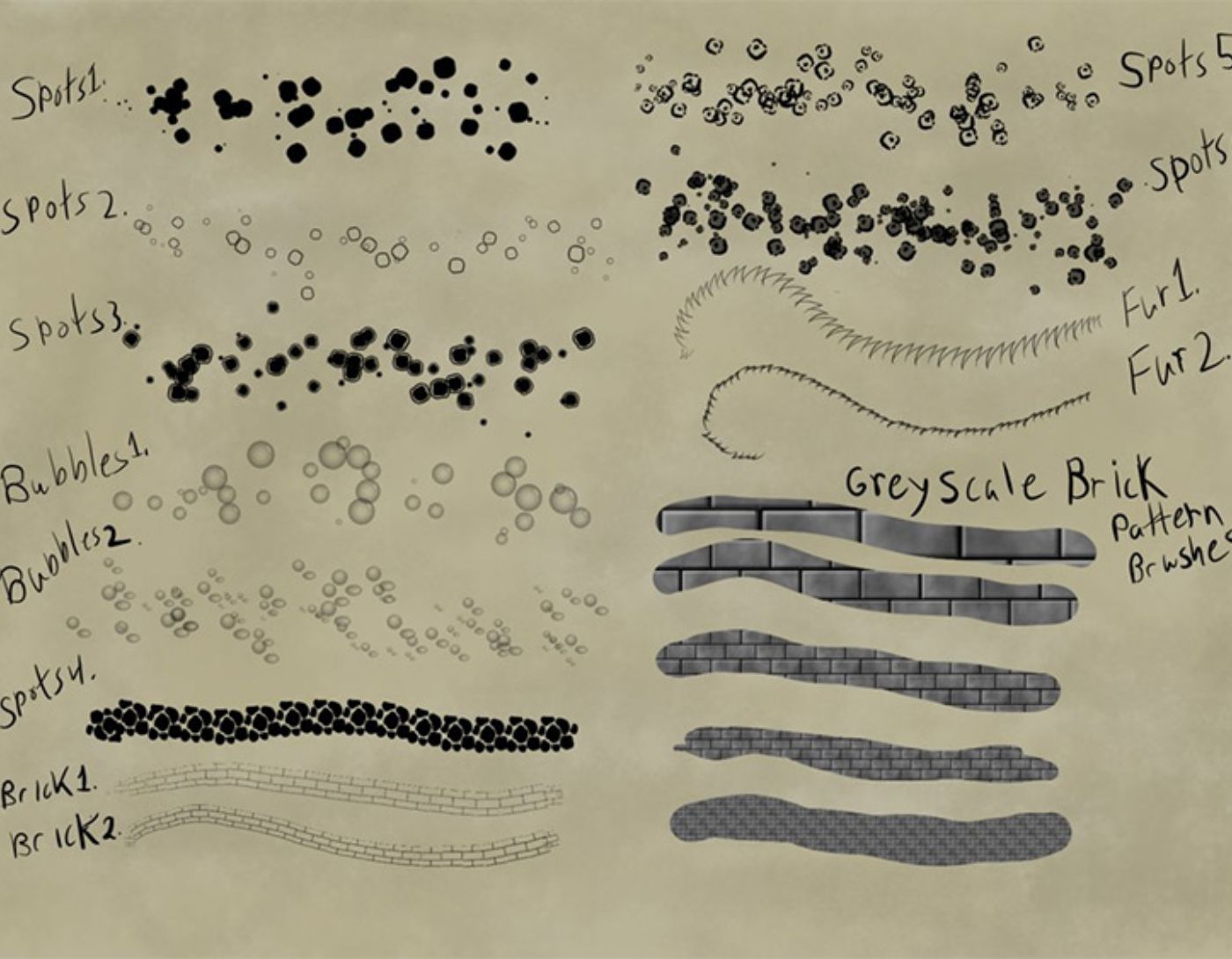
You’ll find a mix of brushes along with some more complex patterns like bricks. None of them are perfect, but they will give you a good starting point for detailed projects.
I really like some of the brushes, especially numbers 5 and 6, which look great.
4-Cocobunnie Promotional Gift Pack
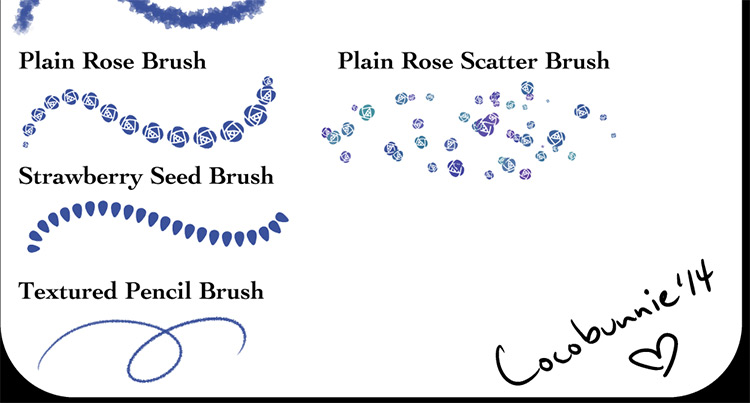
What I really love about the Cocobunnie pack is the immense variety.
You’ll find things that resemble stamp brushes that you can replicate in your digital graphic design work. But there are also a few traditional-style brushes that mimic pencil work.
It's also easy to customize the brushes so you can adjust those settings to fit your needs. There’s plenty here to work with if you’re familiar with the FireAlpaca landscape.
I would say the pencil brush is the main reason to grab this collection. It will prove useful time and again.
5-Cloud Brushes

These brushes aren't exactly cloud patterns, but they mimic cloud styles.
You can find the free brush set here with an explanation of what's included.
Surprisingly, these brushes are quite convincing, and there's a lot to be said about the quality. I wouldn't rely on these elements 100% for all my drawing, but I would say they’re great for some very common textures.
And if you're looking for more, there's plenty in Cocobunnie's profile.
There are lots of great things to find there if you know where to look.
6-Animal Brushes
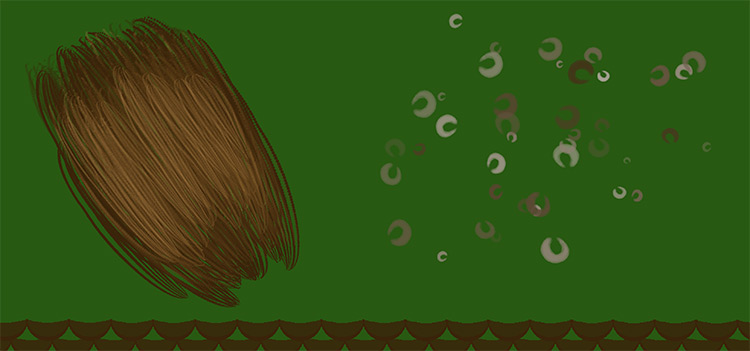
Another collection is this set of animal brushes.
They focus heavily on fur and hair and are perfect for almost any artist. It might take some time to get used to the brushes since you need to be comfortable with digital drawing first.
However, it shouldn't take too long to adapt to this brush set and find some benefits from it.
I wouldn't call it a must-have, but it's definitely a great collection if you do a lot of digital drawing.
7-Painterly Brushes
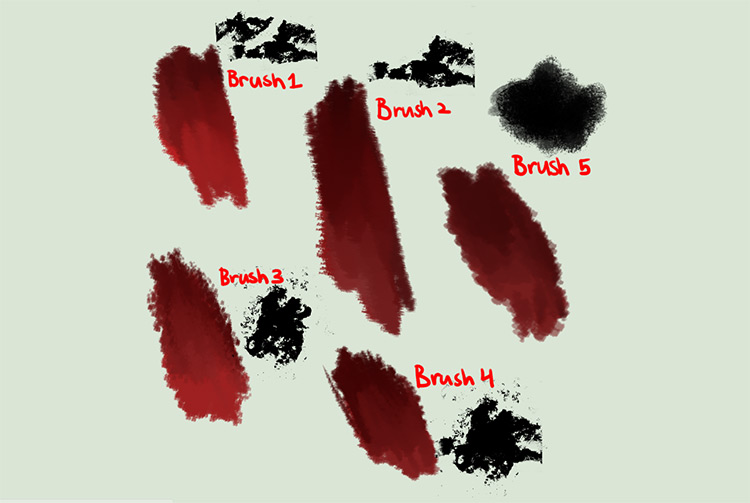
I think this pack is essential for every FireAlpaca user.
Content creator Candy Desufox has released some brushes for free, and this pack is one of my favorites.
It can be used almost anywhere, and the brush patterns look incredibly versatile.
You can combine these elements for some unique touches in your artwork.
If you’ve just entered the program, you’ll definitely want to get a copy of this brush pack. It will help you through many training sessions and can also be used to finalize your pieces.
8-Alternative Brush Pack
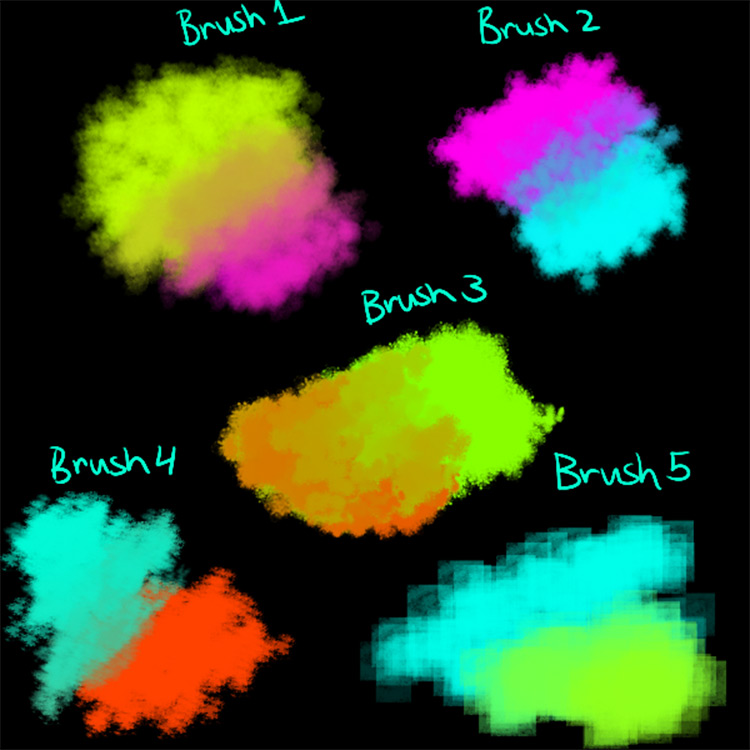
These brushes work just like the other pack; it’s a very small collection with only 5 brush styles to choose from.
But the designs are fantastic.
There’s so much you can do with this brush set that you’ll never run out of ideas.
I highly recommend downloading it from Candydesufox's site if you're looking for high-quality brushes that fit almost any project.
9-Free Pack (Various)
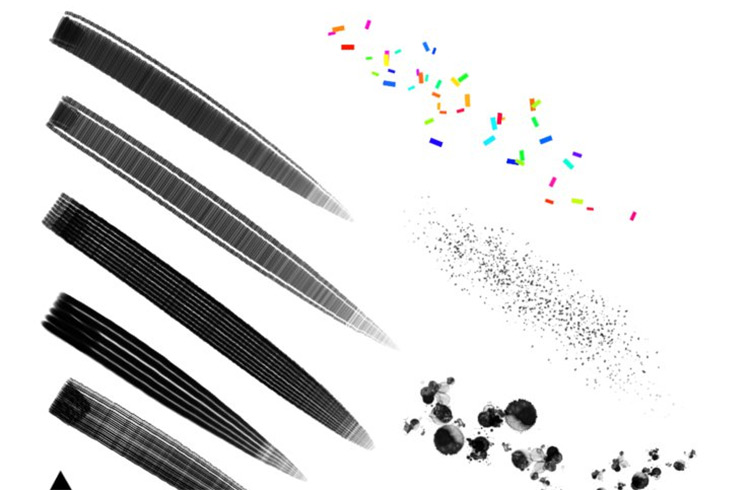
Want a variety of brushes with some great designs? Look no further than this collection packed with over 10 unique brush styles.
You can easily adjust the format, size, and opacity, so these styles offer a lot of customization.
Setting up the repeating patterns is very easy, but I really love the solid line brushes. They can be used as inking tools or as resources for digital drawing.
It all depends on the type of art you’re creating and how comfortable you are with FireAlpaca.
10-Converted Brushes
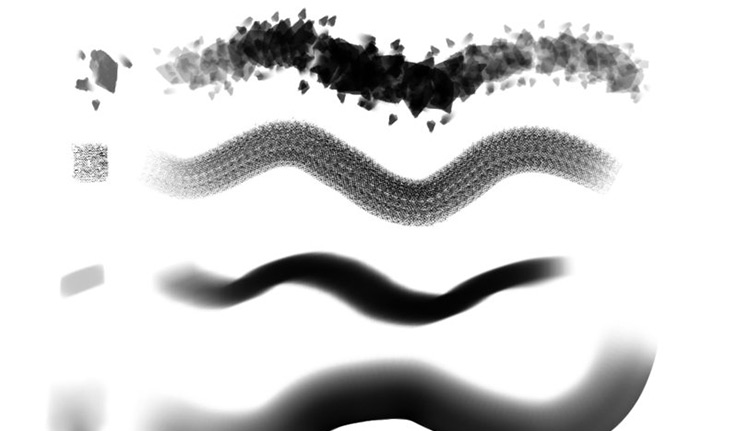
Converting Photoshop brushes to FireAlpaca
DeviantArt user KittyKittyKittyzz took the time to convert this brush pack from a Photoshop .abr file.
These brushes include some default settings and have all been transferred from Photoshop to FireAlpaca.
I really love these brushes as they provide a lot of space to test things out. They’re very similar to the original Photoshop brushes as well.
I’m a big advocate for open-source, and that’s the only downside to Photoshop: incompatibility.
With this pack, you’ll have access to some fantastic brushes with PS quality, all completely free.
11-Cheap krabs Brush Pack
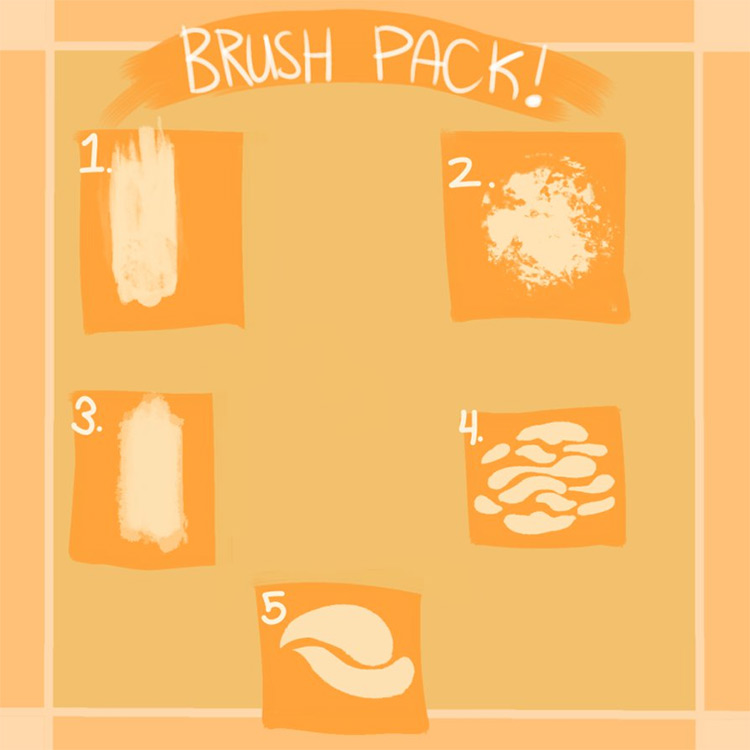
DA user cheapkrabs released this fun brush set for FireAlpaca users.
This comes as pack number 3 in a small collection, but I’d say this is the best.
Since there are only 5 brushes here, it might seem small. But there’s also a lot you can work with if you customize the settings.
Most of these brushes are general enough to blend with any art style.
Whether you’re drawing cartoons or illustrating your own works, these brushes can handle it all.
12-Bokeh Brush Set
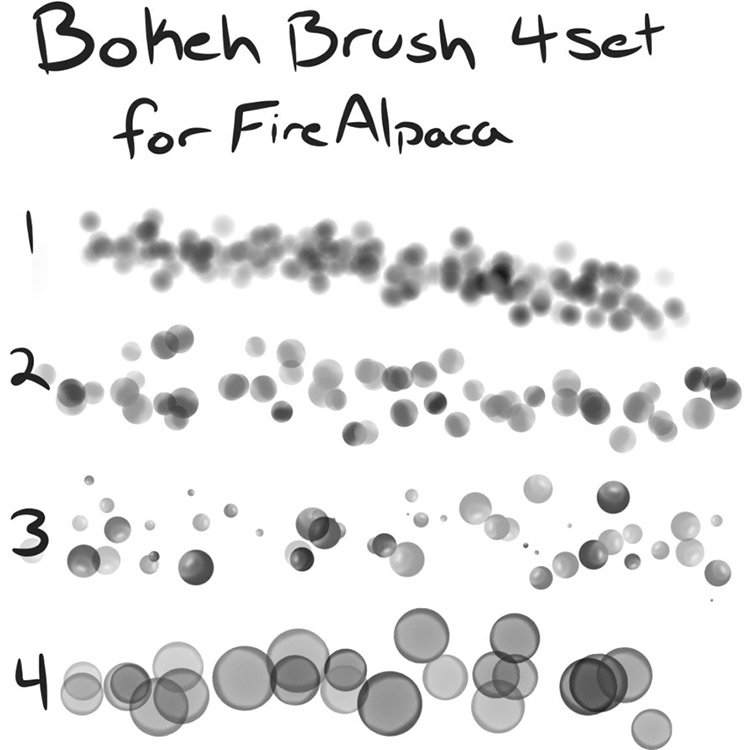
I know these brushes may not fit all purposes, but they can add a nice finishing touch to pieces that need a magical flair or some lighting effects.
Not to mention their value in graphic design and custom illustration work.
I won’t claim that this brush set is essential. It’s really specialized and specifically for artists who might use this type of effect.
However, if you are one of those artists, you’ll definitely want to get a copy. You won’t find anything else similar or better.
13-4 Configurable Brush Scripts
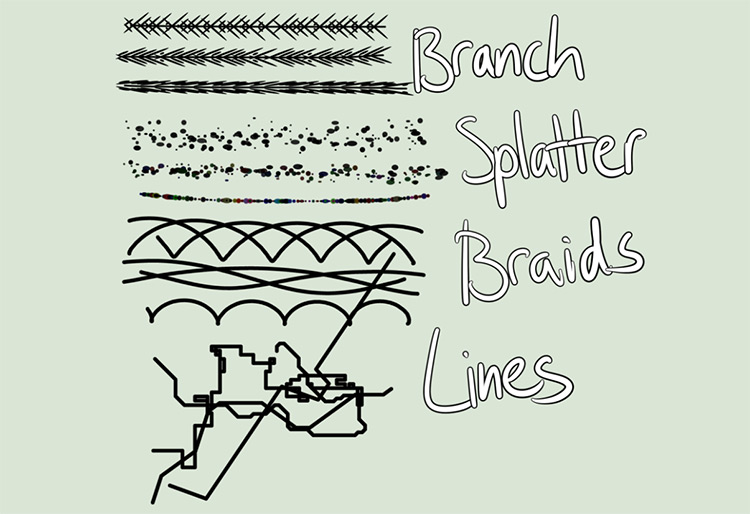
Finally, we have this set of configurable brush scripts from DA user Bubsby.
You have full control over the radius and overall line size, along with some other great features with repeating patterns.
I’ll use them more for rough sketches or inking a final piece. It’s helpful to be familiar with FireAlpaca before picking up this set, but it’s worth getting either way.
And if you’ve never worked with brushes before, this is a great introduction, and they’re all 100% free.
Conclusion
In this article, we discussed free FireAlpaca brushes for drawing and digital coloring and the best 13 brushes, providing you with a fantastic collection that will surely assist you in your work.
Try


