


File size: 2 MB ⏬ Direct download - File format: RAR - Download from mega using IDM
Peace be upon you and God's mercy and blessings
Welcome, dear followers, to this new topic where we will explain how to download from the mega website
using the IDM download manager
First and foremost, you need to have the IDM download manager installed. If you don't have the program
you can download it by visiting this post where I explained how to download and activate IDM previously
You also need to have the mega downloader program, which you can download from the link below the post
After installing IDM and mega, open the mega program and go to the top and select options

Then select configuration
and check the option to use streaming server
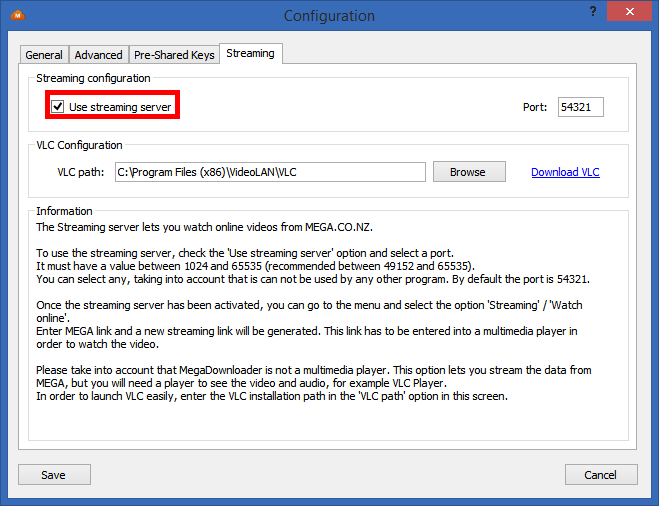
Finally, click on save
Then go to streaming and select from the dropdown menu
watch online
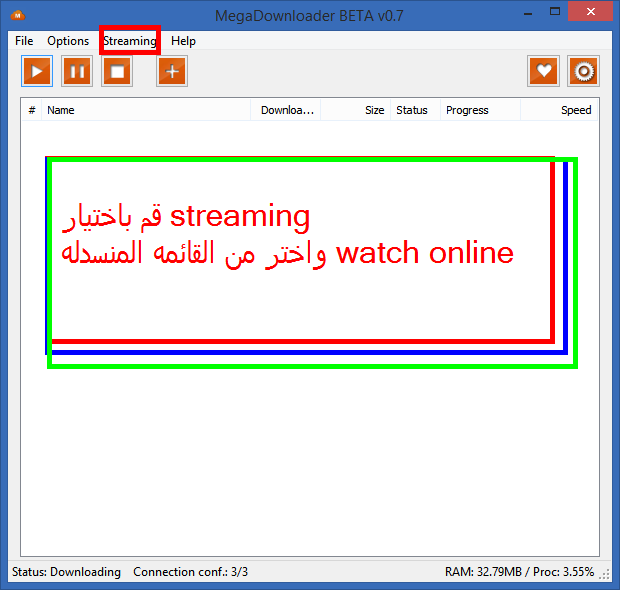
Copy the download link from the mega site and paste it in the box
as shown in the image

Then click on start VLC
and copy the resulting link and place it in IDM as shown in the image below
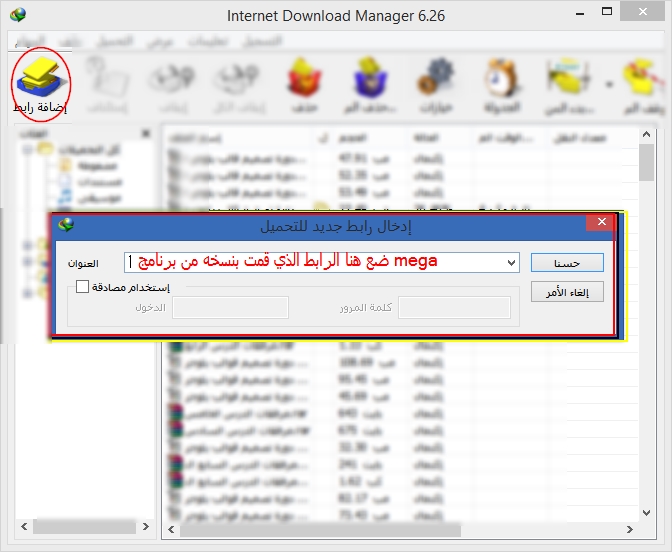
The download will then begin


