


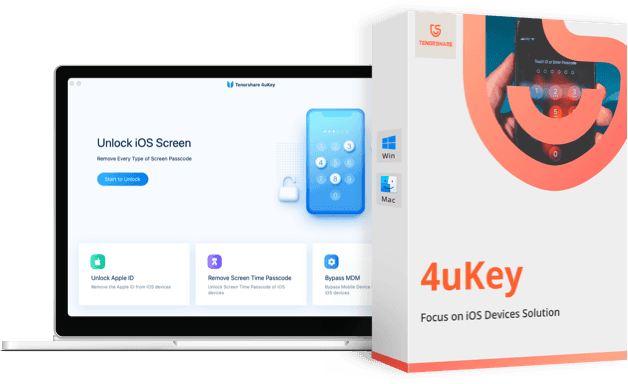
Overview of Tenorshare 4uKey
Have you forgotten your iPhone passcode? Has your iPhone been disabled after entering the wrong password too many times? Is your iPhone screen broken and you can't enter your password? Tenorshare 4uKey is a simple tool designed to unlock your iPhone screen without restoring through iTunes. It doesn't matter if your passcode is a 4-digit or 6-digit code, a custom numeric code, an alphanumeric password, or if you're using Touch ID or Face ID; Tenorshare 4uKey can remove it in just a few minutes. The software also supports the latest versions of iPhone.
What is Tenorshare 4uKey?
Tenorshare 4uKey is a program that allows you to remove the passcode/screen lock and bypass Apple ID and MDM on your iOS devices. If you have an iPhone, iPad, or iPod Touch and you've forgotten your Apple ID, you won't need to jump through hoops to unlock your device. Just download 4uKey on your laptop or desktop, and you can unlock your device in minutes.
Even though this was my first time using 4uKey to unlock my phone, I didn't feel intimidated by the program. Below, I've included a detailed guide on how to use 4uKey to remove the Screen Time passcode on your iPad or iPhone. Let's jump right in.
In the following video, there's a quick explanation of the program's great capabilities. Watch the video to learn how to use the software.
Special thanks to the video source
Channel: Azmi Assad عزمي on YouTube.
Using the Program Explained with Images
- Download and install the program on your computer. If you haven't downloaded it yet, you can get it from the following link Tenorshare 4uKey

- Launch 4uKey, and click on Start ابدأ to begin the process.
- Connect your iPhone, iPad, or iPod Touch to the computer using a Lightning cable. 4uKey will automatically detect the device.
- You may be prompted to Trust الوثوق the computer if this is the first time you are connecting your iDevice to this computer. From the program window, click on Next التالي.

- After a few minutes, you will have the option to start removing the lock from your device. Click on Start Remove بدء إزالة to proceed.
- 4uKey will take a few minutes to remove the Screen Time passcode on your device. During this process, you will need to keep it connected to your computer.

- You will also be asked to turn off the " Find My iPhone " feature, so go ahead and turn it off if it's enabled and press OK موافق.
- After the unlock process, your iDevice will restart and welcome you .
- Make sure to select Don’t Transfer Apps & Data عدم نقل التطبيقات والبيانات on the setup screen, then choose Set Up Later الإعداد لاحقًا for Screen Time

- Your device is now unlocked, and you can start using it again.
Features of Tenorshare 4uKey
-
Unlock iPhone
It has become a ritual for me to forget my screen lock password and be unable to unlock my iPhone. Losing the password to my phone is truly a messy situation, especially in this era when we use our mobile phones for everything from business to social life.

Surely, I'm not the only one facing such a situation, so for all of you, there's no need to worry. I was able to easily use 4uKey to unlock my iPhone, iPad, or even an old iPod Touch that I hadn't accessed for over a year. The functionality of the 4uKey program is particularly useful for forgotten iPhone passwords, especially when I accidentally enter the wrong password multiple times and disable my iPhone.
Additionally, it is extremely helpful in case your Apple ID is disabled. If I end up breaking my iDevice screen into pieces, I can expect 4uKey to help me unlock the phone and recover my data to an external drive. I can also use it to turn off Find My iPhone without the password, all at the click of a button.
-
Passcode Remover
There are tools available that allow me to bypass 4 or 6-digit numeric passcodes, but none have been able to help me access my iPhone if it was locked using Touch ID or Face ID. This is where 4uKey came to save the day.

I had locked my iPad using a fingerprint or Face ID, and since the device didn't recognize the correct input, 4uKey was truly helpful, as it assisted me in removing any type of screen lock in just minutes.
Whether it's 4 or 6-digit codes, alphanumeric passwords, custom codes, Touch ID, or Face ID; it doesn't matter what kind of encryption I put on the lock screen. With 4uKey, I can unlock my iPad in minutes. This means I don't have to take such a device to a technician and pay hefty fees to unlock my iPhone or iPad.
-
Factory Reset
When I wanted to perform a wipe on my iPhone, I was clearly prompted for my Apple ID and password. But what about the fact that forgetting my password was the entire reason I was doing a factory reset in the first place? In such cases, not having my password means a dead end, but that's what 4uKey is here to solve.
To reset my iPhone, iPad, or iPod Touch to factory settings when I've forgotten the password for that device, 4uKey was my loophole. With this program installed, I can simply connect my device to the computer and voila! I was able to reset the device without needing the password.
-
Bypass MDM
MDM stands for Mobile Device Management, a feature available on most iPhones, iPads, and Macs. This feature allows device owners, whether individuals or corporate entities, to control the device remotely and track its usage.

Since my iPhone has an MDM lock, I was stuck on the remote management login screen and couldn't seem to move forward. I was so tired of my company boss knowing every little thing I did on my iPad, where 4uKey became my best friend.
With the 4uKey program, I can bypass the scary MDM lock on my device with just one click. I didn't even need a username or password to remove this lock using this method. Bypassing the MDM lock allowed me to remove MDM profiles on company-issued locked devices, and I was able to use all the iPad features freely without monitoring.
-
Screen Time Passcode Remover
Another feature that is a common reason for using programs like uKey is forgetting the specified Screen Time passcode. This feature is very popular for me as a parent who wanted to limit the time my children spend in front of screens, especially the younger ones. Although the Screen Time Limit feature is great, it's common for me to forget the time limits I set but forget the passcode I chose.

In these cases, the phone continues to show the time-out screen unless I enter the correct passcode - yes, the code I forgot. With 4uKey, I was able to remove the specified Screen Time passcode in three simple steps without needing to reset my device and lose any important data.
Conclusion:
4uKey is a fantastic tool that can be extremely useful. This tool allowed me to remove any type of lock on my iPad as well as my iPhone in just a few simple steps. Some other iPhone screen unlock tools came with one feature or another, but 4uKey was among the few that offered it all in one package.
The user interface didn't take long to get used to, and my favorite part was the ability to find plenty of tutorials and video guides from Tensorshare to get me started. However, this tool also has significant potential for misuse. Therefore, I suggest being more vigilant to ensure that no one uses it with harmful intent.
But don't just take my word for it, download the 4uKey tool now with the free trial. Once you're satisfied with the tool, you can purchase the full version of Tenorshare 4uKey
Tenorshare Programs for iPhone Maintenance You Might Like
- iPhone Recovery Mode Exit Tool | TENORSHARE REIBOOT
- <a class="btn btn-default btn-md" href="https://3almalt9nia.com/


