


The most popular free game engines for beginners and experts: A free game engine suitable for both beginners and experts, with the rise of indie game design, there is an increasing demand for new tools and game engines.
The advantage of using a game engine is that it solves many of the problems that apply to all games.
Things like user input, physics, lighting, rendering, and collision are all pre-designed so you can focus on the fun part: creating games.
But there are plenty of great free game engines out there. So how do you choose between them?
Before diving into the most popular free game engines for beginners and experts, I want to mention that each engine has its own strengths and weaknesses.
Each will be suitable for specific projects.
Also, each engine has its own style that differs from the others.
Construct 2 targets beginners and non-programmers, while Unreal Engine was originally designed for first-person shooter games.
Look around, try a few of them out, the more you play, the more you'll learn about the game design process.
And don't be afraid of making the wrong choice! In the end, you can always figure it out.
What is a game engine?
These game engines simulate real-life activities, and artificial intelligence (AI) responds to player actions, sound engines control sound effects, and animation engines, and more.
The most popular free game engines for beginners and experts
1. Godot Engine
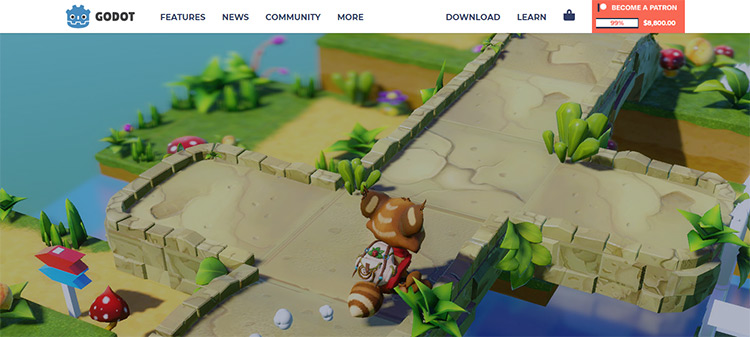
Godot Engine is the open-source solution for cross-platform game development.
It’s my favorite engine for 2D game development and works well for 3D games too.
The release of Godot 3.0 brought a significant update to 3D features, making it competitive with other modern game engines while keeping it free.
Godot also offers a dedicated 2D engine that operates on pixel coordinates, making 2D development easy.
With a variety of languages available including C++, C#, and GDScript (a version of Python), Godot is easy to program and learn.
The best part about Godot is that it makes organizing your games easy, speeding up development and improving the scalability of your projects.
With powerful animation tools and a built-in scripting editor, creating games with Godot is a joy. It’s definitely worth a try, especially if you love 2D projects.
2. Armory Engine
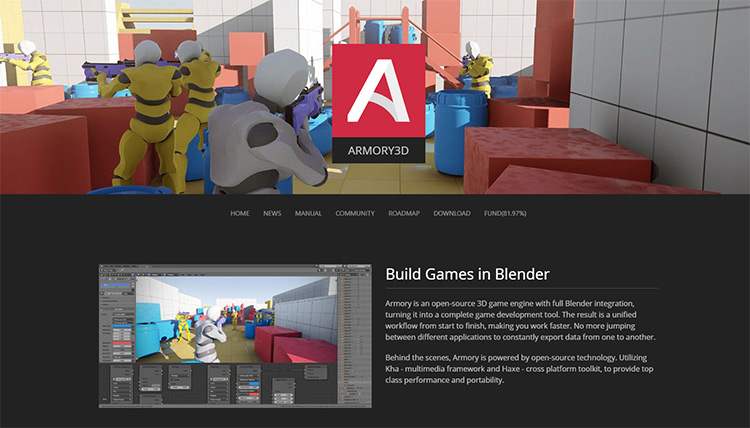
Here’s a sleek open-source game engine that integrates with the 3D animation software Blender, which is one of the most popular choices for anyone in the 3D open-source community.
Blender is a popular choice among indie developers, so Armory solves the problem of having to switch between programs to develop games.
There are many demos available to get started, including a twin-stick game and a third-person character demo.
Before learning Armory, it’s helpful to have some knowledge of Blender and its comprehensive toolset.
But if you’re looking for a great game engine in the open-source world, Armory is worth considering.
Additionally, if you’ve never learned Blender, now is a great time to do so!
3. Unity Engine

If you’re looking for a one-size-fits-all game engine, Unity is basically what you want.
It features a range of accessible yet powerful tools that have made Unity the most popular game engine ever.
Thanks to its powerful cross-platform toolset, Unity has been used to create successful games like Pokemon Go, Hearthstone, and Rimworld.
Perhaps the best part of Unity is the massive community that provides an endless supply of new assets and learning resources.
If you have the time and effort to learn Unity, the community will be an incredibly valuable asset.
With pre-made assets and Unity’s advanced rendering engine, it’s possible to get a beautiful prototype up and running in days or weeks.
Thanks to the partnership with Microsoft, Unity developers also have the option to use Visual Studio as a scripting editor. Visual Studio provides tools that greatly enhance the native Unity experience, which is helpful if you usually code in MS Visual Studio anyway.
Note that Unity is not 100% free if you’re making money from your game.
No problem if you want to practice and build your own things, it’s completely free.
But check their store for pricing details if you want to actually publish a game and earn some real money from it.
4. Unreal Engine
Unreal Engine is truly the star of this list.
Being responsible for games like Fortnite, Player Unknown Battlegrounds, and even the ultimate choice of Kingdom Hearts 3, Unreal Engine offers everything you need to create stunning high-quality games.
To design a true AAA game, you’ll likely need a massive team.
But that doesn’t mean you can’t dive in and start working on something in that small indie studio out there.
The graphical capabilities of Unreal rival CryEngine, but Unreal is easier to use.
Scripting is handled in C++, so you can leverage some programming background.
But with Blueprints, a node-based scripting editor, Unreal developers can create behaviors without writing a single line of code.
Epic has provided a variety of tutorials to help beginners feel comfortable with the engine.
Unreal also offers cross-platform support and templates for both 2D and 3D games.
Like Unity, Unreal has its own asset marketplace where users can find models and tools to use in their own projects.
While it features high-quality content, Unreal’s marketplace isn’t as robust as Unity’s Asset Store. But don’t let that deter you from giving it a try!
At the end of the day, you can never go wrong trying Unreal and learning this platform inside and out.
It can practically be used in any game, so what you learn here can be applied to practically any other game engine.
5. CryEngine
CryEngine is a powerful 3D game engine aimed at delivering cutting-edge graphics for console or PC.
With strong virtual reality support and advanced visual effects, CryEngine appeals to developers looking to create realistic games or next-gen titles on platforms like Steam.
Overall, this game engine aims to deliver high-quality content with highly detailed and realistic characters.
Like Unity and Unreal 4, CryEngine offers a range of tools to facilitate game development.
This is definitely worth considering if you’re serious about high-level game design.
With CryEngine’s level editor and design tools, it’s possible to edit levels efficiently even with semi-beginner skills.
Developing a full-fledged action game from start to finish can be quite fast once you really learn the engine.
Unfortunately, CryEngine has a reputation for being difficult to use and harder to learn than most engines.
Beginners are likely to look elsewhere to at least get familiar with how a game engine works.
It’s also worth noting that this engine is completely free to use, but when publishing a commercial game, there are royalties to consider.
6. Defold Engine
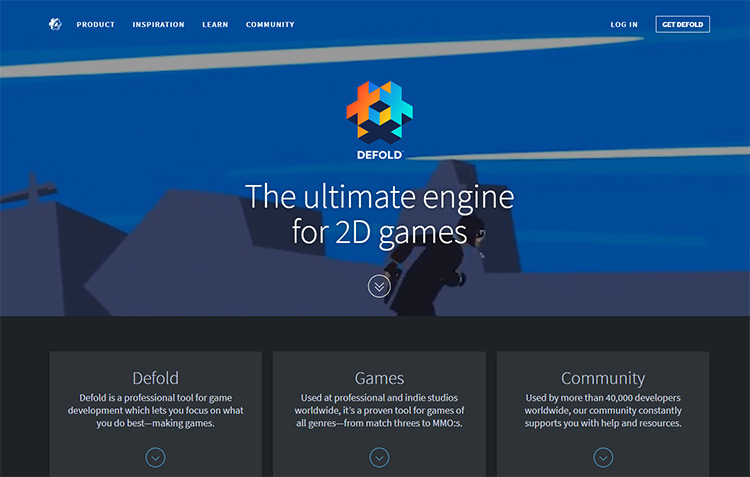
Looking for a 2D game engine? Well, Defold brings together everything you need for development in one tool.
It’s marketed as the best way to make games for web and mobile designers.
And with built-in version control and team management features, they might be right.
By focusing on 2D game development, Defold can offer a streamlined package with tools specifically aimed at the 2D world.
Getting started is easy thanks to the many detailed tutorials available in the editor right after installation.
Following along can take a few hours, but you’ll learn all the basics of creating a platformer from scratch, or creating parallax effects in the background, or anything you want!
Defold uses Lua


