

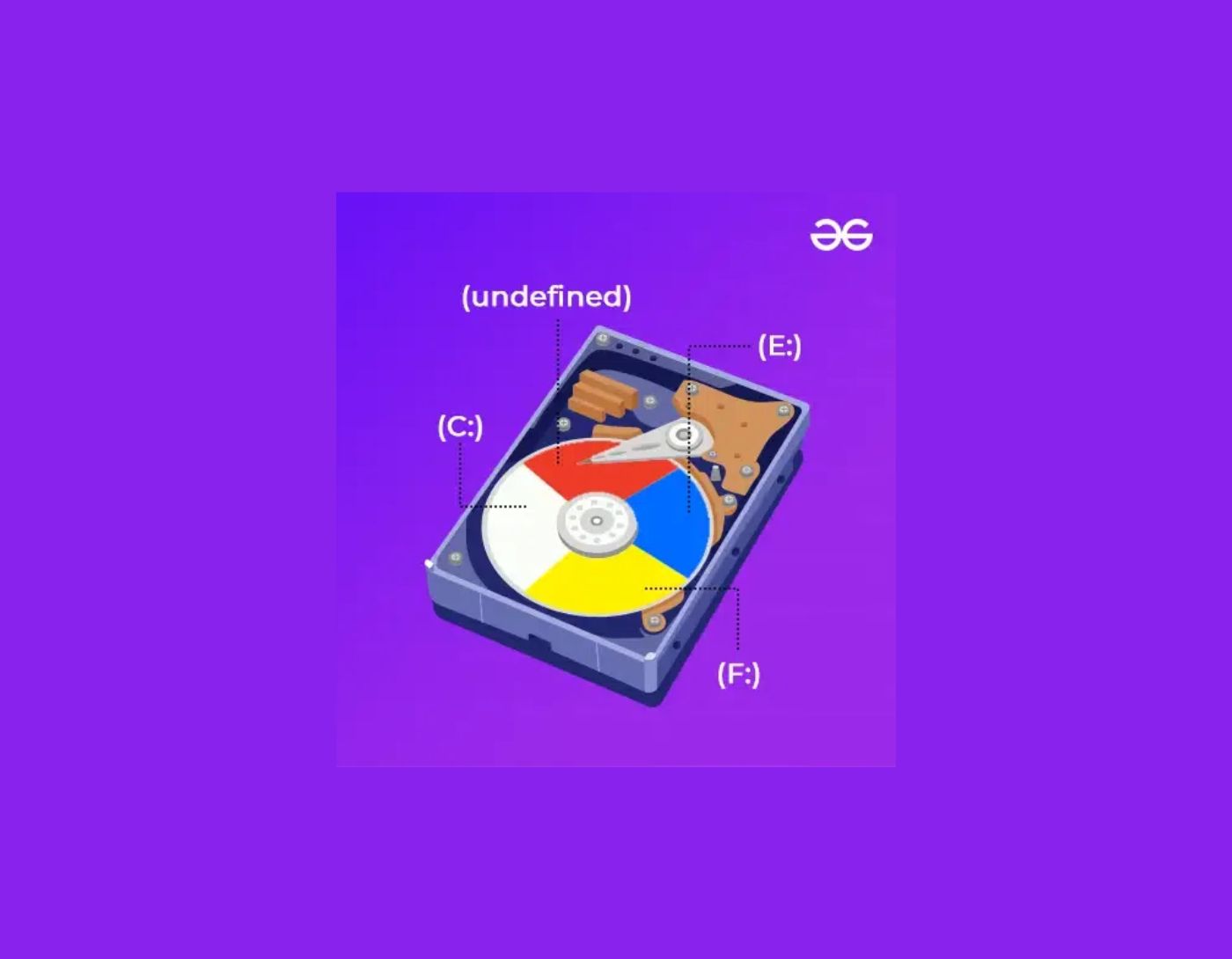
The best free hard drive partitioning programs for Windows in 2024: Technological advancements have led to tremendous growth in computer systems and software industries. Managing this vast ocean of data manually using Windows Disk Management seems like an incredibly daunting task. A partition management program can provide an easy solution to eliminate this tedious task and help you manage your data efficiently.
A partition management application is a smartly designed tool to optimize and manage your hard drive space. It supports various functions such as expanding, merging, splitting, resizing, and shrinking hard drive partitions.
So, if you want to keep your multimedia files in one partition and use another partition for your operating system, we recommend using the best free hard drive partitioning programs for Windows in 2024.
Do you want to keep your hard drive neat and tidy? Choose the best partition management tool and enjoy the added benefits.
What is the benefit of a hard drive partitioning program for Windows?
The Windows 10 partitioning program is better suited for computer professionals and can help you manage and organize your data quickly and easily. You can use it to store all cloning programs and other applications in the C partition and use other partitions for storing multimedia files, videos, images, and so on.
With the best partition management program, you can also organize your storage space. This will save you a lot of time that you might spend searching for your required files, and it also improves overall performance.
Besides this, you can also create a separate partition to store your sensitive information using partition management software for Windows 7, 8, and 10. This helps reduce the risk of losing important and sensitive data.
It also provides you with the option to label your disk partitions, which supports easy identification and reduces access time.
Here are some of the most popular and best free hard drive partitioning programs for Windows in 2024 that will help you effectively organize and manage your hard drive partitions.
8 Best Free Hard Drive Partitioning Programs for Windows in 2024
Whether you are looking to shrink a disk partition, merge two partitions, delete an existing partition, or wipe data from it, the partition management programs mentioned below for free will definitely be useful.
So, without wasting any more time, let’s take a look at some of the most popular and best free partition management programs.
1. AOMEI Partition Assistant

AOMEI is a well-known name among tech enthusiasts and comes at absolutely no cost. With this free hard drive partition management software, you can resize, format, split, merge, create, and recover partitions with maximum ease and efficiency. Besides this, you can also use it to create MBR and allows you to convert file systems from NTFS to FAT and vice versa.
This free disk partitioning software is fully compatible with various versions of computers running Microsoft Windows.
Pros
Features an intuitive interface.
Bootable flash drives can be created.
Supports Windows 10, 8.1, 8, 7, Vista, XP.
Can shrink, resize, expand, merge, create, format, delete, and wipe multiple partitions.
Optimizes space by allocating free space from one hard drive to another.
Cons
Some advanced features are only available with the premium version.
2. EaseUS Partition Master
This free program is quite special for two main reasons: First, it works amazingly on all versions of Windows; second, its basic version is completely free and comes with a vast array of features.
You can use this disk partitioning tool to resize, merge, clone, move, and format different partitions, and what makes it even better is its simplicity; just a few clicks and you’ll be ready to go. The graphical interface is another great feature that allows you to expand or shrink partitions according to your needs. Furthermore, changes are made virtually only, so you can review them before saving.
Hiding partitions, optimizing drives, defragmenting hard disks, and copying the operating system to different hard drives are among its other standout features.
Pros
Well-designed and intuitive interface.
Password protection.
Gives a preview option before making final changes.
Regular and automatic software updates.
Easy to use.
Cons
The free version is limited to personal use and cannot be used for commercial purposes.
Cannot convert MBR to GPT and vice versa.
3. Paragon Partition Manager
Paragon is a comprehensive hard drive partitioning program designed for users of Windows 10, 8, and 7. It is available in both free and paid versions.
If you want a tool that can help you accomplish all basic disk partitioning tasks, this smart tool from Paragon is a great choice. With its free version, you can resize, format, hide, delete partitions, and even convert MBR to GPT and vice versa.
The basic version of this free partitioning software is sufficient to get the job done quickly and easily; however, if you want to enjoy advanced features like dynamic to basic conversion and converting NTFS to FAT32, we suggest opting for the premium version.
Pros
Comes with detailed instructions.
User-friendly and intuitive interface.
Supports all major Windows versions.
Provides an option to undo/redone changes.
Cons
The free version comes with basic features.
The free version is not available for commercial use.
4. GParted
Here comes another free partition management program that can be run from a USB drive and is free from all installation needs. Some of its basic features include resizing, copying, deleting, and hiding partitions.
Additionally, you can also use this free disk partitioning tool to format partitions in various styles including NTFS, XFS, EXT/2/3/4, and FAT16/32.
Another advantage of this partition management software is that there is no need to reboot your device to apply changes.
Pros
Familiar and easy-to-use graphical interface.
Portable design that does not require an operating system.
Queue all modifications and then make changes in one go.
Cons
Large design with a file size of 300 MB.
Cannot be used to undo changes made.
5. MiniTool Partition Wizard
Next on our list of the best free hard drive partitioning programs for Windows in 2024 is MiniTool, featuring a simple design and clear interface that makes it a favorite tool for both beginners and professionals. Besides basic disk partitioning activities such as formatting, merging, resizing, creating, and deleting, it can also accomplish many advanced tasks effortlessly. Advanced offerings include partition alignment, checking file system errors, data sanitization, and performing surface tests.
You can use it to expand your existing partitions and recover data from previous partitions. Its data protection mode protects you from data loss due to sudden power outages during partitioning.
Pros
Supports all versions of Windows.
Allows you to expand existing partitions without rebooting your device.
User-friendly program, suitable for beginners.
Cons
This free partitioning program fails to handle dynamic disks.
Advanced features are only available in the premium version.
6. IM-Magic Partition Resizer
Another impressive and very popular partition management program for Windows computers, with this feature-rich tool, you can easily copy, resize, and move hard drive partitions. Additionally, it also provides you with the option to change labels, check for errors, wipe data from partitions, and convert from NTFS to FAT32.
Changes are made in real-time, and once you finish previewing the final look, you can press the "Apply Changes" button to save the changes. It’s a great choice if you are looking for a high-quality and reliable partition management program for Windows computers.
Pros
Many features in this free program.
Easy to use.
Option to preview changes before saving final partitions.
Cons
The free version does not meet commercial requirements.
Advanced features are in the paid version.
7. NIUBI Partition Editor
Last on our list of free partition management programs is this cleverly designed software. NIUBI allows you to create, delete, merge, resize, format, shrink, and expand disk partitions. It optimizes your hard drive space and works comfortably well on all versions of Microsoft Windows.
Pros
Creates partition labels for easy identification.
Fast and smooth interface.
Ensures data safety with features like data protection and hiding partitions and read-only settings.
Cons
Advanced features are available in paid plans.
8. Macrorit Partition Expert
If you are still looking for the best partitioning software for Windows, you can try Macrorit Partition Expert. This free tool provides you with multiple features and functions to effectively partition and manage your disk.
Pros
Easy to use.
Multi-language user interface.
Free and paid versions available.
Cons
Lacks some basic features.
Conclusion
In this article, we discussed the best free hard drive partitioning programs for Windows in 2024. There are many free partition management programs that offer basic and unique features, some of which also come in premium versions that provide advanced features.
If you are having trouble managing SSD and HDD partitions, we recommend referring to the free partitioning programs mentioned above and choosing the one that suits you best.
You might like this
<a href="https://3almalt9nia.com/%d8%a8%d8%b1%d8%a7%d9%85%d8%ac-%d9%85%d8%ac%d8%a7%d9%86%d9%8a%d8%a9-%d9%84%d8%aa


