

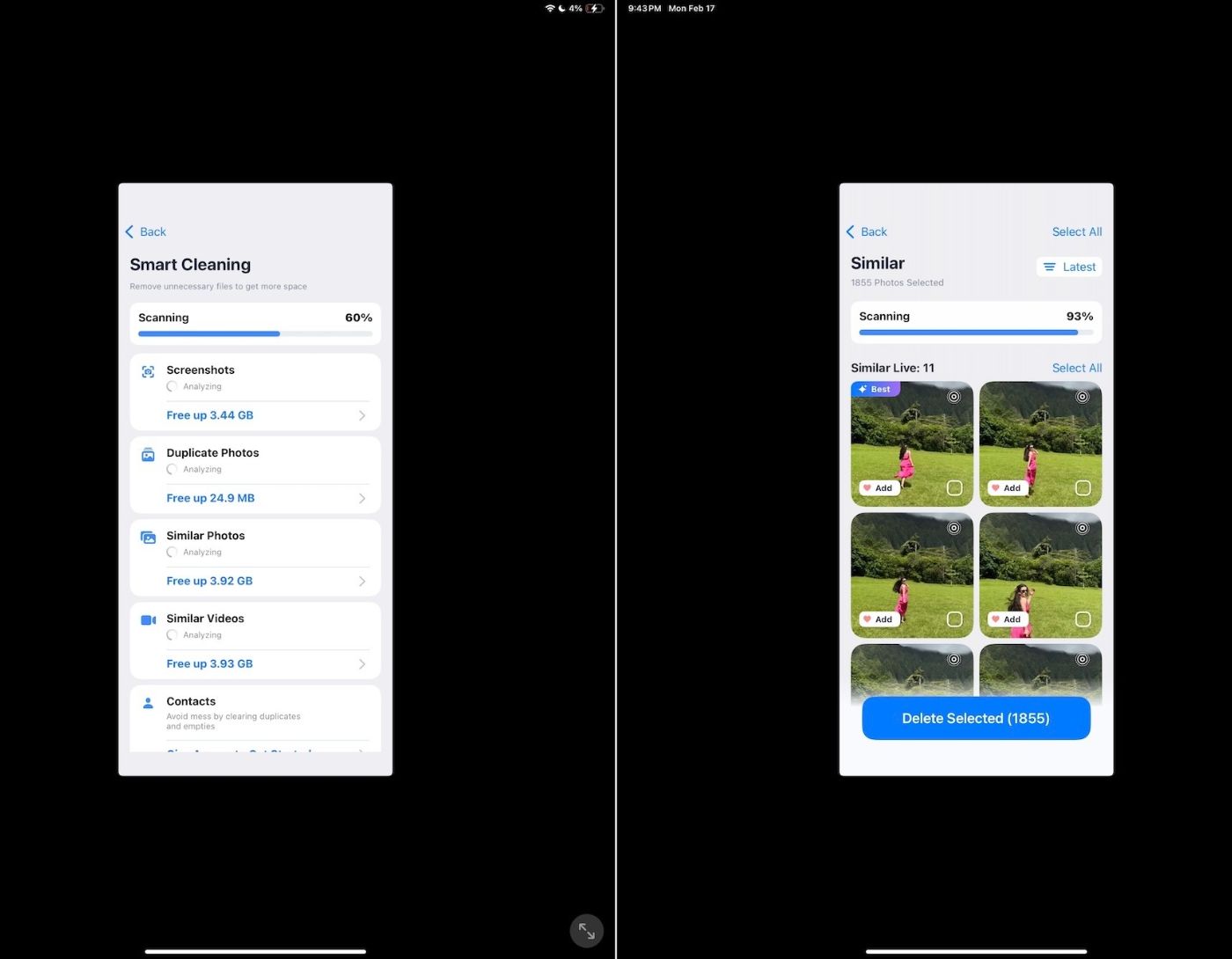
The Best iPad Cleaning Apps in 2025: The iPad is the go-to tablet for many, offering a wealth of features for both professional and casual users. However, as many iPad owners can attest, running out of storage space is a common issue with Apple's popular tablet, especially for those who opted for lower-capacity models.
This is where iPad cleaning apps come into play. They can help free up space and enhance performance. But with countless options available on the App Store, which one should you choose?
In this guide, we will review a list of the best iPad cleaning apps available and discuss what makes them stand out from the competition.
Benefits of Using iPad Cleaner Apps
iPad cleaner apps often offer more than just a single-use tool. They typically come with a range of useful features for managing and optimizing your device, such as
Storage Cleaning: The primary function of iPad cleaning apps is to help you free up storage space on your device. They achieve this by making it easy to delete various unwanted files on your iPad, including unused apps, temporary files, and browser data like cookies and cache.
Easy Organization of Photos and Videos: Some iPad storage cleaning apps offer media organization features, allowing you to filter and delete photos and videos by date and location, as well as eliminate duplicates.
Better Contact Management: Some apps include the ability to easily merge contacts based on specific fields, delete contacts without information, and create/restore backups effortlessly.
Improved iPad Performance: Filling your iPad with unwanted files can significantly slow down its performance, which is why it's essential to periodically clear out unnecessary apps and files. Cleaning apps also sometimes include a performance boost feature that can put unused background apps to sleep and free up your iPad's memory.
Extended Battery Life: Based on the above point, iPad cleaner apps may limit background apps on your iPad to help the battery last longer.
Top 10 iPad Cleaning Apps
We searched the App Store for the highest-rated cleaning apps and narrowed down the list to the top ten. Here are our picks for the best iPad storage cleaners to free up space and enhance performance:
1. Boost Cleaner

Developed by SCI Bronze, Boost Cleaner promises to provide you with all the tools you need to clean your iPad and improve its performance without any hassle.
Ease of Use
Boost Cleaner features a bright and user-friendly interface with large icons that make navigation exceptionally easy. All features are designed simply yet aesthetically, allowing you to quickly start cleaning your iPad with just a click or two.
Features
In addition to the ability to clean photos and contacts, Boost Cleaner comes with a media file compression feature and an internet speed test.
2. Smart Cleaner
Smart Cleaner from BPMobile offers a good and simple experience, combining cleaning tools, compression tools, a private vault, and much more.
Ease of Use
The Smart Cleaner user interface couldn't be simpler, allowing you to explore the entire app with a single swipe and a few taps. Granting permissions for your photos, calendar, and contacts takes just a button press, and the essential features are displayed on your screen in no time.
Features
Smart Cleaner includes a smart cleaning feature that covers calendar entries, contacts, photos, and videos. There’s also a secret vault, video compression, additional widgets, a speed test, and tips on how to optimize your iPad in various ways. On top of that, the app continuously monitors your internet download speed, available RAM, and CPU usage via a banner at the top of the screen.
3. Gemini Photos
Gemini Photos: The gallery cleaner is a media storage-saving tool for iOS that takes a more dynamic approach to decluttering, suggesting good photos to keep and those to discard. It does this by considering several factors, such as duplicates, blurriness, closed eyes, and more.
Ease of Use
The app aims to be as simple as possible by allowing you to keep or delete photos through swipe gestures, while its straightforward user interface design makes navigation easy.
Features
It includes a "photo radar" feature that continuously monitors new photos and videos to prevent your iPad's storage from filling up.
4. Cleaner for iPhone
Cleaner for iPhone is a straightforward and focused app that provides cleaning for a variety of files from your iPad, also offering some nice features. It also features a reasonable one-time lifetime price, which is great.
Ease of Use
Sections are easily accessible through icons at the bottom of the screen, and the functions are designed in a very intuitive manner.
Features
The app scans photos, videos, contacts, and calendar entries, capable of clearing similar and duplicate photos. There’s also an "easy clean" feature if you're eager to start cleaning right away. Additionally, Cleaner for iPhone allows you to change charging animations, compress files, and add media to a secret vault.
5. Cleaner
Cleaner has all the features you're looking for in a cleaning app, and it comes with a perfectly designed user interface for the iPad. Its intuitive tutorial system makes learning all the app's functions easy.
Ease of Use
The app has its fair share of features, and it's easy to use thanks to the simple tutorial system. The tutorials are animated to simulate exactly how to navigate on your screen, along with detailed descriptions of the various functions. Another well-designed aspect of Cleaner is its user interface, which makes excellent use of the iPad's large screen.
Features
Cleaner can clean photos, videos, contacts, and other files, along with a photo/video compression system. There’s also a battery monitoring screen if you want more information about the charging status. And if you're looking for convenience, there's a smart clean button that removes unwanted files with just a few taps.
6. Easy Cleaner
Easy Cleaner is one of the best free iPad cleaning apps on the App Store, and unlike most competing apps, its main focus is on optimizing your contact list. It does this through features that organize your contact list in its current state, along with enhancing and maintaining it to reduce clutter accumulation.
Ease of Use
This app is the most professional among these options, featuring a sleek orange look and an easy-to-navigate interface. Your contact list appears right in front of you as soon as you launch the app, divided into understandable sections so you can quickly start sorting entries.
Features
The main standout point of Easy Cleaner is its use of <a href="https://3almalt9nia.com/news/%d8%a3%d9%81%d8%b6%d


