

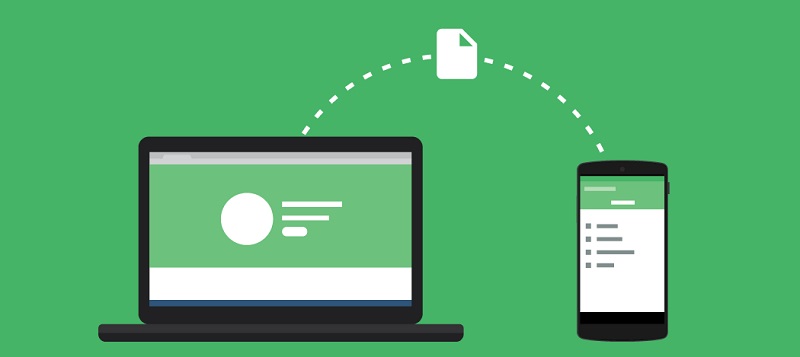
The best file transfer apps from Android to PC: Often, users want to transfer files from their mobile devices to their computers, especially when purchasing a new phone or when parting with an old one.
In other cases, users find themselves needing to transfer data to their computer because their phone has reached maximum storage capacity, highlighting the importance of file transfer apps from Android to PC.
However, when it comes to transferring data between an Android device and a PC, having a reliable and efficient file transfer app is essential. With so many options available in the market, it can be challenging to find the best app that suits your needs.
In this article, we have compiled a list of the best apps for transferring files from Android to PC. These apps provide seamless and fast data transfer, ensuring that you can easily move files, documents, photos, and videos between your Android device and your computer without any hassle.
So, let’s take a closer look at these top file transfer apps, and you’re sure to find the right one for you.
1-Xender

Xender is a popular app for transferring files from Android to PC, offering fast file sharing capabilities. With Xender, you can easily transfer files, including photos, videos, documents, and more, between your Android device and PC without the need for any cables or complicated setups.
One standout feature of Xender is its ultra-fast file sharing speeds. Whether you need to send large files or a batch of photos, Xender ensures that the transfer process is quick and efficient.
Another notable aspect of Xender is its cross-platform compatibility. You can use Xender to transfer files not only between Android devices and PCs but also between Android and iOS devices, making it a versatile option for file sharing, regardless of the device you or your friends are using.
Xender also provides a user-friendly interface that is simple and easy to navigate. You can easily select the files you want to share, choose the recipient device, and start the transfer with just a few clicks. The app also offers an organized file manager, allowing you to browse and manage your transferred files effortlessly.
Security is a top priority for Xender, and the app offers secure file transfers with password protection, ensuring that your files can only be accessed by the intended recipient. This is especially crucial when sharing sensitive information.
Overall, Xender is a reliable and effective file transfer app that simplifies the process of sharing files between your Android device and PC. With its fast transfer rates, cross-platform compatibility, user-friendly interface, and security features, Xender is an excellent choice for seamless file sharing.
2-AirDroid

AirDroid is one of the best file transfer apps available for Android devices. It’s a versatile tool that allows users to smoothly transfer files between their Android devices and PCs. With AirDroid, you can easily manage your files, access your text messages, and even control your Android device remotely.
One of the key features of AirDroid is its cross-platform compatibility, supporting file transfers between Android devices and PCs running Windows, Mac, or Linux. This makes it an ideal choice for users with different operating systems. Whether you want to transfer photos, videos, music, or documents, AirDroid makes the process quick and easy.
Another prominent feature of AirDroid is its remote management capabilities. You can control your Android device from your PC, allowing you to view and respond to text messages and even access your device’s camera remotely. This feature is incredibly useful, especially when you need to access your phone without being physically near it.
Security is a top priority with AirDroid. The app uses comprehensive encryption to protect your files and data during the transfer process, ensuring that your personal information remains safe and accessible only to you.
AirDroid also provides a desktop client that can be installed on your PC, offering a seamless and convenient file transfer experience. You can simply drag and drop files between your Android device and PC, eliminating the need for cables or additional software.
Additionally, AirDroid offers a range of other useful features such as clipboard sharing and file transfer over Wi-Fi. These features enhance the overall user experience and make AirDroid a comprehensive solution for file transfers.
Whether you need to transfer important documents to your PC, access your phone remotely, or simply share files with friends, AirDroid is a reliable and feature-rich app for file transfers for Android. Its user-friendly interface and advanced features make it the top choice among users worldwide.
3-Send Anywhere
When it comes to file transfer apps from Android to PC, Send Anywhere is a top contender. This popular app allows users to easily and securely send files of any type and size between different devices.
Send Anywhere stands out from the competition due to its simplicity and ease of use. With just a few clicks, you can quickly send photos, videos, and documents from your Android device to your PC, or vice versa.
One of the main features of Send Anywhere is its cross-platform compatibility. Whether you’re using an Android phone, iPhone, or a PC running Windows or Mac, you can easily transfer files between these devices without any compatibility issues.
Another important feature of Send Anywhere is its support for offline file sharing. You can create a unique six-digit key for each file or folder you want to share, then provide this key to the recipient, who can enter it in the app to download the files instantly, even without an internet connection.
Security is also a top priority for Send Anywhere. The app uses comprehensive encryption to protect your files during the transfer process, ensuring that they remain private and secure.
Moreover, the Send Anywhere app comes with a sleek and simple interface that makes navigating the app easy. It also allows you to view and manage transferred files, making it easier to organize and access your content.
Whether you need to transfer large files, sensitive documents, or simply share media with friends and family, Send Anywhere provides everything you need. Its user-friendly interface, cross-platform compatibility, and strong security measures make it one of the best file transfer apps from Android to PC.
4-SHAREit
SHAREit is a widely popular file transfer app that allows for seamless file sharing between Android devices and PCs. With over a billion downloads on the Google Play Store, this app has gained a massive user base for its ability to transfer files quickly and easily.
One of the main features of SHAREit is its high transfer speed, making it ideal for quickly sharing large files such as videos, photos, and documents. The app uses Wi-Fi Direct technology to create a direct connection between devices, eliminating the need for an internet connection.
SHAREit supports not only file transfers between Android devices but also allows you to transfer files to PCs and vice versa. This means you can easily share files from your Android phone to your computer or laptop without the need for any cables or additional software.
Another advantage of SHAREit is its cross-platform compatibility. Whether you’re using an Android, iOS, Windows, or Mac device, you can easily share files across different platforms without hassle, making it a versatile option for users working with multiple devices.
One feature that sets SHAREit apart is its ability to share files without compromising quality. Whether you’re sharing a high-quality video or a batch of high-resolution photos, SHAREit ensures that files are transferred without any loss in quality.
Additionally, SHAREit also comes with a built-in media player, allowing you to view or play shared files directly within the app, eliminating the need to install any additional media player on your device.
Regarding the user interface, SHAREit is straightforward and easy to use. The app features a clean and straightforward design, making it easy to navigate and operate, even for users who are not tech-savvy.
It’s worth noting that SHAREit also offers some additional features such as a GIF viewer and a junk file cleaner to enhance the overall user experience.
With its wide range of features, fast transfer speeds, and platform compatibility, SHAREit has become one of the best options for Android users looking for a reliable and effective file transfer app.
So, if you’re looking for a convenient and fast way to transfer files between your Android device and PC, SHAREit is definitely worth trying!
In conclusion, when it comes to transferring files between an Android device and a PC, having a reliable file transfer app is essential. These apps can provide you with convenience, efficiency, and save you time and effort, allowing you to transfer documents, photos, videos, and more seamlessly.
Among the best file transfer apps from Android to PC, we have discovered a range of options that cater to different needs. Whether you prioritize speed, security, or a user-friendly interface, there’s an app on this list that fits your preferences.
You might also like
How to fix files stopping from copying
<a href="https://3almalt9nia.com/%d9%83%d9%8a%d9%81%d9%8a%d8%a9-%d9%86%d9%82%d9%84-%d8%a8%d9%8a%d8%a7%d9%86%d8%a7%d8%aa-%d8%a7%d9%84%d9%88%d8%a7%d8%aa%d8%b3-%d8%a7%d8%a8-%d8%a8%d8%b3


