

Download managers are programs designed to download files from the internet. Their main function is to resume file downloads from where they left off. So, if you're looking for the best free download managers in 2024, this article is for you.
Free download managers support downloading using multi-threading technology and can resume downloads after a connection interruption. Additionally, they automatically determine the optimal download speed based on the type of connection, and these programs integrate well with popular browsers.
Best Free Download Managers in 2024
1. Ninja Download Manager
Extremely fast downloads
Ability to preview media
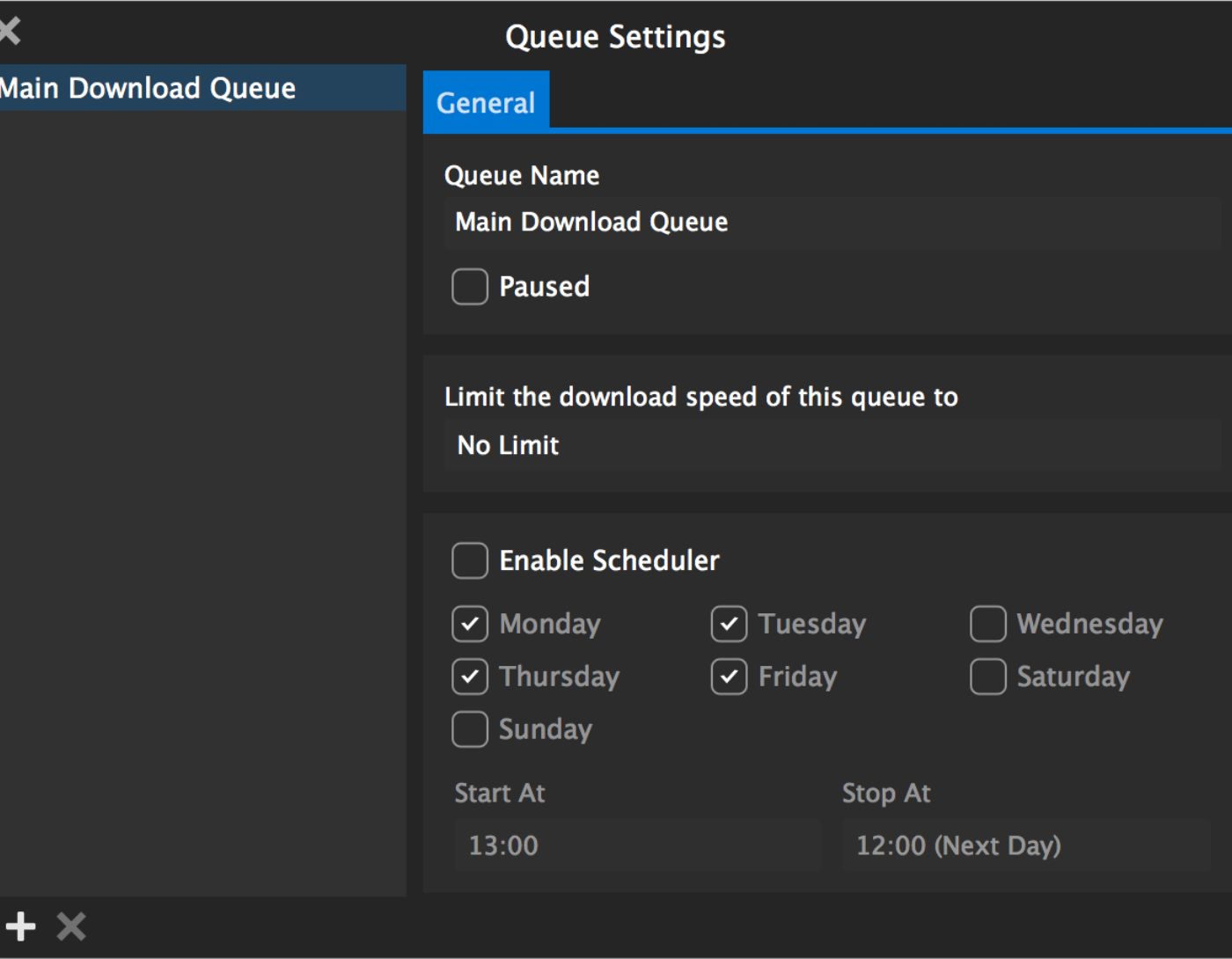
Download scheduling
User-friendly interface
Verdict:
Ninja Download Manager is a fast and excellent download manager that helps users download videos, audio, or any file quickly from the internet. High download speeds are achieved by splitting the file into smaller parts and downloading each part using connections to different servers, ensuring high-quality downloads even with slow or unstable internet. Users can preview media content instantly without waiting for the full download to complete.
2. JDownloader

Parallel downloads of multiple files
Supports popular video hosting sites
A wide range of plugins
Free with no ads
Simultaneous downloads of many files
Outdated interface
Verdict:
JDownloader is a powerful, free, and open-source download manager. It allows users to start, stop, and pause downloads, set bandwidth limits, and automatically extract archives. With over 300 plugins, it offers customizable options, including scheduling downloads during peak hours.
3. EagleGet
Built-in malware scanner
Faster downloads
Compatible with all browsers
Supports sequential downloads
Comes with additional software
Verdict:
EagleGet simplifies sequential downloads with its easy-to-use interface. It integrates seamlessly with popular browsers like Chrome, Firefox, and Opera, allowing direct access to links from web pages. This makes it a convenient tool for downloading files and media.
4. Free Download Manager (FDM)
Supports pausing and resuming downloads
Integrated into the browser
Ability to download entire websites
Users can download specific files from archives
May not be very fast in link analysis
Verdict:
FDM supports batch downloads, torrent files, and entire websites. It allows users to preview video/audio files and convert them before downloading. It also prioritizes file downloads and efficiently allocates bandwidth.
5. uGet
Batch downloads with file queuing
Ability to download files from a variety of sites
Attractive dark mode
Integrates with most popular browsers
Challenging to install and configure
Verdict:
uGet is an open-source program that allows downloads from multiple connections and batch downloads. It integrates with Chrome, Firefox, and Opera, making it versatile, but it can be challenging to set up at times.
6. Download Accelerator Plus
Includes a web browser
Beautiful interface
Integrated web browser
Ability to scan files for viruses
Includes several methods to import multiple URLs
Limitations in the free version
Presence of ads
Verdict:
Download Accelerator Plus offers a web browser and virus scanning tools. Although the free version includes ads, its scheduling and instant download capabilities make it useful for managing large-scale downloads.
7. Internet Download Manager (IDM)
Support for popular video hosting sites
Compatible with proxy servers and FTP and HTTP protocols
Fast downloads
Simultaneous downloads of many files
Lack of sufficient plugins
Presence of ads
Verdict:
IDM is widely used on Windows operating systems due to its reliability and speed. It intelligently splits files for faster downloads and resumes downloads smoothly, even after interruptions.
8. GetGo Download Manager
Downloads from password-protected sites
Can start and pause downloads according to a schedule
Ability to preview images before downloading
Integrated web browser
Download speeds can be slow at times
Verdict:
GetGo Download Manager is ideal for organizing downloads. It supports login credentials for password-protected sites, batch downloads, and scheduling. It also provides drag-and-drop functionality for efficient file management.
9. FlashGet
Automatic downloads from the fastest servers
Integrated FTP and HTTP browsers
Ability to manually set bandwidth limits
Great user interface
Insufficient functionality
Verdict:
FlashGet is a lightweight yet powerful option for basic download needs. It supports various protocols and includes integrated FTP and HTTP browsers. However, its features may not satisfy advanced users.
Frequently Asked Questions
What is a download manager, and why do I need one?
A download manager is a program that optimizes, organizes, and speeds up file downloads. It allows you to pause, resume, or schedule downloads, manage multiple files efficiently, and often increases download speed by splitting files into parts.
Can these download managers increase download speed?
Yes, most download management programs, such as Xtreme Download Manager (XDM) and EagleGet, enhance download speed using multi-threading technology, which splits files into smaller parts and downloads them simultaneously.
Do these managers support batch downloads?
Yes, tools like uGet and XDM allow you to download multiple files at once. You can queue multiple files and download them simultaneously or sequentially.
What are the limitations of free download managers?
Free versions may lack premium features such as ad-free interfaces and unlimited simultaneous downloads.
Why use a download manager instead of the built-in tool in the browser?
Download managers provide multi-threaded downloading capabilities, better speed optimization, and resume options. They integrate with browsers and can automatically intercept links, making downloads more efficient.
Is it safe to use a free download manager?
Yes, most free download management programs are safe, especially those listed here. However, always download from official sites to avoid bundled malware.
What is the best download manager for scheduling downloads?
JDownloader and FDM excel in scheduling downloads, especially during peak hours for higher speeds.
Can download managers help with downloads from streaming sites?
Yes, tools like IDM and JDownloader support downloads from popular video hosting sites like YouTube and Vimeo.
Conclusion
In this article, we discussed the best free download managers in 2024. The best download manager is not just a tool; it's an essential companion in today's internet world. Whether you're seeking the speed of Ninja Download Manager, the built-in security of EagleGet, or the versatility of IDM, these programs will certainly assist you.
But here's the surprise: it may not just be about the downloads. These tools might remind us of how we always strive to achieve something or reach specific goals. In the end, every download is a small leap forward in the pursuit of a dream.


