


The best Photoshop extensions for artists and animators: Photoshop is a powerful program with many tools and functions. However, sometimes these functions can fall short..
Fortunately, some creative minds have developed PS plugins to solve every problem you can imagine.
Even if you use just one of these plugins, it can still help streamline your artistic process. Saving time on simple tasks means you can focus more on what truly matters: your artwork.
1-Coolorus
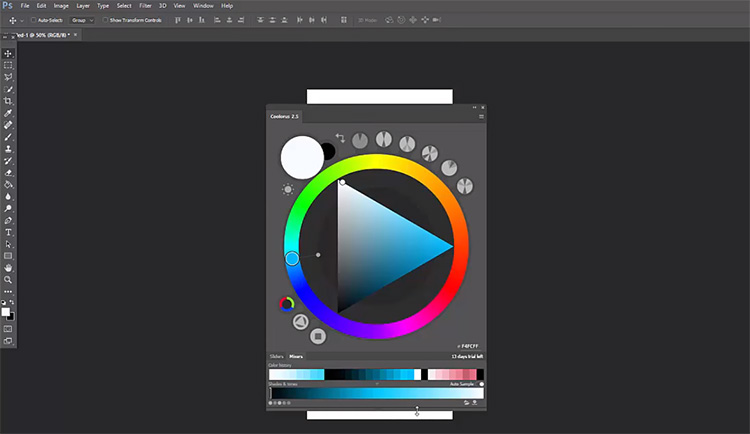
This is the color wheel plugin you’ve always dreamed of.
The extension enhances your speed and consistency when selecting colors, and it quickly saves your color selection history, with a user-friendly interface that responds exceptionally well for quick color picking.
If you struggle with color consistency and harmony, use the Gamut Lock and Color Mixer features to keep your artwork on track.
It locks the color range you can choose from, maintaining the consistency of your color palette.
Mix your colors to create new shades using the Color Mixer and collaborate with others by saving and sharing your project palette.
This simple plugin features an easy learning curve and will have you selecting better colors instantly, with its sleek user interface being a key highlight, supporting you in choosing the best colors for your artwork.
2-Photoshop BrushBox Plugin
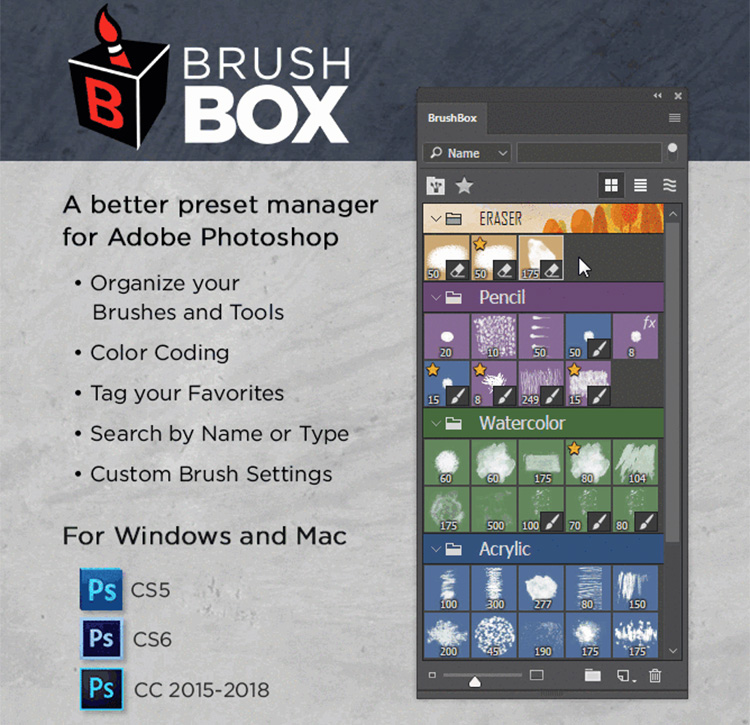
Have you ever downloaded a beautiful set of new brushes only to spend the next two hours trying to find the right ones?
It’s no secret that the brush preset manager in Photoshop lacks organizational capabilities. It’s easy to waste precious time sifting through your brush collection looking for a favorite old brush.
Enter BrushBox to the rescue! It has the brush management power you’ve been searching for.
You can organize brushes and colors into categorized groups for easy identification.
Customize your favorite brushes so you can quickly find them later with a quick search.
If you find yourself using one brush in the same way repeatedly, you can also change its preset settings and even set its color in advance.
BrushBox is fast, resource-light, and extremely user-friendly, making it perfect if you’re looking for more simplicity in your digital drawing.
3-Renamey
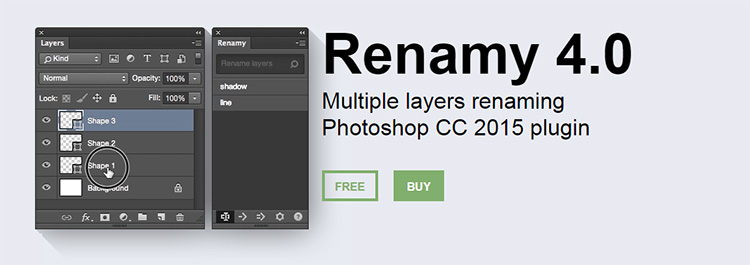
Renamey is the perfect tool for you.
It’s a layer organization tool with a fantastic renaming and tagging system.
The main feature of Renamey is the ability to select and rename multiple layers with a single click. Once the renaming is complete, it logs the name you used as a tag, making it easy to find those layers later.
The search and replace function is exceptionally useful in large projects with over 20 layers, allowing for quick batch renaming.
For example, you can ask Renamey to find all instances of "red" and replace them with "blue".
Renamey requires you to use a bit of basic coding in their own language, but it’s quick to learn and easy to remember.
Check out their FAQ page to learn about the commands they use and memorize them well!
4-Photoshop MagicPicker Plugin
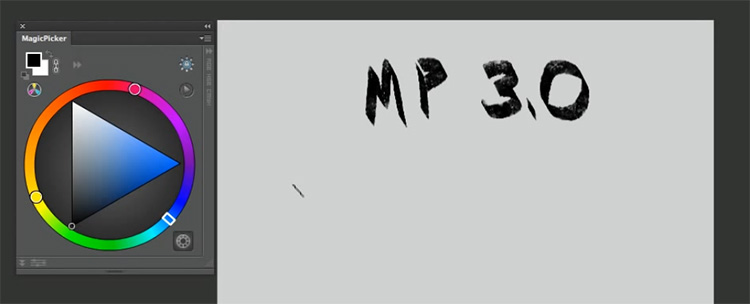
MagicPicker is similar to the Coolorus plugin (number 1 on this list) and serves as an enhancement for your color wheel.
It’s not only user-friendly but also comes with some additional functions and smart keyboard shortcuts.
The color wheel can be displayed in a LUT cube or a traditional color wheel. The user interface is smooth and well-optimized, and it can be resized almost instantly when you enlarge the panel.
To further limit erratic color choices, you can enable Gamut Lock, which restricts your color options to a warm or cool range.
For those intending to print their work, K-Lock secures the K value for CMYK projects, ensuring that printed colors are vibrant and accurate.
This plugin can be installed in both Photoshop and Illustrator, making it more versatile than other options.
5-MagicSquire Plugin
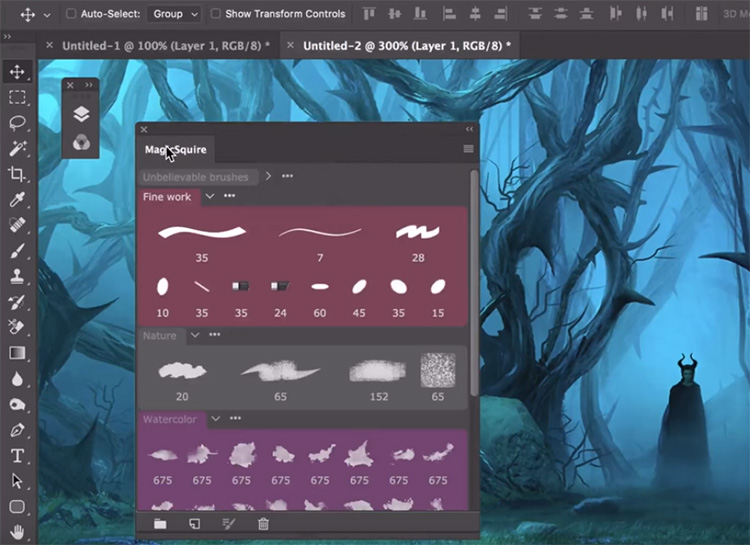
Like BrushBox, MagicSquire allows you to organize your brushes into color-coded basic groups for easy selection.
However, the true power of MagicSquire lies in saving detailed brushes and presets.
When you save a brush, you’ll see four automatically generated previews to choose from.
Additionally, you can set the features you want to save — color, size, and more.
For something a bit more unique, you can change the view to horizontal mode — a unique way to see how the brush interacts when drawing horizontal lines.
The user interface is simple and easy to use, making it quick to learn.
Just watch the main tutorial video, and you’ll be able to organize brushes and create artwork faster than ever.
6-Color Constructor

This utilizes powerful 3D visualization tools and instantly gives you a realistic palette to work with based on your color source.
Simply choose the light source color and shadow color for the scene you’re drawing.
Then you can select up to four base colors and get instant shading results based on your lighting system. After that, take a screenshot of the result, copy it into Photoshop, and you’ll be ready to start drawing with an accurate color palette.
The program is easy to use, and you can repeat the process as many times as you like to create detailed scenes with multiple light sources.
Take advantage of the power of 3D lighting systems without having to open a time-consuming 3D program. If you want more details, watch this video to see how well it works in action.
7-Prisma Palette
With the Prisma Palette plugin, you can automatically calculate the colors of your scene based on light and shadow.
It doesn’t give you a preview but instead adjusts the brush color according to the available lights.
You can instantly select the color around you and then the light color and start drawing with your base. It works with algorithms, so the whole process might seem a bit tricky at first, but you’ll get used to it with some practice.
The plugin is still in beta, and the creator is busy creating detailed tutorials, but it’s still a worthwhile investment if you want to learn more about color theory.
8-The Animator’s Toolbar
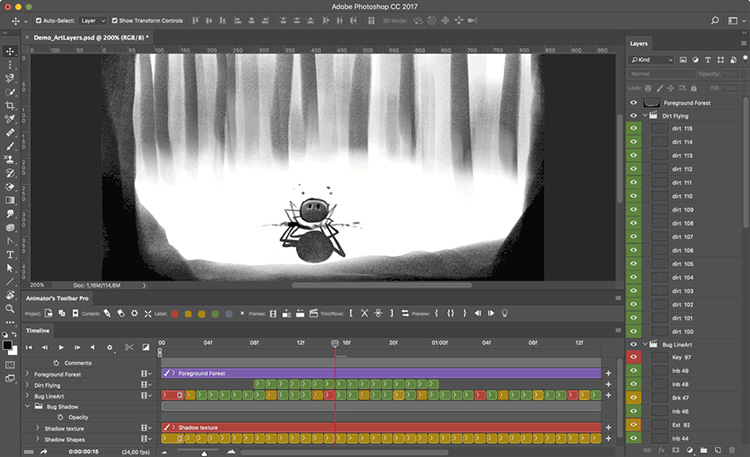
Animating in Photoshop can be frustrating and time-consuming.
A simple project can quickly turn into a confusing mess of layers. PS drawing tools are great, but the lack of timeline management makes it hard for animators to deliver standout work.
The Animator’s Toolbar quickly organizes the chaos with tools that can move, duplicate, arrange, rename, and merge layers into a single timeline.
The strongest feature of this plugin is its ability to handle multiple layers at once, speeding up your workflow.
The Animator’s Toolbar has a separate toolbar with many features you’d expect in other 2D animation software.
If you’re a serious animator looking to create frame-by-frame animations directly in Photoshop, this is a must-have plugin.
Conclusion
In this article, we discussed the best Photoshop extensions for artists and animators, highlighting the top 8 plugins.
You can choose from these fantastic extensions that will surely save you a lot of time and effort.


