

Fixing File Download Errors: If you store files on Windows devices or external storage, you know how frustrating it can be when your files get corrupted. Fortunately, with 4DDiG Document Repair, you can quickly and easily fix any corrupted files on your Windows PC or external storage devices, ensuring that your valuable effort is not wasted.
You can enjoy all the common repair capabilities, and additionally, all users can purchase this excellent program with a 30% discount.
Repairing corrupted files can significantly enhance productivity and save time, especially for users facing recurring issues like files not opening, unreadable files, and distorted content during their projects.
It can be a frustrating experience when you have to waste precious time and effort recreating files or starting from scratch on your designs or edits. Whether you want to repair corrupted PDF files or Photoshop files, 4DDiG Document Repair can assist you in all cases.
In fact, 4DDiG Document Repair is your best choice for fixing file download errors. Its smart repair system can fix any corrupted files and recover the data within them.
What is 4DDiG Document Repair?
4DDiG Document Repair is a software tool that can repair corrupted files on Windows devices such as PCs, USB drives, SD cards, and external devices. The program offers high-speed file repair features, with the ability to fix common file formats like Word, PowerPoint, Excel, PDF, EPUB, PSD, PSB, and more.
How to Download and Install 4DDiG Document Repair on a Windows PC
- Click the "Download" button to start downloading 4DDiG Document Repair for Windows.
Download the program here - Open the exe installation file in your downloads folder and double-click it.
- Follow the instructions in the pop-up window to install 4DDiG Document Repair on your Windows PC.
- You can now open and run 4DDiG Document Repair on your Windows PC.
What's New in 4DDiG Document Repair?
With 4DDiG Document Repair, repairing corrupted Excel or PDF files is no longer a daunting task. It supports a wide range of document repairs, including PDF repair, Excel repair, Word repair, PowerPoint repair, Photoshop repair, Illustrator repair, and more.
Repairing Excel Files
With this fantastic program, you can easily repair corrupted Excel files, whether you can't open the file or it has become unreadable.
You can also recover your tables, pivot tables, charts, and other data.
The program supports various Excel formats like xlsx, xlsm, and more.
The software is compatible with different versions of Excel.
Repairing PDF Files
The program repairs PDF files, whether they are corrupted or cannot be opened, as well as those with distorted images.
The software can process multiple PDF files at once.
Repairing PowerPoint Files
With this program, you can easily repair corrupted PowerPoint files, whether you can't open the file or it has become unreadable.
You can also recover all recoverable elements and other data.
The program can repair multiple files at once.
The software is compatible with different versions of PowerPoint.
Repairing Word Files
With this program, you can easily repair corrupted Word files, whether you can't open the file or it has become unreadable.
You can also recover all recoverable elements such as texts, images, fonts, and other data.
The program can repair multiple files at once.
The software is compatible with different versions of Word.
Repair a Corrupted Word File in 3 Simple Steps
1- Add the Corrupted Files

Select "Repair File" or multiple files.
2- Start Repairing the File
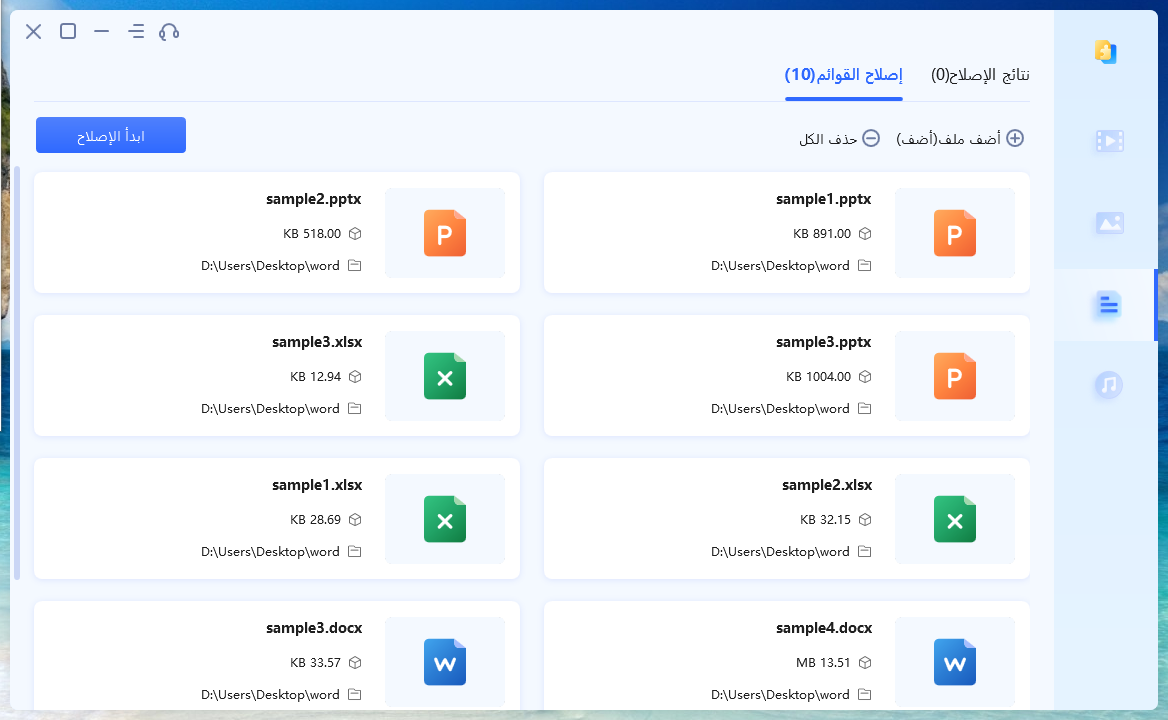
Click the "Repair" button and let the program detect and fix the issues within the corrupted files.
3 - Preview and Save
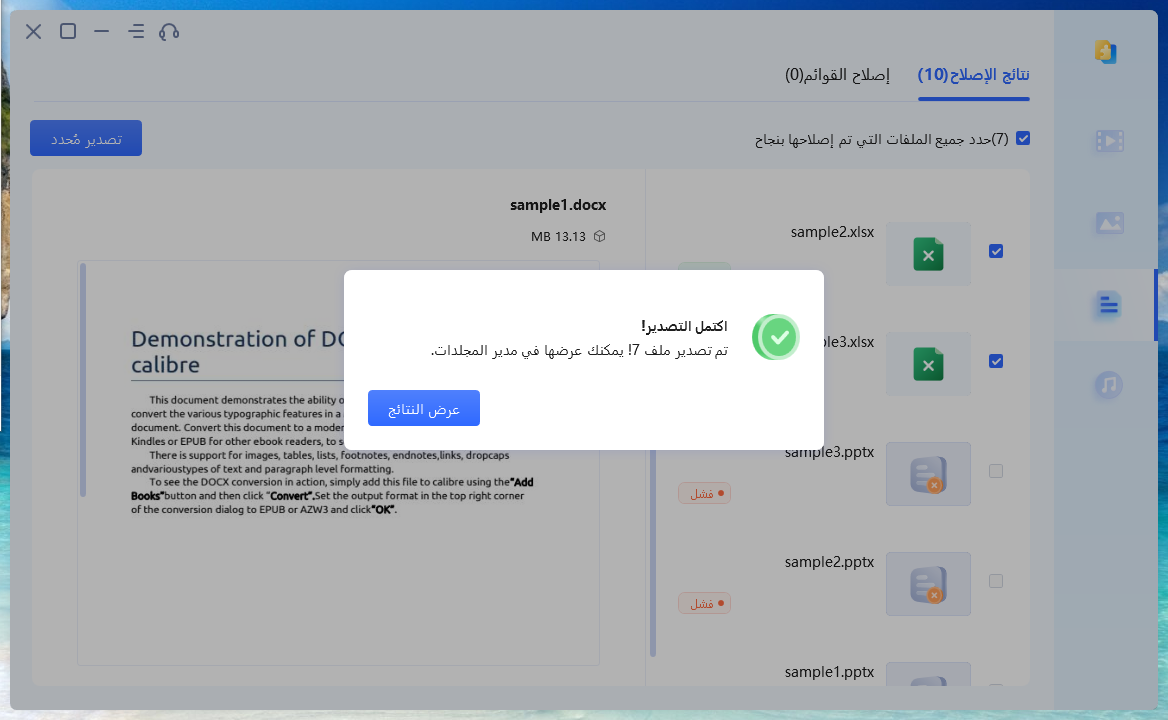
You can preview the repaired files and then save them to your computer.
Why Choose 4DDiG Document Repair?
When it comes to file repair software, 4DDiG Document Repair stands out from competitors for several compelling reasons:
Unmatched Value: Compared to many competing products, 4DDiG Document Repair offers a much lower price, ensuring exceptional value for money. You can access top-tier repair capabilities without spending a fortune.
Comprehensive Solution: 4DDiG Document Repair goes beyond just repair functions. In addition to advanced document repair features, it provides a comprehensive solution for all your repair needs.
Effortless Recovery: With 4DDiG Document Repair, repairing files is easy—just three simple steps, a user-friendly interface, and no technical expertise required.
You can enjoy all the common repair capabilities, and additionally, all users can purchase this excellent program with a 30% discount.
Frequently Asked Questions
How do I repair a corrupted file that cannot be opened?
If you encounter the error "the file is corrupted and cannot be opened," consider using 4DDiG Document Repair to efficiently repair and recover the corrupted file. The program's advanced algorithms often help in restoring your file and making it accessible.
How long does 4DDiG Document Repair take to fix a corrupted file?
The repair time can vary based on factors such as file size, extent of damage, and your system's performance. Smaller files may be repaired within minutes, while larger or more complex files may take longer.
Is there a limit to the size of files that 4DDiG Document Repair can handle?
While 4DDiG Document Repair can handle a wide range of file sizes, very large files may require more processing time and system resources for the repair process.
When should I choose the advanced repair option?
You can try the advanced repair option in 4DDiG Document Repair when the regular repair process does not fully address the file damage.
Can 4DDiG Document Repair make modifications to the original files during the repair process?
No, 4DDiG Document Repair works to keep your original files intact during the repair processes. It uses advanced algorithms to repair damage without altering the content or structure of your files, so rest assured that your files are handled with care.
Conclusion
In this article, we discussed fixing file download errors, and 4DDiG Document Repair is an effective and reliable program for repairing corrupted files. With its user-friendly interface and smart repair system, it offers a higher success rate than similar programs and supports a wide range of file formats.
4DDiG Document Repair is an essential tool for anyone working with files. It is the perfect solution for repairing corrupted files, thanks to its fast repair process, high success rate, and easy-to-use interface. 4DDiG Document Repair is the ideal choice for anyone looking to recover their lost or corrupted files.


