


ApowerPDF: A Comprehensive and Effective Solution for Editing PDF Files
ApowerPDF features a stunning user interface and offers a wide range of PDF editing options tailored to your needs. With this tool, you can easily modify text and graphics, add images or text, insert watermarks, and even manage PDF pages while preserving the original look. It’s incredibly useful for both individuals and businesses. With the ApowerPDF Pro editing tool, you can redact PDF content and replace it with new text and graphics. If needed, you can also adjust font color and size, insert links to open web pages or files, or navigate through the page view.
When you want to enhance a PDF by adding supplementary files for clarification, this program allows you to insert text and images anywhere within the PDF document.
ApowerPDF also provides an ideal solution for managing PDF pages; you can easily split multi-page PDFs, delete, insert, and rotate pages. Additionally, you can customize the page design by modifying or adding headers, footers, backgrounds, and more. If you want to assert ownership of a PDF document or simply distinguish it from others, you can create your own watermark by adding custom text or images in ApowerPDF. Moreover, the PDF editor allows you to update or remove a watermark from your PDF file.
ApowerPDF also integrates a PDF creator and reader into one application, enabling users to easily create PDFs from various documents and view them flexibly with rich page display modes. Users will be impressed by the convenience offered by this PDF creation and viewing feature. ApowerPDF provides a variety of page views for optimal display. Whether you prefer single-page view, double-page view, or continuous scrolling, it can meet all your needs.
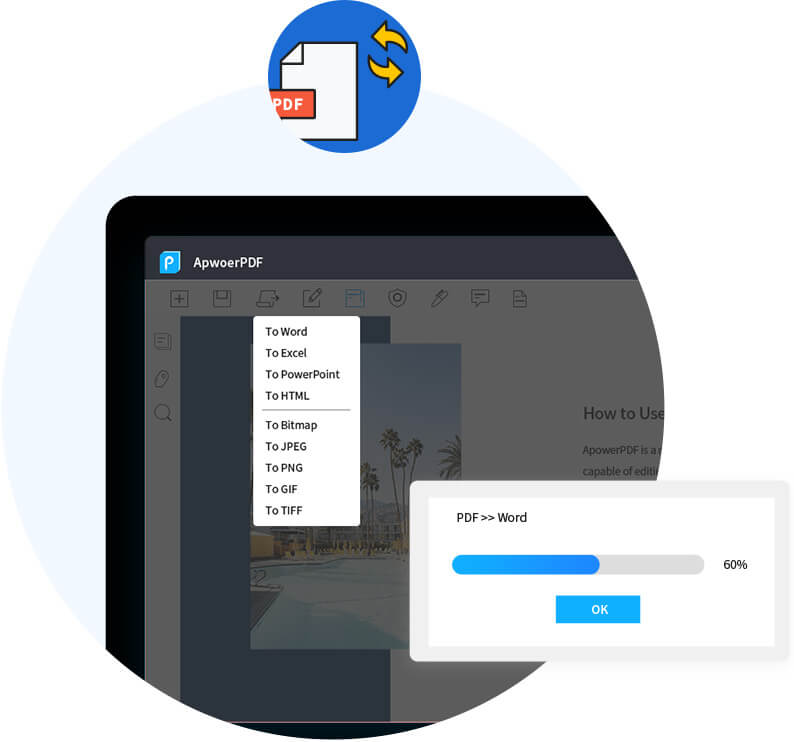
ApowerPDF supports creating PDFs from blank documents and various types of local files as long as they can be opened on your computer. These local files include images and Microsoft Office documents like PowerPoint, Word, Excel, and more. As expected, this handy PDF editing software also includes a built-in PDF conversion feature. It supports converting PDF documents to Word, Excel, HTML, Text, PPT, and more. Simply open the document and convert it to your desired file format. Notably, your converted files will retain the original data, layout, and formatting.
What ApowerPDF Offers You
Easy PDF Editing
With ApowerPDF, you can easily access the tools you need to edit your PDF files. Furthermore, the editing experience is seamless due to its user-friendly features. When using the text box, it automatically adjusts the content to ensure that the new text does not overlap with existing words. In addition, ApowerPDF allows you to edit images, add or remove watermarks, and insert or delete pages or sections. With these features, the software truly becomes a comprehensive solution for PDF editing.
Fillable Forms
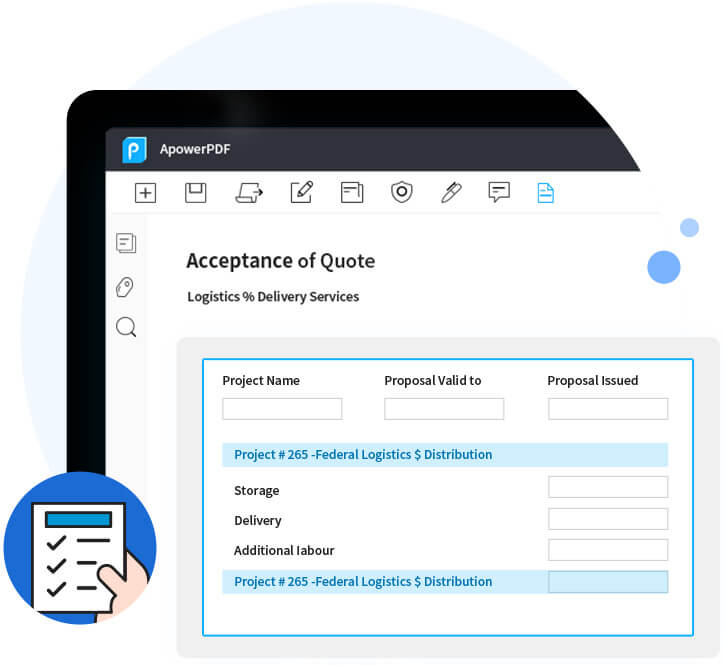
Beyond standard text formatting, ApowerPDF allows you to create and edit fillable forms. You can even import form data so you don’t have to start from scratch. Additionally, individuals receiving PDF files with forms created using this software can use the simple reset function to clear data and start anew.
Protected Files
To help you secure your PDF files, ApowerPDF includes a password protection feature. This ensures that only authorized individuals can view the contents of sensitive documents. Additionally, you can allow individuals to open PDF files while preventing them from modifying the content or performing other actions.
Electronic Signatures
ApowerPDF gives you the ability to attach electronic signatures to PDF files or support their addition. This way, you can easily legitimize documents and ensure their security.
Multilingual Interface
ApowerPDF makes it easy for people in different parts of the world to navigate its interface by supporting multiple languages. Among those supported are Chinese, Japanese, Arabic, German, Italian, Dutch, and more.
Adding Comments to PDF Files
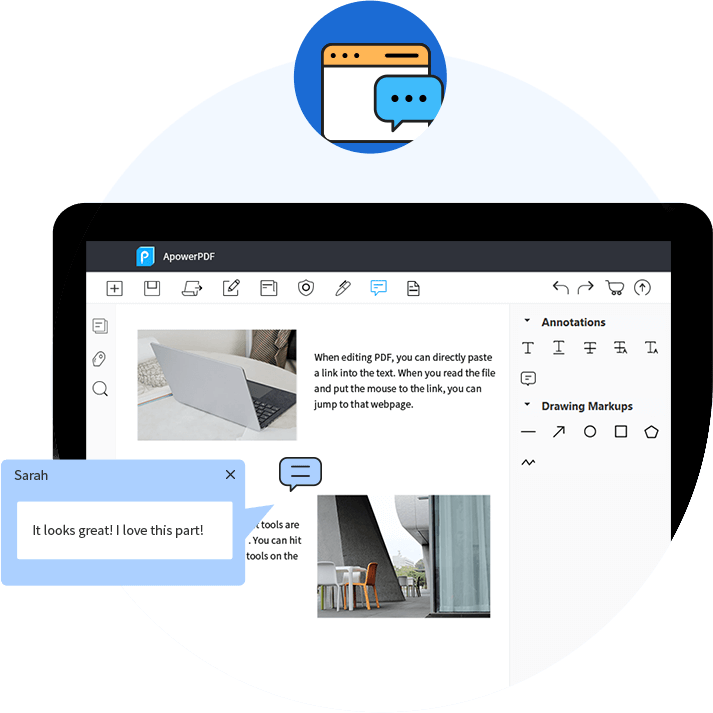
ApowerPDF is also a fantastic tool for browsing PDF files, allowing you to highlight important elements or annotate them while reading. You can also add comments during your reading. With the bookmark feature, you can create bookmarks for pages you find important and may want to revisit.
Removing Watermarks
Sometimes documents contain watermarks that can affect the readability or publishability of the file; with our software, you can easily remove watermarks from PDF files.
Technical Details of ApowerPDF
Pricing Models
Monthly Payment
One-time Payment
Annual Subscription
Based on Quote
Customer Types
Small Businesses
Large Enterprises
Medium Businesses
Freelancers
Language Support
English
Chinese
German
Japanese
Spanish
French
Italian
Dutch
Portuguese
Polish
Turkish
Swedish
Supported Devices:
.Windows
.Web-based
Deployment
Cloud Hosted
On Premise
You can purchase the software through the following link and get a free version


