


Complete Guide to Computer Driver Programs: Their Functions and Installation Methods
A computer, whether a laptop or a desktop PC, consists of several components that work together as a cohesive system. The device cannot function without any component, no matter how small, such as the processor, which acts as the brain of the machine and is responsible for operating other parts. Other essential components include the keyboard, mouse, and audio devices, as well as output devices like the monitor. For all input and output devices to function, each requires a specific card, such as a graphics card and a sound card, along with the corresponding driver software. These drivers connect the devices to the computer's central processor, which also needs certain programs to recognize these cards so it can communicate with them later. Modern operating systems come with drivers for these devices pre-installed, while older systems like Windows 7 or earlier require the OS to be installed separately, followed by the installation of drivers, which is a lengthy process. In short, we will explore downloading the driver program for Windows 7 and many other computer driver programs and devices. However, before we delve into the complete installation process, we will clarify these programs more clearly, explaining their functions and importance to the computer.
What are the Main Components of a Computer?
The computer is a prime example of one of the most successful technological systems, representing a significant leap in software development. Initially, computers resembled calculators, performing complex operations faster and more accurately than humans. Early computers were massive, but with tremendous advancements, we now have portable devices. The components of computers have evolved so that everyone can have their own device, as every household typically has at least one computer. The main components can be divided into two crucial parts that are interconnected to create a computer: the first part is hardware, which includes the central processing unit (CPU) that performs numerous calculations very quickly, and the graphics processing unit (GPU) that provides faster rendering of images. These are among the most important components in the hardware section. The second part is software, which is intangible and includes the operating system, with the most popular ones being Windows, Linux, and Mac. Each has its own kernel, and as mentioned, the two parts are entirely interlinked to form a complete system. However, for communication between the two parts, certain essential software must be present in the operating system to recognize the hardware components. These software programs are known as computer drivers, and today we will provide you with downloads for all drivers for Windows 7 and 10, along with a complete guide on how to install them, all available at Gantech's website for downloading computer and Android software and games .
The Function and Importance of Computer Drivers
As previously explained, the two essential parts of a computer system must communicate with each other. However, before this can happen, there must be a recognition process between the two parts so that the operating system can understand the capabilities of the hardware, such as CPU processing speed, hard drive size, and RAM size. These drivers are typically pre-installed with the system. However, there are other software programs that are also drivers but are responsible for other components like the mouse, keyboard, and network devices such as Wi-Fi or Bluetooth. These are particularly well-known because, in older systems, they are often not included with the operating system, leading many users to search for these programs, making them quite popular. Now, we will explain how to install computer driver programs comprehensively for all components.
How to Fully Install Computer Drivers
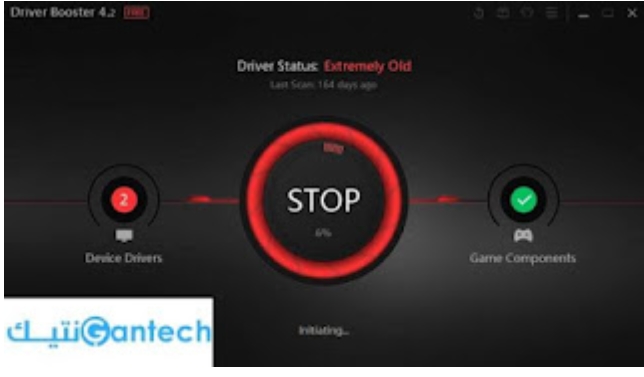
Computer drivers can be installed in several ways, but first, you need to know your operating system distribution by right-clicking on the My PC icon. This will reveal whether it is 32 or 64-bit, and recently, there is also 86. After that, you can access each driver for the respective cards and devices and install them on your machine. However, this method can be quite lengthy. A more comprehensive approach is to use Driver Booster, which is considered the best program for identifying the required drivers for various components. You can download it from the following link, run it, and click on the Scan button. The program will quickly scan for the necessary drivers, allowing you to select which ones you want and then easily install them on your device.


