


Download the Latest Video Players for PC
Finding the right video player for your computer can be a daunting task. But if you're on the lookout for the best video player, you've come to the right place. After carefully testing and reviewing various media players for PCs, we've selected the top programs that will be beneficial for all movie lovers.
We've compiled a list of the best video players for Windows, and Windows Media Player is not one of them. Why? Let's explore why you should consider trying a new video player instead of the default one.
First of all, WMP hasn't been updated since 2009, and Microsoft isn't likely to invest any time or effort into it. In 2017, the company accidentally removed Windows Media Player from Windows 10. Users have also noted that Microsoft has actively encouraged them to switch to the newer Movies & TV app instead of the old player. It's only a matter of time before Windows Media Player becomes a relic of the past.
Although Microsoft has been promoting the benefits of "Movies & TV," which offers better compatibility with modern video formats, the truth is that it is a nearly complete alternative to Windows Media Player. Many features found in WMP, such as streaming video from online sources and changing playback speed, are not even available in the new app.
Movies & TV has decent support for video formats, but it's not extensive. Additionally, its simple interface leaves much to be desired. The program lacks the advanced features expected from a modern media player, which you can easily find in third-party software. That's why we've created a list of the best available alternatives.
Despite all its shortcomings, there's one thing worth noting. Since Movies & TV is the built-in player in Windows 10, it tends to be more gentle on your laptop's battery life compared to other applications. It's worth checking out if you're planning a long trip and want to spend a few hours watching movies on battery power, but it may not be the best option in other situations.
Let's dive into the best video players for Windows that you should try!
Download a Universal Video Player
How did we test and select them?
The video players listed below were chosen after thorough evaluation. Some are lightweight applications with simple interfaces, while others are designed for more advanced users who are hard to please.
To determine the winners, I used a Samsung computer running Windows 10 and considered the following metrics:
Number of supported formats. Since the default Windows players have a limited number of supported formats, this factor was the most crucial during testing. Today, with the increasing number of advanced formats like MP4, MKV, AVI, MOV, etc., not all video players are robust enough to handle them. Therefore, the best media player must be up-to-date and capable of playing the latest file types.
Feature set. The best media player for Windows should not only replicate the standard features of WMP but also surpass them. Among the video players listed below, you can find applications that offer subtitle synchronization, video/audio filters, playback speed adjustments, and additional features.
User interface and user experience. Choosing the right video player isn't just about the features it offers; it's also about the user experience it creates. A well-developed user interface and user experience can make or break any software. Therefore, when it comes to video players, an intuitive and user-friendly design is what truly matters.
Affordability. Most of the video players listed below are free, although some come with additional features, such as ad blockers, that cost money. Thus, our favorite applications provide the best value for the money you spend.
1: VLC Media Player - Video Player for Windows 7, 10, 8, XP
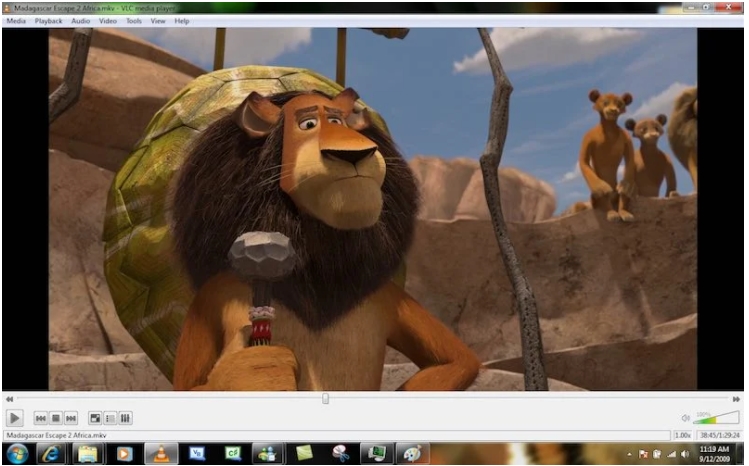
With its extensive features, customizable interfaces, and useful personalization options, VLC certainly deserves a mention among the best media players of 2021. It has maintained its popularity for years.
VLC Media Player is a free and open-source media player available on all major platforms. Developed by the VideoLAN project, VLC supports numerous audio and video compression methods and file formats. Over the years, VLC has earned a reputation as the 'play anything' video player, including 3D videos. Not to mention, you can also take screenshots of your desktop.
When it comes to the best media players for Windows 10, VLC is always near the top of the list. It's completely free (with no ads) and features a simple interface along with a fantastic set of features. VLC Player is available on several platforms, including Microsoft, Mac OS, Linux, iOS, and Android.
The player supports almost all video and audio formats and can play all standard media types, including DVD and Blu-Ray discs. With VLC, you can also stream video URLs in real-time and enjoy 360-degree videos. The program accomplishes these tasks without needing to download any additional codecs.
Another useful feature is subtitle synchronization, which is especially helpful if you're watching movies to learn foreign languages or if you have hearing difficulties. Despite its simple design, VLC offers a rich catalog of audio and video filters along with customization options.
If you're looking for a lightweight, easy-to-use, and straightforward program, you should install VLC on your computer. As the test showed, it only takes a few minutes. On my computer, the player runs smoothly. However, compared to PotPlayer, it faced some issues, including slow performance when playing large files. Give it a try and see for yourself if VLC meets your needs.
What Makes VLC Stand Out?
Free and open-source
Plays almost anything
Available on nearly all platforms
Supported platforms: Windows 10, Windows 8.1, Windows 7, Windows Vista, Windows XP
2: PotPlayer - Video Player for PC
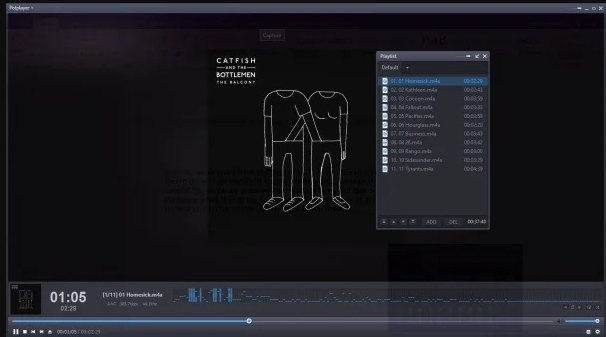
The competition between PotPlayer and VLC has been fierce, and it took a lot of deliberation to determine which one would come out on top. Recently, PotPlayer has gained a better reputation, and it's easy to see why its popularity is on the rise.
This free multimedia player was developed by the South Korean company Kakao. It's very lightweight and doesn't impact your computer's memory. There were no issues configuring the application—everything was crystal clear. PotPlayer also offers the option to install additional codecs after the main file is installed, making it scalable.
Compared to VLC, using PotPlayer may be less intuitive. However, it offers a range of features that give VLC a run for its money. When it comes to supported formats, PotPlayer significantly outpaces the competition. It easily handles all modern formats and files from local storage, URL servers, DVD, Blu-ray, and both analog and digital TV. With regular updates, even the latest formats receive support quickly.
Additionally, PotPlayer is a worthy competitor to VLC due to its feature set. With this application, you'll get a variety of filters and effects to manage video and audio playback. The equalizer is user-friendly, allowing you to tweak it for better sound or adjust video brightness to suit your needs. The player also comes with subtitle tools, scene previews, bookmarks, 3D video mode, 360-degree output, Pixel Shader, and built-in hotkeys.
Aside from its impressive feature set, PotPlayer also offers numerous design customization options. It allows you to choose between different skins, logos, and color themes. Despite being free, there are no annoying ads. During testing, PotPlayer performed excellently with both large and small files without any glitches.
For most users, the long list of features and settings may be overwhelming. Also, PotPlayer is limited to Windows. Overall, PotPlayer is one of the best media players if you're looking to move away from VLC Media Player.
Why Use PotPlayer?
Attractive interface
Better audio performance
Tons of customization options
Supported platforms: Windows 10, Windows 8.1, Windows 7, Windows Vista, Windows XP
3: KMPlayer - Video Player for PC
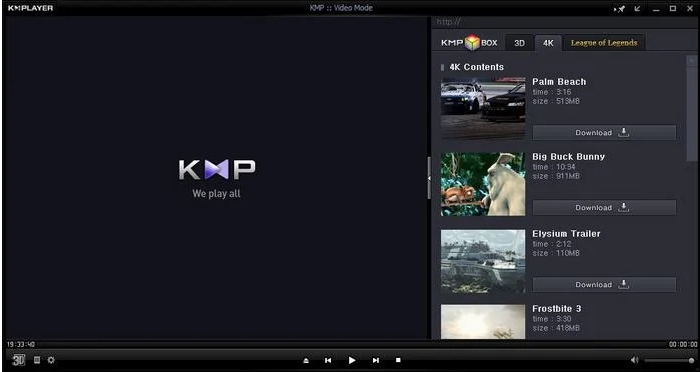
KMPlayer is a fantastic free media player for Windows 10 that can play almost all mainstream video and audio files. You can add external codecs to enhance compatibility. It comes with support for 3D, 4K, UHD, 64-bit, and can play videos at speeds up to 8K 60fps on capable computers.
KMPlayer is also known for its wide range of format support. Users have plenty of options for audio and video effects, ensuring they won't lack any feature or support.
You can select parts of videos as favorites, make them repeat, reassign keys for the remote interface, and more. You can also edit video subtitles within KMPlayer. First released in 2002, the free media player KMPlayer was acquired by the Korean broadcasting company Pandora TV in 2007.
Why Use KMPlayer?
Powerful media organization
Highly customizable
KMP Connect feature
Supported platforms: Windows 10, Windows 8.1, Windows 7, Windows Vista, Windows XP
4. Media Player Classic - Black Edition

Media Player Classic - Black Edition is a fork of MPC that continues the legacy of the outdated Windows 10 media player. MPC-B


