

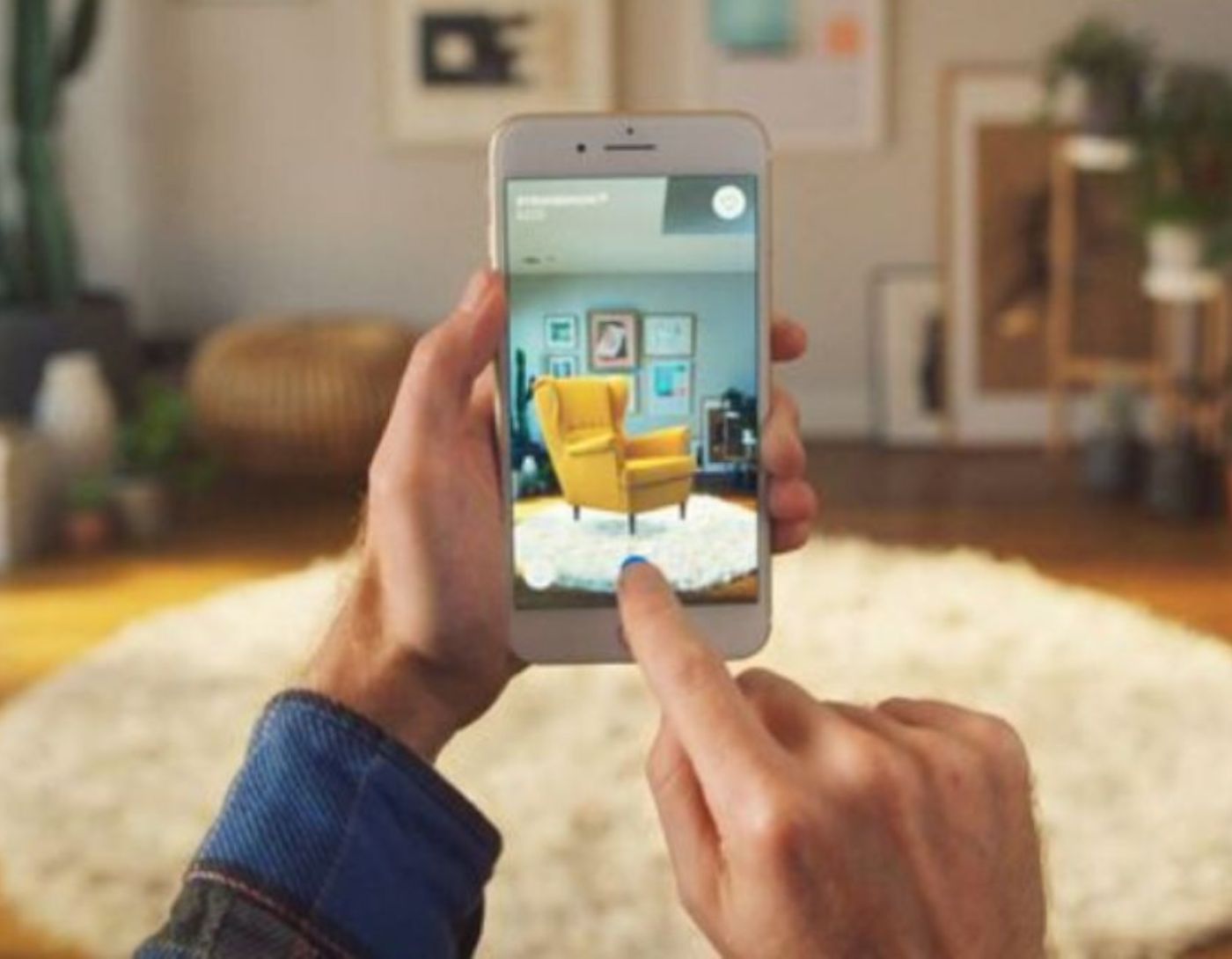
Augmented reality applications for Android and iPhone: Have you considered buying some new furniture for your home? While 360-degree images and videos look great, it's natural to feel uncertain about whether the piece of furniture you've chosen will actually fit with your current decor. This is where augmented reality shines, providing you with an amazing experience. You can check how a table looks in your study or how a chair fits in your living room.
In short, augmented reality is a technology that allows users to experience 3D visualization in the real world, creating a genuine feeling that the virtual entity actually exists in the physical world.
Sounds good? So, we’ve gathered the best augmented reality applications for both Android and iOS. Stay with us.
Key Features of Augmented Reality Applications
Here are the main features to consider when choosing augmented reality applications:
1) 3D Recognition and Tracking
The app can detect and understand the spaces around the user for customization, including recognizing 3D objects like boxes, cups, cylinders, toys, etc. It can also identify airports, bus stations, shopping centers, and more.
2) GPS Support for Geolocation
This is designed for location-based augmented reality applications to enable them to discover and pinpoint the user's real locations.
3) Real-time Translation and Mapping or SLAM Support
This capability allows any augmented reality app to map the environment where an object or user is located and track all their movements. The app can remember the actual positions of objects, place virtual items in relation to locations, and track all movements of objects in the real world.
This technology allows people to use the app indoors, where GPS is typically used outdoors.
4) Support for Cloud and Local Storage
You need to decide whether to store your data locally on the user's device, in the cloud, or both. Of course, cloud storage is generally more beneficial.
5) Supports Multiple Platforms
Regardless of the applications using augmented reality, support across multiple platforms including Windows, iOS, Android, Linux, and others is important.
6) Image Recognition
This is essential for identifying images, objects, and places. Some of the technologies used include machine vision, artificial intelligence, and camera techniques.
Augmented Reality Applications for Android and iPhone
List of the Best Augmented Reality Applications for Android and iOS:
1) IKEA Place

This augmented reality app for home decor on Android and iOS allows you to place virtual versions of home decor products on your floors, spaces, and walls to test them out and see what fits best in terms of size, shape, and design before you can purchase or order.
Features:
You can not only use drag-and-drop functionality to fit the virtual versions of products but also try out different colors of the products.
Available for both Android and iOS.
Rating: 5/5
Pricing: Free
2) Remote AR
The Remote AR app by ScopeAR allows maintenance staff or any worker on the factory floor to receive augmented reality-based video instructions, text annotations, chat, and general guidance from an expert remotely, without the need for the expert to travel, enabling workers to perform maintenance themselves.
Features:
Using the app, the expert can troubleshoot the issue and advise the factory worker on what to do.
Instructions and collaboration through annotations to identify areas with problems or that need attention, making it one of the best apps for both Android and iOS.
A video call option is also available.
It currently works with Android devices, tablets, iOS, and HoloLens.
Rating: 5/5
Pricing: Free for individual users; paid for business users.
3) Augment

Simply put, this Android and iOS app allows users to capture images using the camera or upload 3D versions of any product and view them in a virtual environment.
Features:
It can be used in retail and e-commerce where customers can try out products in 3D virtual versions before purchasing or ordering, in architecture where a 3D virtual home design can be built and models represented, in product showcases by simulating a product in the customer's environment, interactive print campaigns, and other purposes.
With the Augment SDK, you can embed augmented reality product visualizations on your website or e-commerce platforms for customers to find and try them in their spaces while shopping.
Rating: 4.5/5
Pricing: Paid.
4) ModiFace
ModiFace is an app that allows you to use your smartphone to scan your face, then in real-time, apply the cosmetic product you’re targeting to your face as if you were using it. With ModiFace, you can simulate how hair, skin, and other cosmetic products will look on you.
Features:
The app uses artificial intelligence technology to help you virtually try on cosmetics before buying.
It uses shadow calibration to provide realistic image results by scanning and analyzing information related to a specific makeup shade.
The information generated through AI is derived from data provided by beauty brands that add their content through the ModiFace SDK.
Rating: 4/5
Pricing: Free.
5) Medical Realities
The Medical Realities app uses virtual reality and augmented reality for medical training through game-based learning.
Features:
Trainees can view medical procedures and lessons, simulate complete medical procedures, instructions, and videos using Oculus and other virtual reality devices.
It is used in hospitals in real-life scenarios and in medical schools for assessment and providing diploma training and medical courses.
Rating: 3.5/5
Pricing: Not disclosed, pricing depends on the use case according to the company's location.
6) Roar
The Roar content management platform allows you to build and publish any augmented reality experiences for your clients, students, or friends in minutes, overlaying the real world with virtual objects including sound, video, animations, models, etc. You can publish on web platforms or iOS or Android.
Features:
As a retailer or e-commerce specialist, you can create augmented reality experiences for your customers and publish them on various platforms, all with interaction tracking and analytics benefits.
As an augmented reality for education, teachers can bring educational materials to life and embed them in various applications and places for their students. Marketers can create augmented reality versions of their digital products to enhance customer engagement in promotions.
Marketers can create interactive digital versions of cars and other products for their customers.
Rating: 3.5/5
Pricing: Paid
7) uMake
uMake is one of the best augmented reality design tools or apps as it allows you not only to create product models using available objects but also to sketch or plan using a pencil.
Features:
You can see how your designed items look in the real world or rather overlay them on your spaces and rooms in augmented reality, import pre-loaded prototypes into your account, and even export designs to videos in various formats.
Rating: 3.5/5
Pricing: Paid.
8) Lens Studio
Lens Studio is a Windows AR studio platform for those who want to create augmented reality experiences for Snapchat, for any reason - entertainment, business, or organizational needs.
Features:
You can create experiences by capturing your environments using the camera on Snapchat and editing them, uploading content and models for editing, using behavioral text editors without coding, selecting and editing pre-prepared elements using an internal editor; and even sharing augmented reality experiences on social media and various iOS and Android platforms.
You can create ads and all types of content using this.
Rating: 3/5
Pricing: Free.
9) Giphy AR
The Giphy AR app allows you to capture photos and videos of scenes from the real world using your device's camera, editing them by overlaying GIF images and stickers.
Features:
In addition to creation and editing, the tool allows its users to share these creations on social media, email, or phone.
Pricing: Free.
Conclusion
In this article, we discussed the best augmented reality applications for Android and iPhone, how to run augmented reality applications on iOS and Android systems and emulators. We explored the applications that use augmented reality and found that the best augmented reality applications are those that have practical applications in fields like health, education, training, and more.
You might like this
Learn about the plugins for removing backgrounds from Figma
<a href="https://3almalt9nia.com/%d9%85%d9%88%d9%84%d8%af%d8%a7%d8%aa-%d8%a7%d9%84%d8%b0%d9%83%d8%a7%d8%a1-%d8%a7%d9%84%d8%a7%d8%b5%d8%b7%d9%86%d8%a7%d8%b9%d9%8a-%d8%ab%d9%84%d8%a7%d8%ab%d9%


