


Professional Marketing Image Design for Facebook Ads or Your Restaurant and Store
Recently, individuals managing restaurants and small businesses have been compelled to engage in marketing through social media platforms, and every store must consider SNS.
Nowadays, users are constantly searching for stores online or through social media. Therefore, the demand for digital marketing materials like online flyers and posters has surpassed that for printed materials.
This time, I would like to introduce a service called DesignCap, which is very convenient for restaurants and small businesses looking to easily create flyers, posters, menus, business cards, and other visual materials online.
What is DesignCap?
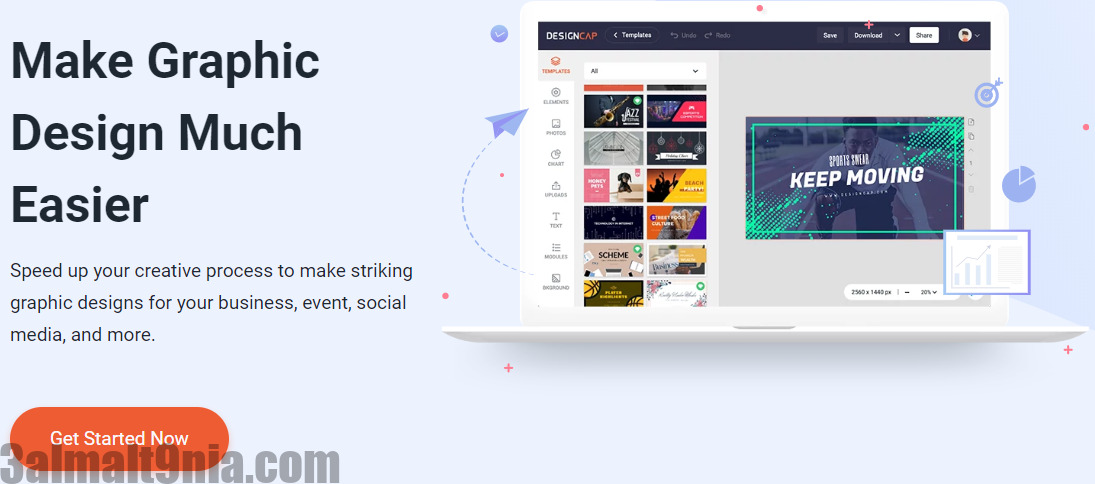
DesignCap is a website that allows you to create stylish graphic designs right in your browser, without the need to download or install any additional software.
If you were to hire a designer to create an ad or banner that you often see on social media channels or a stylish graphic page for your company’s homepage, it would cost you tens of thousands of dollars.
Using DesignCap to create such items can be easy and free. It takes about 30 minutes in total if it’s your first time creating something, but once you get the hang of it, you can create designs in just a few minutes.

Choose from thousands of templates and materials to create
DesignCap offers thousands of templates, images, and illustrations that you can choose from and create on your own.
For instance, there are dozens to hundreds of templates available for each category (Report, Infographic, Presentation, Flyer, Poster, YouTube Channel Art, Menu, etc.). You can select and edit them freely as you wish. Additionally, there are countless images, icons, and various layout materials to choose from.
Now, let’s immediately explain how to create an attractive design using DesignCap.
This time, I would like to create a poster, assuming it will be used in restaurants that have recently started delivering food to homes due to the impact of the coronavirus.
First, please create an account with DesignCap. You can also log in using your Facebook or Google account.
Once logged in, the first thing you need to choose is whether you want to create from a template or start a custom design from scratch.
This time, I’m creating it from a template, but if you want to create it yourself, you can start by clicking 'Create New' in the top left and selecting the size. You can choose from pre-set sizes or enter a custom size to get started.
Since I’m using a template this time, I’ll show you how to modify the template to make it your own.
You can not only edit the font and text size, but also make detailed adjustments like letter spacing and line spacing.

Next, you can add materials like your own images for a more authentic feel. You can simply drag and drop your images to use them, or change the layout of the image using shapes like squares and circles, making it easy and stylish, so it’s highly recommended.
In addition, DesignCap offers a large library of photographs. The number of available images is very high, allowing you to create a sleek and professional design.
You can also add some graphics, icons, and other components to enrich your design.
Finally, you have the option to save, share, print, and download your design with just one click.
My Thoughts
Honestly, my impression of using DesignCap is that it’s an easy and comprehensive site. There are thousands of elegantly designed templates that I’ve casually seen online so far, and I believe anyone can create something trendy with just a click of a button. If you want to create stunning graphics, please give it a try.
Visit the site through this link designcap and unleash your creativity


