


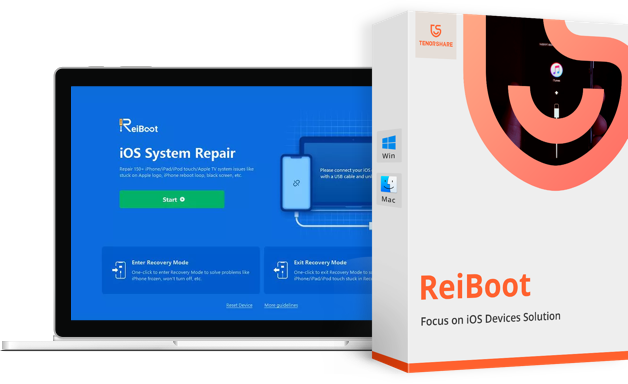
Overview of Tenorshare ReiBoot
Many users believe that the iPhone is free from issues. This is not surprising, as Apple has built a strong legacy through its ecosystem, where the company has complete control over hardware and software integration. However, Apple's operating system can sometimes encounter errors. This is quite common in the tech market, and during such times, users may feel desperate. The latest versions of iOS and iPadOS have introduced a significant number of bugs.
You might be using your iPhone when suddenly it restarts on its own. This can be quite alarming, and to make matters worse, after a few minutes, iOS restarts again, creating a loop. The famous phrase comes to mind: the iPhone can no longer be used normally.
iPhones, like any other digital device, are susceptible to software glitches. Your phone might get stuck in a boot loop, freeze on a black screen, or simply refuse to boot up. Instead of taking it to Apple and spending a lot of money on repairs, why not fix it yourself?
Software issues can often be resolved at home, and all you need is a dedicated iOS repair tool to get your phone back in working order.
With so many tools available online, we will help you decide in this review of Tenorshare Reiboot whether this program is worth your hard-earned money.
Tenorshare ReiBoot is a recovery tool for iOS designed to fix software-related issues with iOS devices. The tool aims to simplify the repair process without losing your data.
Additionally, it offers a list of useful features to help you out of unfortunate situations, such as a phone stuck in boot mode or a persistent black screen. The tool can also assist devices with non-functional home and power buttons or entering recovery mode.
How to Fix iPhone Using Tenorshare ReiBoot?
Tenorshare Reiboot provides an easy-to-use interface with straightforward access. Even a beginner can resolve iOS issues with it. Thanks to this flexibility, it is very easy to fix your iPhone problems in just 3 simple steps, without requiring technical knowledge.
How Does ReiBoot Work?
If your iOS device is stuck in recovery mode, the first thing you need to do is download a program like ReiBoot on your Windows computer. Once the program is installed, you can connect your device to the computer using a USB cable. Once ReiBoot detects the device, you can click the "Repair Now" button available on the screen.
ReiBoot works by scanning the connected device and identifying all potential errors. In some cases, the application may fix the issue immediately. However, in other cases, it may guide you through a step-by-step recovery process. Although the free version includes only some features, the program detects all issues and gives you the option to upgrade to the premium plan only if necessary.
In the following video, there is a quick explanation of the program's great capabilities. Follow the video to learn how to use the program.
Special thanks to the video source
Channel: Tenorshare Arabic on YouTube.
Using the Program with Images
- Download the Tenorshare Reiboot program and install it on your computer. Then click START Start.

The first step when using Tenorshare Reiboot for iPhone repairs
- Connect your iOS device to the computer. Select Standard Repair "Standard Repair".

The second step when using Tenorshare Reiboot for iPhone repairs
- Download the firmware package

The third step when using Tenorshare Reiboot for iPhone repairs
Features of Tenorshare iCareFone
As mentioned earlier, Tenorshare Reiboot acts as a repair tool for iOS devices. It allows you to address over 150 common issues faced by iPhone users.
- Using the iTunes restore option to downgrade iOS is always a hassle. This program comes with a feature that can automatically revert iOS to the latest version.
- Want to restore your iPhone in iTunes but encountered error 4013/4005? ReiBoot can easily bypass iTunes restore or copy errors with a high success rate.
- In addition to the stuck scenarios mentioned above, this professional iOS repair tool also fixes other iOS issues, up to 50, such as iPhone update errors, frozen iPhone apps, and more.
- Fix many stuck issues on Apple TV without data loss.
- Repair iOS system to fix black screen issues on iPhone without data loss.
- When the iPhone screen freezes, ReiBoot can quickly reboot it to normal after fixing the system.
- Fix many iTunes errors during updates or restorations, no need to uninstall.
- Remove iPhone screen lock even when the device is disabled.
- Fix iPhone stuck on loading or looping with a black screen issue without restoring iTunes.
- iPhone continues to restart after repair or restore can also be fixed by system repair.
- Help resolve issues with iPhone or iPad if it crashes or freezes and iTunes reset fails.
-
Fix Screen Stuck Issues
If you are a continuous iOS user, you have probably faced screen stuck issues at least once during this time. These issues range from frozen screens to blackout situations, getting stuck at the Apple logo, and so on.
You might encounter this problem while enabling a specific mode or using a new app, and with Tenorshare Reiboot, you can quickly resolve this issue through a full recovery test.
-
Fix System Issues Without Data Loss
If you access the standard repair mode in the program, you will be able to fix the faulty iOS device without losing media files or documents.
-
Enter/Exit Recovery Mode (Free)
If the home button on your iPhone is not functioning properly, it may be difficult for you to enter recovery mode. However, with this tool, you can activate the device's recovery mode and exit it as well (if you are stuck there) with just one click.
-
Reset iOS Devices
Additionally, you can reset your iPhone with Tenorshare Reiboot for free, or reset its general settings, such as network and keyboard settings, etc. If you forget your Apple password, you can even reset your iOS devices using this app.
FAQs
[accordions]
[accordion title="Is Tenorshare Reiboot Free?" load="show"]Tenorshare Reiboot has a free version, but it comes with only a limited number of features, such as entering and exiting recovery mode. For the full experience, you will need to pay for a monthly subscription.
[/accordion]
[accordion title="Is Tenorshare Reiboot Good?" load="hide"]Tenorshare Reiboot can be a good alternative to iTunes when reviving your phone from a software error. The paid version includes all the essential features needed when repairing an iOS device, such as fixing a frozen phone or a phone stuck in a boot loop.
Moreover, users have reported that sometimes iTunes does not recognize dead iOS devices. However, Reiboot has successfully detected them, making it quite useful in that regard.
One downside of Reiboot is that its free version seems very limited as it offers only one feature and does not provide insight into how the rest of the program performs. The price is also on the higher side.
[/accordion]
[accordion title="How Long Does Tenorshare Reiboot Take to Fix iPhone?" load="hide"]The specific time will depend on the type of issue your iPhone is facing, but most repairs usually take only about 30 minutes. However, if a firmware file is required when fixing your iOS device, it may take some time, depending on your internet connection.
[/accordion]
[accordion title="Will ReiBoot Delete Data Stored on My Device?" load="hide"]When trying to restore your iOS device, you may be concerned about losing important data. With the free ReiBoot, you can easily enter and exit recovery mode while keeping all your data safe. The program does not erase the data stored on your device and ensures that you can easily access photos, documents, videos, and music.
[/accordion]
[accordion title="Is Tenorshare ReiBoot Safe?" load="hide"]When you download ReiBoot on your computer, you don’t have to worry about any issues or security threats. The program is free from any viruses or malware and is designed to protect your privacy. Additionally, the program does not access your data or use it.
[/accordion]
[/accordions]
Conclusion
As a repair and recovery tool, Tenorshare Reiboot provides the essential functions needed to restore your iOS device. Moreover, the application is user-friendly and works on all Windows versions, including Windows 11 and Windows 10.
Tenorshare ReiBoot offers recovery mode completely free! You can enter and access its features five times. However, if you need more advanced recovery solutions, you can pay to access the full version.
If you purchase a license, you can


