The Malware Effects Remediation Tool is an open-source utility designed to repair the damage left by malware on Windows operating systems after it has been removed. This tool is particularly useful for users who want to restore affected system functions without the need to completely reinstall the operating system. After a system has been infected with malware, some damage may persist even after the primary threat has been eliminated. This damage can include disabling system tools like Task Manager or Registry Editor, or altering critical system settings. The Malware Effects Remediation Tool works to quickly and efficiently restore these functions.
Malware Effects Remediation Tool
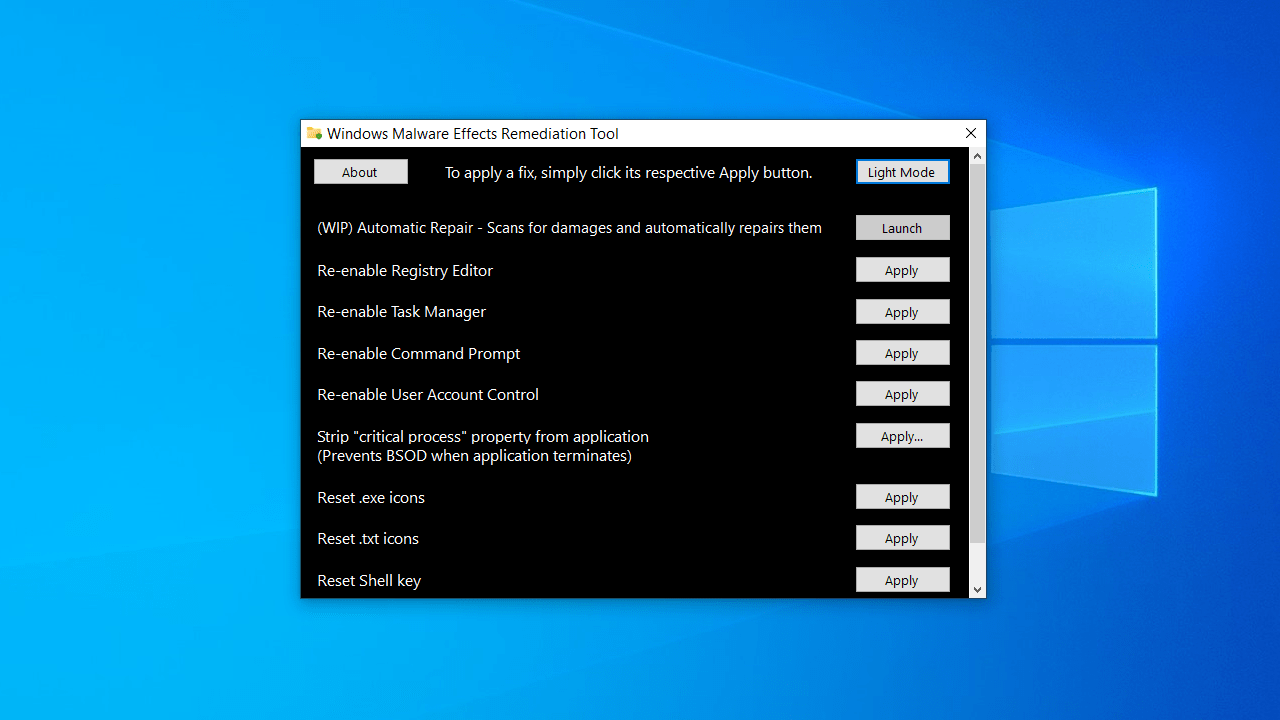
- The tool features an interface with ten available fixes, each equipped with a button to apply the desired repair.
- Re-enable the Registry Editor.
- Re-enable the Task Manager.
- Re-enable the Command Prompt.
- Re-enable User Account Control.
- Reset Userinit and Shell keys in the registry.
- Repair default icon settings for .exe and .txt files.
- Remove keyboard restrictions and switch the primary mouse button.
- Repair settings for themes and wallpapers.
- The tool supports an automatic repair feature that scans for common issues and fixes them automatically.
- The tool can be run with system privileges to perform repairs that require elevated permissions.
Security and Privacy
Although the tool is safe and open-source, some antivirus programs may flag it as a potential threat due to its nature of modifying system settings. This issue has been addressed in the latest version by rewriting certain functions to reduce the likelihood of false positives.
The Malware Effects Remediation Tool is an excellent option for users looking for an effective and easy way to restore system functions after malware removal. Thanks to its simple interface and the variety of fixes it offers, users can resolve many common issues without needing advanced technical skills.
Comparison with Other Tools
In the software market, there are many tools aimed at repairing systems after malware infections, but the Malware Effects Remediation Tool stands out for several reasons compared to its competitors:
- Compared to RKill: RKill only temporarily stops malicious processes, but it does not repair the damage. In contrast, the Malware Effects Remediation Tool focuses on restoring affected settings after removal.
- Compared to Tweaking.com Windows Repair: While Tweaking offers a large number of system repairs, it is more complex and takes longer. The Malware Effects Remediation Tool is simpler and faster, specifically designed for post-infection scenarios.
- Compared to Windows Recovery: The Windows Recovery tool may restore the system to a previous point, but this depends on the availability of saved restore points. The Malware Effects Remediation Tool, on the other hand, provides direct and precise repairs without the need for restore points.
Recommended Scenarios for Using the Tool
The tool can be used in several situations, including:
- After removing a virus that disabled Task Manager or the system registry.
- When experiencing strange symptoms such as a missing background or double-clicking on programs not working.
- After the system has been infected with viruses that alter .exe file functions or disable system controls.
- When user permissions are restricted without clear reason.
Tips for Effective Use
- Ensure that all actual threats are removed using a strong antivirus before running the tool, as its purpose is to repair damage, not to remove the malware itself.
- If you are unsure about a specific function in the program, use the automatic repair feature, which scans and applies the most common fixes.
- After using the tool, restart your device to apply all changes, especially for registry repairs.
- It is best to run the tool in Safe Mode for better results on systems heavily affected by malware.
Developers and Support
The tool is developed by an open-source group called Orange Group Tech, known for providing simple and effective maintenance tools for Windows. Although the tool does not have direct commercial support, the project's GitHub page offers:
- Installation files and source code.
- Change log.
- An issues section for reporting problems or suggestions.
- A Wiki page with a simplified explanation of the tool's functions.
Pros
- Completely free and open-source.
- Small size and does not require installation.
- Beginner-friendly.
- Compatible with most modern versions of Windows.
- Does not consume significant system resources.
- Beneficial for technicians in technical workshops and service centers.
Cons
- Does not have translations in Arabic or other languages.
- Not a substitute for antivirus software.
- Requires elevated permissions to make some modifications.
- Some antivirus programs may mistakenly warn about it.
Updates in the Version
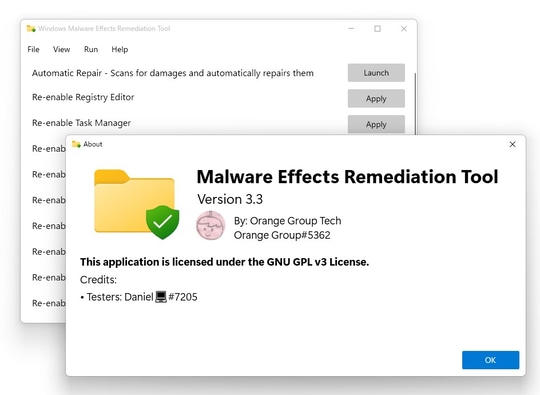
The latest version introduced several improvements to the tool's performance, including:
- <li style="font-weight: 400

 File Name:
 Downloads:
 Version:
 Full Version:
 Created By:
 License Type:
 Release Date:
 Languages:
 Tags:
Tags: