

YTVD is a stable release program that came out on September 16, 2021, allowing users to download videos, audio files, and playlists from various websites like YouTube, Vimeo, and Facebook. It supports saving in multiple formats such as MP4 and MP3 with high speed and good stability. The program also supports parallel downloads of multiple files simultaneously and can automatically resume downloads after a connection interruption.
It features an intuitive user interface suitable for both beginners and advanced users. The system requirements are based on a Windows 7/8.1/10 environment with at least 2 GB of RAM and 200 MB of storage space. It can be installed via an official EXE installation file, with the option to activate it with a paid license or use the unpacked full version. Despite its strength in downloading HD and Full HD videos with a resolution of up to 1080P,
the program has not seen any updates since its release in 2021 and lacks a browser extension for automatically detecting links, prompting some users to look for alternatives like Internet Download Manager, 4K Video Downloader, and JDownloader, which offer advanced features and regular updates.
Overview of YTVD
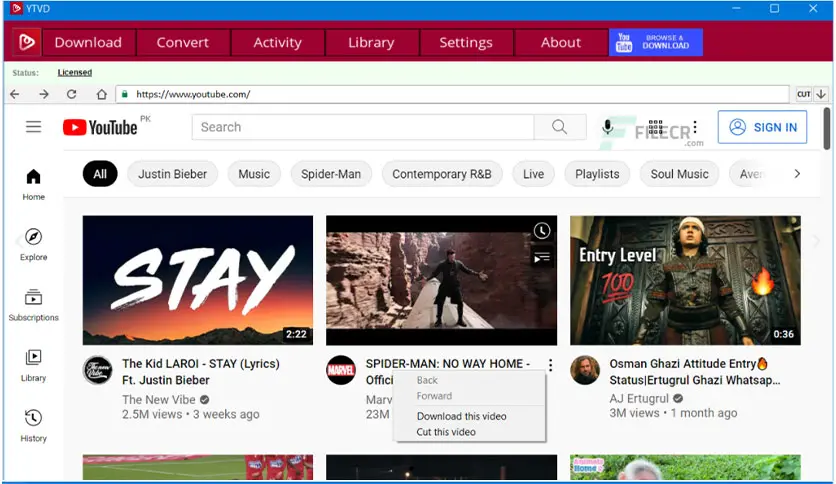
YTVD is a video and audio downloader designed by YTVD to work independently on Windows, allowing users to save videos in batches for offline playback.
It includes an advanced dashboard that allows monitoring of download and conversion processes, supporting multiple file downloads simultaneously. The design focuses on simplicity and speed.
Users can copy the video link and paste it into the interface, then click “Download” to automatically get the file in the highest available quality.
Technical Requirements
- Operating System: Windows 7, 8.1, 10 (32/64-bit)
- Memory (RAM): Minimum 2 GB (4 GB recommended)
- Hard Disk Space: 200 MB or more
- Internet Connection: Broadband for smooth downloading of high-definition videos
Main Features
- The ability to add and download an entire playlist without manually copying links.
- Download high-quality videos from major video sites without losing resolution.
- Download multiple videos simultaneously to fully utilize bandwidth.
- The program resumes downloads from the point where they stopped during an internet interruption.
- Converts the audio track of the video into a standalone MP3 file with good quality.
- A clear and simple design that makes it easy for new users to navigate the program without a steep learning curve.
User Guide
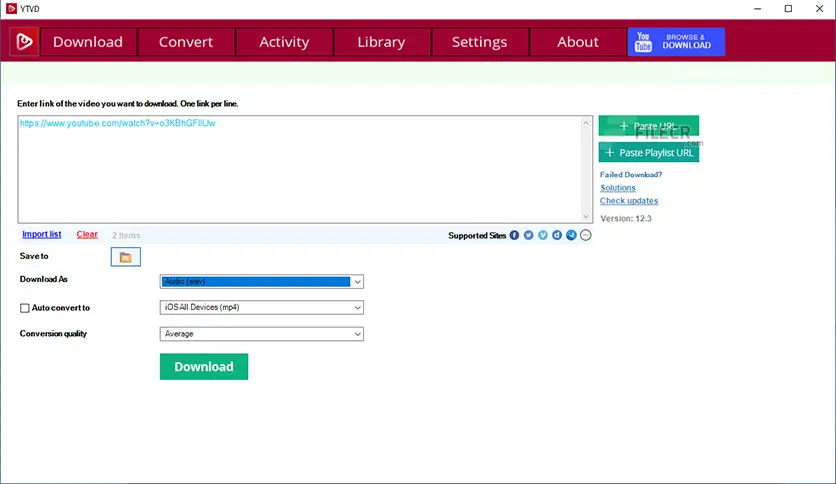
- Copy the video or playlist link from your browser.
- Paste it into the “Paste URL” field in the program interface.
- Select the resolution (like 1080P) and format (MP4 or MP3) as desired.
- Click “Download” and monitor the progress bar in the “Tasks” window.
- Once the download is complete, open the specified folder or downloads library to play the files immediately.
Best Alternatives
- Internet Download Manager (IDM) is a comprehensive download manager that supports accelerating downloads up to 8x, working through browser extensions to receive links directly, with scheduling, organization, and a professional workflow.
- 4K Video Downloader is a cross-platform application that allows saving videos, playlists, and subtitles in multiple formats up to 8K, with a Smart Mode to automatically apply preferences to all downloads.
- JDownloader is an open-source program built on Java that supports downloading file sets from “One-Click Hosters,” with automatic link detection and solving some CAPTCHAs, continuously updating for quick compatibility with changes on websites.
- YT-DLP (command line) is a well-maintained command-line tool capable of downloading video and audio from over 500 sites, with advanced options for selecting formats, subtitles, and subscribing to channels.
Key Disadvantages of YTVD
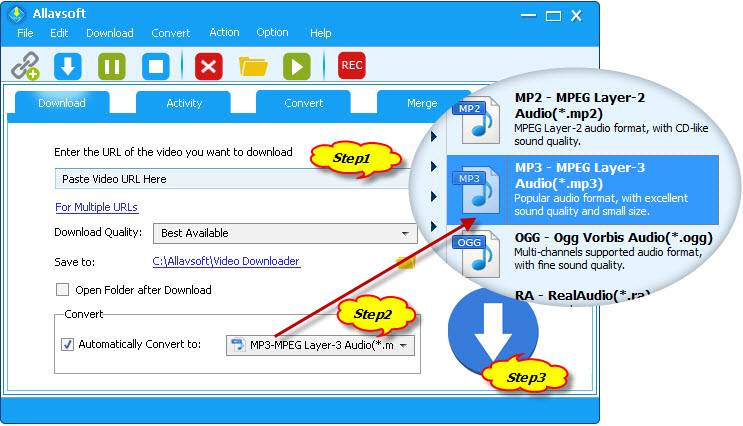
- Some users have reported that the program may be classified as unwanted software, meaning it could download unwanted or even harmful applications to the computer without the user's knowledge.
- If the internet connection is interrupted, the program may not resume the download from where it left off, forcing the user to restart the download from the beginning.
- The lack of regular updates may lead to compatibility issues with changes on various video sites, potentially resulting in download failures or errors.
- Despite its simplicity, the interface may lack some advanced features found in other similar programs, such as multiple format conversion options or playlist download support.
- Conversion options may be limited compared to other programs that offer a wider range of formats, which may restrict users needing specific formats.
- Despite these drawbacks, YTVD remains a suitable option for users looking for a simple and fast tool to download videos.
- However, it is always advisable to check for the latest updates and available alternatives to ensure the best user experience.
YTVD is a suitable choice for users looking for a simple and stable solution to download HD videos and playlists from the internet without complications, thanks to its intuitive interface and ability to handle files in parallel.
However, its lack of updates since 2021 and the absence of a browser extension limit its effectiveness with modern technologies, making alternatives like IDM, 4K Video Downloader, JDownloader, and YT-DLP more integrated and updated options to meet contemporary user requirements.

 File Name:
 Downloads:
 Version:
 Full Version:
 Created By:
 License Type:
 Release Date:
 Languages: