

K-Lite Codec Pack 19.8.0 Free Download - 3almalt9nia
Free Download K-Lite Codec Pack 19.8.0 Offline Installer - Collection of DirectShow filters, VFW/ACM codecs, and tools.
Many Windows users encounter a common issue when trying to play a video or audio file, where an error message appears, or the file simply won't play. This problem usually isn't related to your device or operating system but rather the absence of the right codecs. This is where the K-Lite Codec Pack comes in, one of the oldest and most robust solutions in this field. It provides a comprehensive set of codecs that ensure almost all media formats can be played without complications or complex settings. Let's explore the program's details, features, functions, and system requirements.
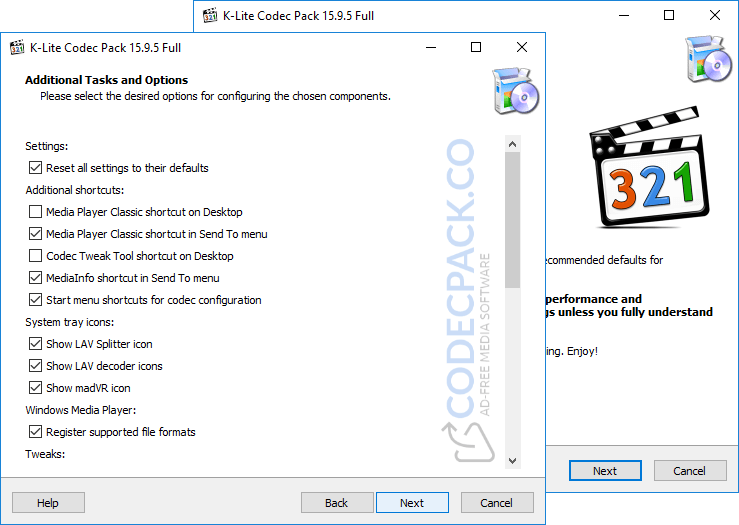
An Overview of K-Lite Codec Pack
The K-Lite Codec Pack is an all-inclusive package that includes a vast array of codecs, which are responsible for decoding video and audio files so they can be played on Windows. Since its initial release, the program has become the go-to choice for millions of users worldwide, whether they are casual users or professionals in media editing and playback. The 18.8.5 version offers multiple enhancements focused on stability and compatibility with the latest high-quality video formats, along with excellent support for modern display technologies without impacting system performance.
Key Features of K-Lite Codec Pack
The program boasts a wide range of features that set it apart from other similar codec packs, including:
- Support for all common and rare video formats without exception
- Full support for high-quality audio formats
- Stable performance without excessive resource consumption
- Easy installation with automatic settings suitable for the average user
- Compatibility with popular video players like Windows Media Player
- Regular updates to ensure support for the latest technologies
- A simple interface that doesn't require technical expertise
These features make the program suitable for everyone, from casual users to media professionals. The 18.8.5 version continues the path of development and improvement, focusing on resolving previous issues and enhancing user experience. Key offerings of this version include:
- Improved compatibility with modern Windows systems
- Updated internal codecs to ensure better playback of high-definition videos
- Fixes for audio issues in some rare formats
- Enhanced display performance when playing 4K files
- Greater stability when playing large video files
These improvements make the current version more reliable for everyday and intensive use.
System Requirements for Running K-Lite Codec Pack on Windows
One of the advantages of the K-Lite Codec Pack is that it doesn't require a powerful device or high specifications, as it runs smoothly on most computers.
Basic System Requirements:
- Operating System: Windows 7 or later
- Processor: Any modern processor that supports media playback
- RAM: At least 2 GB
- Storage: Minimal space for installation
- A media player compatible with Windows
These requirements make the program a suitable choice even for moderately old devices.
Advanced Features of K-Lite Codec Pack
Besides being user-friendly for the average user, K-Lite Codec Pack offers advanced features that meet the needs of professional users, such as:
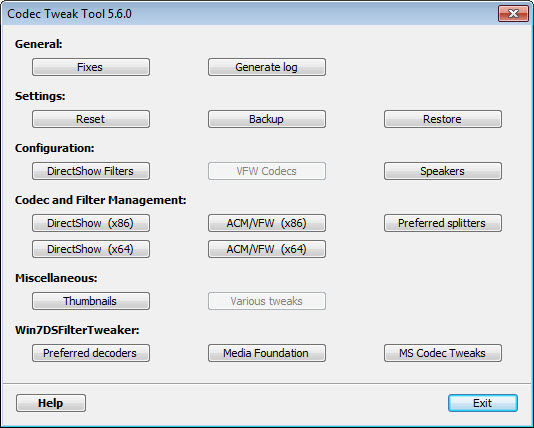
- Manual control over codec settings
- Support for advanced video filters
- Enhanced display and audio quality
- Hardware acceleration support to reduce processor load
- Customizable settings based on the media player used
These options provide users with complete freedom to tailor their media playback experience to their liking. The main reason users prefer this program is its reliability. Instead of searching for a codec for each format individually, the program offers a single comprehensive package that eliminates the need for any additional plugins. Its long-standing reputation in the market makes it a safe and reliable choice compared to unknown solutions.
Conclusion
If you're looking for a definitive solution to video and audio playback issues on Windows, the K-Lite Codec Pack is an ideal choice that combines simplicity and power. The program doesn't change how you use your device but works in the background to ensure a seamless viewing and listening experience without interruptions or errors. Whether you're a casual user or a professional, you'll find this program meets your needs with ease.

 File Name:
 Downloads:
 Requirements:
 Version:
 Full Version:
 Created By:
 License Type:
 Release Date:
 What's New:
 Languages:
 Tags:
Tags:

