

If you're looking for software that helps you create high-quality animations and interactive content, Adobe Animate is the perfect choice for you. This program combines professional tools with an easy-to-use interface, allowing you to create cartoon characters, digital ads, and educational games. It also supports the latest web technologies like HTML5 Canvas and WebGL, making it easy to export your projects across various platforms. It's the ideal solution for any creator seeking speed and efficiency in bringing their ideas to life.
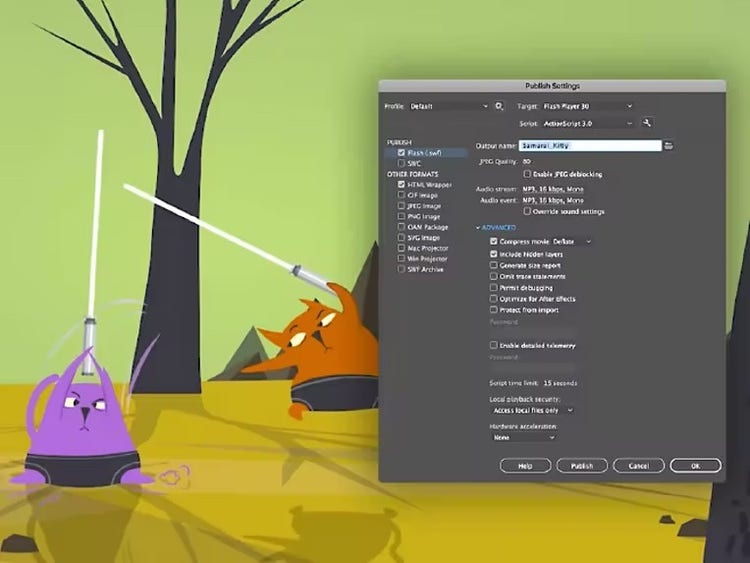
Overview of Adobe Animate Download
Adobe Animate is one of the most powerful programs produced by Adobe Systems. Its history dates back to 1996 when it was first released under the name FutureSplash Animator. It was later acquired by Macromedia and renamed Macromedia Flash, until it was transferred to Adobe and became known as "Adobe Animate." This timeline reflects a long journey that has made the program one of the leading tools in the field of 2D animation and interactive content creation.
The significance of Adobe Animate lies in its comprehensive platform that empowers designers to create rich and impactful visual content. It is not limited to animations alone; it also includes digital interactivity and integration with various display environments, such as HTML5 Canvas and WebGL, along with the ability to export projects to traditional video formats. This makes it a fundamental choice for creators in the fields of digital design and media production.
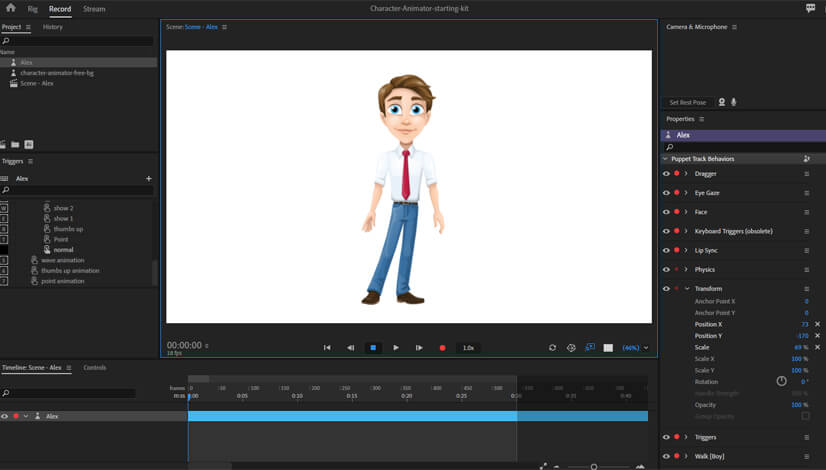
In terms of applications, the program opens up vast opportunities for artists and developers, allowing them to design animated cartoon characters for films and short series, as well as create interactive ads tailored for digital platforms. It is also widely used in preparing educational content that relies on visual interaction to simplify information. Moreover, it is utilized for designing animations for websites and applications, enhancing the visual experience for users.
Adobe Animate is suitable for various user categories based on their needs, including designers and creators who wish to produce high-quality 2D animations, as well as web developers who need to incorporate interactive graphics and animations into websites and applications. It also serves educators and educational content creators by enabling them to create animated presentations and illustrations that facilitate explanations and make them more engaging, in addition to digital marketers who can rely on it to design animated ads and interactive banners that enhance the effectiveness of marketing campaigns.
The program is also an ideal choice for creators of simple games looking to develop enjoyable 2D games based on movement, and it serves as a fantastic tool for artists aspiring to turn their drawings into cartoon scenes or animated clips.
With the new version, Adobe has continued to enhance the program's performance and add more advanced tools, making it smoother to use and better able to meet the demands of creators across various digital fields. This ongoing development ensures that Adobe Animate remains at the forefront of modern animation software.
Features of Adobe Animate
 Download Adobe Animate for Mac to create animations - Direct link
- Support for creating high-quality 2D animations.
- Compatibility with modern web standards like HTML5 Canvas and WebGL.
- Advanced drawing tools that provide designers with creative flexibility.
- Ability to export projects in multiple formats such as video and GIF files.
- Seamless integration with other Adobe programs like Photoshop and After Effects.
- Performance improvements to speed up the design and editing process.
- Support for creating interactive content suitable for games and educational ads.
- User-friendly interface suitable for both professionals and beginners.
- A rich library of templates and ready-made elements to accelerate work.
- Continuous updates that add new tools and resolve issues from previous versions.
- Precise control over frames and timing for more professional animations.
- Support for high-precision audio synchronization with motion.
- Flexibility in importing and editing files from multiple formats.
- Enhanced export experience to facilitate project publishing on various platforms.
- Tools for character animation using Bone Tool techniques.
- Support for writing and designing in Arabic and other languages without issues.
- Improvements in program responsiveness when working on large projects.
- Built-in support for interaction with programming languages like JavaScript for adding advanced functionalities.
- Ability to share projects directly via cloud or social media.
- An integrated workspace that allows for easy design of educational and interactive projects.
Technical Details and System Requirements
- Program Name: Adobe Animate.
- Developer: Adobe Systems.
- Operating System: MacOS version 11 (Big Sur) or later.
- Required Processor: Intel Core i5 or Apple Silicon M1 and later.
- RAM: At least 8 GB, preferably 16 GB.
- Storage Space: 4 GB for installation with additional space for projects.
- Graphics Card: Compatible with Metal and with at least 2 GB of memory.
- Recommended Screen Resolution: 1280×800 pixels or higher.
- Internet connection is required for activation and to receive updates and cloud services.
- Available Languages: Supports multiple languages including Arabic.
Additional Functions of Adobe Animate
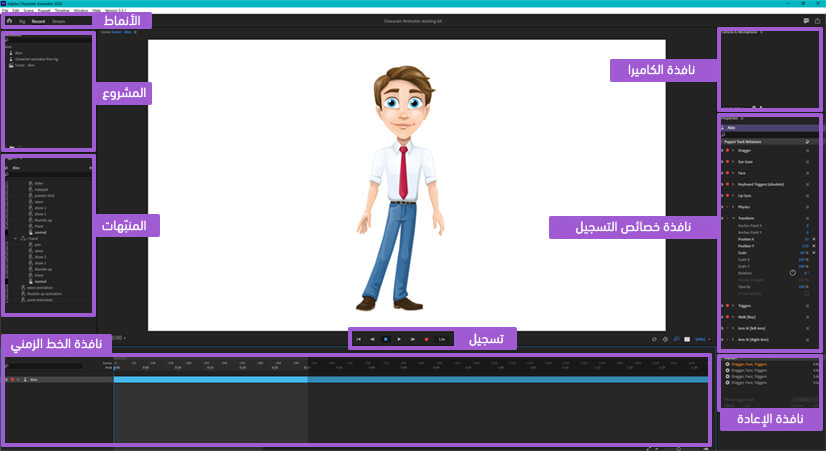 Download Adobe Animate for Mac to create animations - Direct link[/caption>
- Support for Bone Tool technology for precise and flexible character animation.
- Ability to synchronize audio with motion for realistic results.
- Export performance enhancements to speed up project sharing across various platforms.
- Support for creating responsive graphics that adapt to different screens for web and applications.
- Integration with JavaScript libraries to add advanced interactive functionalities.
- Built-in tools for creating high-quality HTML5 ads.
- Ability to use ready-made templates to speed up project design.
- Support for collaborative work through cloud services to facilitate file sharing.
- Improved user interface experience with customizable tools according to work style.
- Security updates and additional tools that enhance the program's stability and efficiency.
Conclusion
In conclusion, Adobe Animate represents a comprehensive tool that combines power and flexibility in designing animations and interactive content. With its advanced features and support for modern technologies, it has become the ideal choice for designers and creators looking to produce professional work, whether for games, ads, or educational projects. If you're looking for software that balances ease of use and efficiency, this version from Adobe is the perfect solution. Don't hesitate to download the program now and take advantage of its amazing capabilities to develop your projects.


 File Name:
 Downloads:
 Requirements:
 Version:
 Full Version:
 Created By:
 License Type:
 Release Date:
 Languages: