

Are you tired of endlessly searching for a video editing program that meets your needs with professionalism and speed? Downloading Adobe Premiere Pro 2025 for video editing - direct link, is the long-awaited version that combines professionalism and ease of use in one comprehensive experience. This new version not only offers technical improvements but also transforms the way videos are used through professional tools for audio and video editing, project organization, and export acceleration. Whether you're working on professional content or a personal project, Premiere Pro 2025 provides everything you need to achieve high-quality results with minimal effort.
Overview of Adobe Premiere Pro 2025 Download
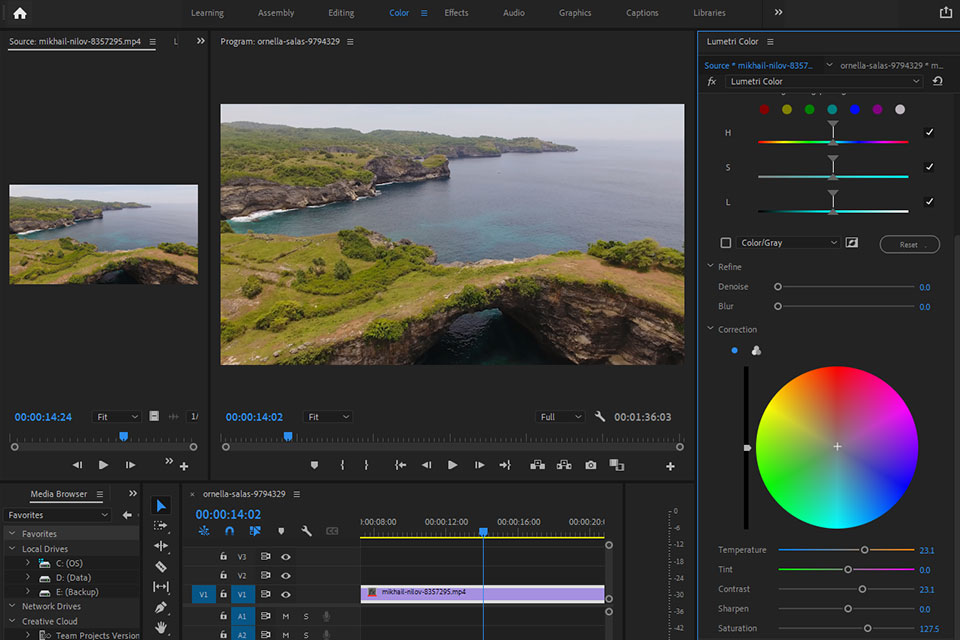
This is the latest version of Adobe's professional video editing software, recognized as one of the most powerful tools in visual content creation. This version offers a smarter and faster experience, with performance enhancements and easy compatibility with other Adobe tools. The program allows video editing at resolutions up to 8K with advanced tools for cutting and merging clips, adding visual and audio effects, and professionally adjusting colors and lighting. It also supports working with multiple tracks and various formats for publishing across different platforms.
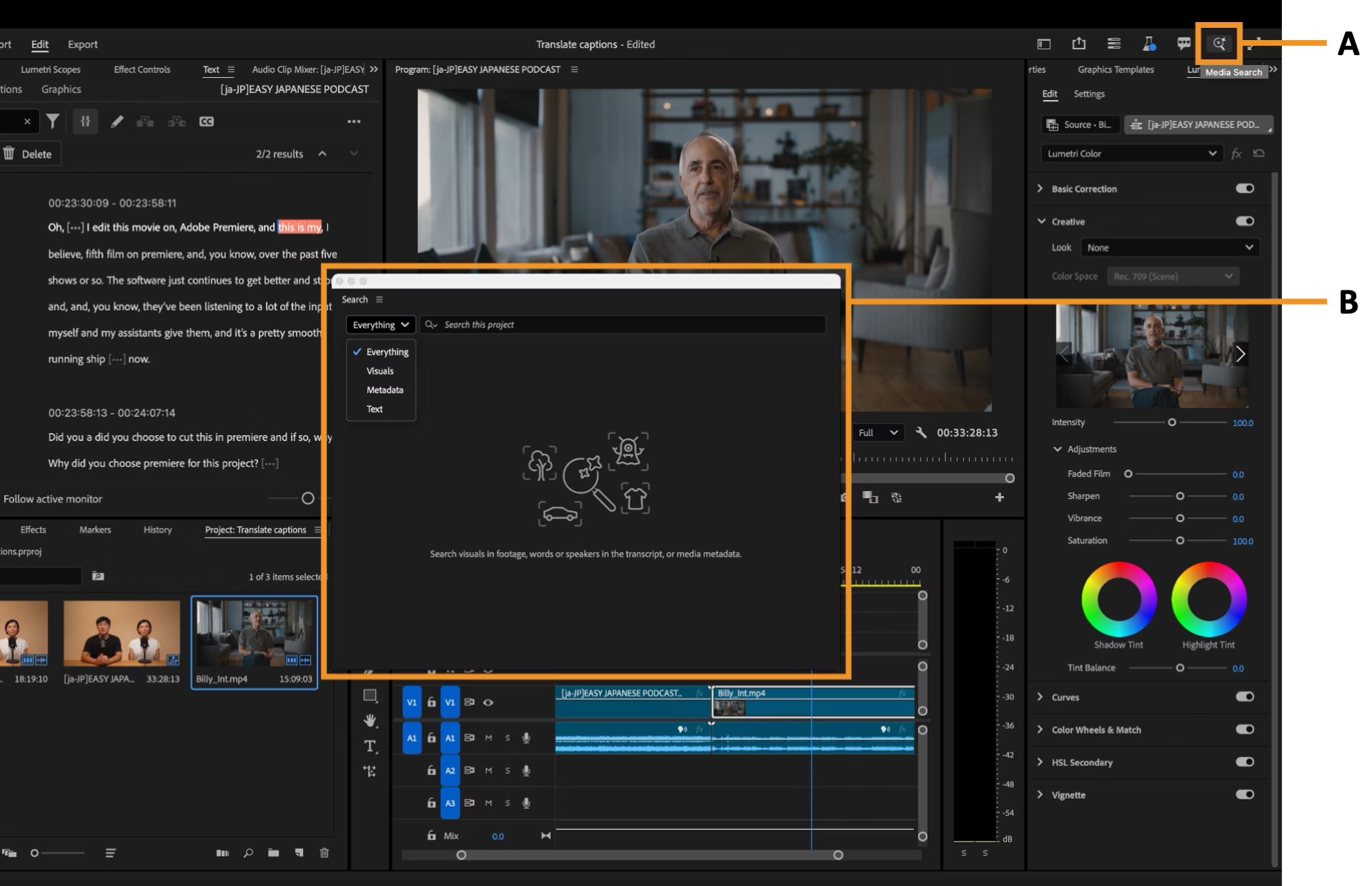
The 2025 version includes AI tools that automatically expand images, enhance backgrounds, and apply transitions to multiple clips at once. Additionally, the waveform display has been improved for easier real-time editing.
Premiere Pro integrates seamlessly with After Effects for adding visual effects and with Audition for audio editing, along with support for Adobe Fonts and Creative Cloud Libraries to unify the visual identity of projects.
The program offers flexible export options in multiple formats such as MP4, MOV, and ProRes, with presets ready for publishing on YouTube, TikTok, and Instagram. It also supports exporting in HDR, 4K, and 8K quality.
The first version of Adobe Premiere Pro was launched in September 2003, as a developed successor to the classic Adobe Premiere program that began in 1991. The software is developed by Adobe Systems, a leading American company in creative software, based in California. Adobe took over the development of the program after acquiring the original version from SuperMac Technologies in the 1990s.
Premiere Pro was developed to meet the growing demand for a professional video editing program that works on Windows and macOS, combining ease of use for beginners with advanced tools for professionals in film, television, and advertising.
The Pro version was designed to address the limitations of previous versions and provide better support for high-quality video, effects, and compatibility with other Adobe programs like After Effects and Photoshop.
Features of Adobe Premiere Pro 2025
 Download Adobe Premiere Pro 2025 for video editing - direct link
- You can now apply, modify, and manage transitions on multiple video and audio clips simultaneously, saving significant time and maintaining project consistency.
- Waveform display during editing helps you cut audio accurately or sync it with the beat.
- Indicators and keyframes appear directly during dragging, facilitating real-time editing.
- Improvements in graphics settings allow for better control over text and visual elements within the video.
- Better support for variable fonts and effects.
- Faster export and preview processes.
- Enhanced support for multi-core processors and Apple Silicon chips.
- Improvements in managing large projects, with new sorting and categorization options for clips and effects.
- Navigation between clips has become smoother, with smart drag tools and clearer visual displays of effects.
- Better support for high-resolution (HiDPI) displays and color customization within the editing interface.
- New tools for categorizing and organizing files within the project, with the ability to search by type, date, or tags.
- Improved support for importing files from professional cameras and various formats.
- Additional support for new Adobe extensions, with easy integration of external plug-ins.
- Direct compatibility with Adobe After Effects and Audition for audio and visual effects editing without leaving the project.
- Faster and more flexible export options, with support for HEVC, ProRes, and HDR.
- Ability to save export settings as custom templates.
System Requirements for Adobe Premiere Pro 2025
 Download Adobe Premiere Pro 2025 for video editing - direct link
- Processor (CPU): Apple Silicon (M1 or newer) or Intel® from the sixth generation or newer, andmust support AVX2 technology
- Operating System: macOS Ventura (13) or macOS Sonoma (14)
- Memory (RAM): 8 GB minimum, and16 GB or more is recommended for editing 4K video
- Storage Space: At least 8 GB of available space for installation, SSD is preferred for better performance
- Graphics Card (GPU): Apple GPU or AMD GPU with Metal support, 4 GB VRAM or more is recommended
- Screen Resolution: 1280 × 800 pixels minimum, 1920 × 1080 or higher is recommended
- Internet Connection: Required for activation, updates, and access to some features.
Conclusion
In conclusion, this article about Adobe Premiere Pro 2025 shows that it is not just a video editing tool, but a comprehensive platform that combines intelligence, speed, and professionalism. Whether you are designing marketing content, a short film, or a video for social media, this version provides you with the tools that save time and enhance creativity. We wish you a remarkable production experience and high-quality projects.


 File Name:
 Downloads:
 Requirements:
 Version:
 Full Version:
 Created By:
 License Type:
 Release Date:
 What's New:
 Languages: