

Many Mac users face a common issue where they cannot write or modify NTFS drives used by Windows systems, as macOS only allows read access without the ability to edit, copy, or delete these files. This is where Paragon NTFS for Mac comes in, providing a practical and quick solution for fully managing NTFS storage devices. With this software, you can easily copy, move, edit, and delete files from your Mac, making it an essential tool for anyone working between Windows and Mac systems. Let's explore all the details in this article.
Overview of Paragon NTFS for Mac
Paragon NTFS for Mac is a distinguished tool developed by Paragon Software to provide full access to NTFS-formatted drives directly from Mac devices. It bypasses the limitations imposed by macOS, granting you complete permissions to write, move, or modify files without any issues.
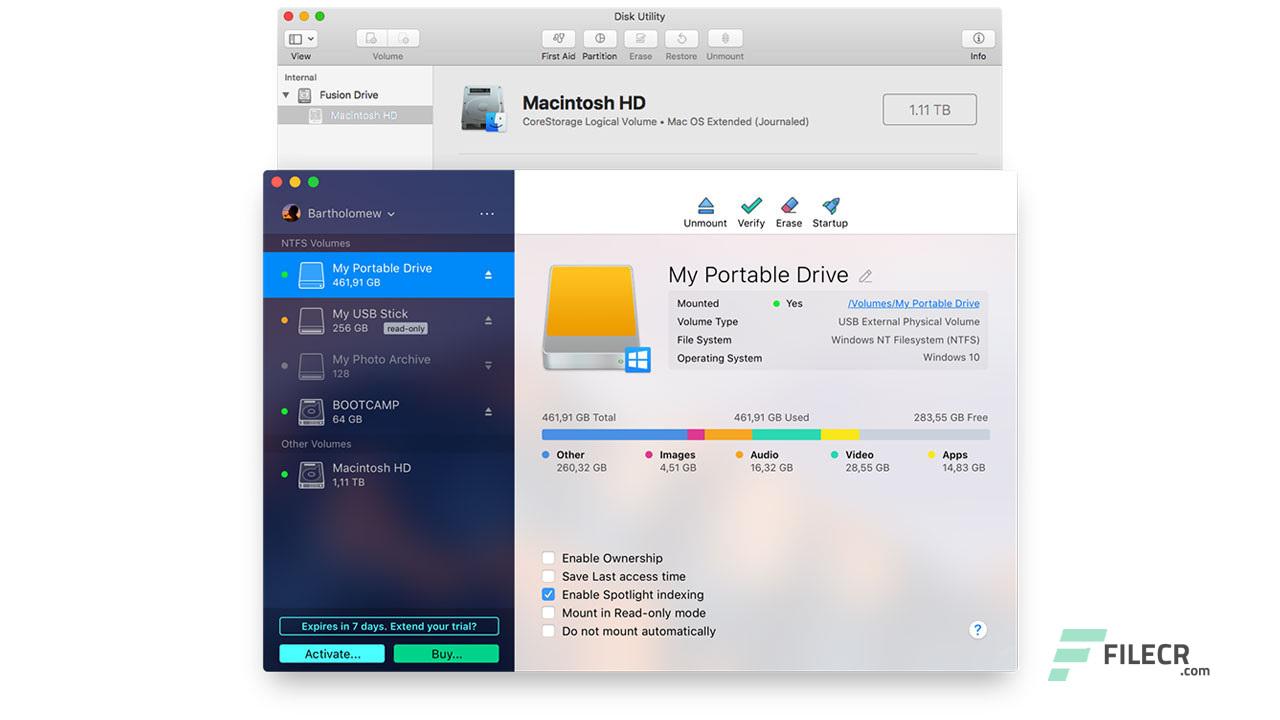
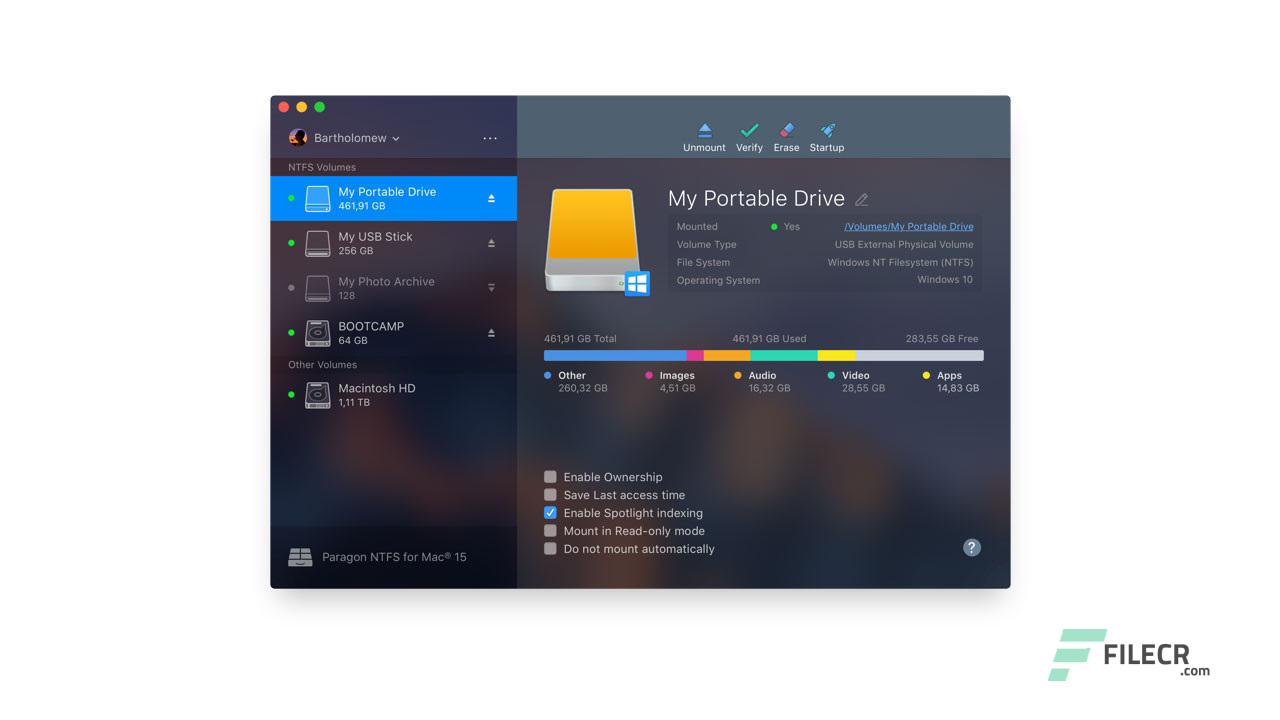
The software is known for its high responsiveness and user-friendly interface, making it suitable even for new users. It offers various options such as mounting and unmounting drives, checking their integrity, and reformatting them, in addition to the ability to set a drive as a startup disk.
One of the key features of Paragon NTFS is its support for all NTFS versions, from Windows NT 3.1 to the latest Windows 10 releases, ensuring broad compatibility and allowing you to work with any storage medium without restrictions. Additionally, it supports permission management and access control for files and folders, enhancing security and ease of management.
Key Features of Paragon NTFS
Before diving into the technical aspects, let's highlight the main features that make Paragon NTFS for Mac one of the best solutions in this field:
- Ability to write, edit, and delete files on NTFS drives effortlessly.
- Fast performance in copying and transferring files without delays.
- Option to mount and unmount drives through a simple menu in the taskbar.
- Ability to reboot Mac directly from the mounted NTFS drive.
- The software supports controlling access permissions for files and folders.
- It features an intuitive interface that makes it easy for everyone to use.
- Full compatibility with all NTFS versions across different Windows systems.
Technical Details and System Requirements for Paragon NTFS
- Paragon NTFS for Mac runs smoothly on most macOS versions from Yosemite to High Sierra, and it also supports newer system versions with regular updates to enhance performance and compatibility.
- The software supports all versions of the NTFS file system, from older Windows versions to Windows 10, making it a comprehensive tool for handling any type of Windows-formatted drives.
- The program is relatively small in size and does not consume significant system resources, allowing for use without affecting system speed.
Additional Functions of Paragon NTFS
In addition to its core features, Paragon NTFS for Mac offers extra functions that add significant value for professional users, allowing you to:
- Easily manage drives, such as checking for errors and fixing them, and customizing permission settings for each user on files and folders.
- It also allows you complete manual control over mounting or unmounting drives while providing a secure mode for accessing sensitive data without altering its contents.
These features make the software not just a tool for reading and writing on NTFS but a comprehensive platform for managing drives and simplifying work across different operating systems.
Conclusion
Paragon NTFS for Mac represents the ideal solution for overcoming the limitations imposed by macOS when dealing with NTFS drives. It combines speed, reliability, and ease of use while fully supporting all modern file system versions. Thus, it is the best choice for anyone needing to work between Windows and Mac without hassle. If you're looking for software that gives you complete freedom in managing your files on NTFS storage devices, then Paragon NTFS for Mac is the tool that will provide you with this capability and make your experience easier and more secure.

 File Name:
 Downloads:
 Version:
 Full Version:
 Created By:
 License Type:
 Release Date:
 Languages: