

Ever lost an important file amidst hundreds or thousands stored on your device? This is where VX Search comes in handy, offering a smart and quick way to find any document, image, or video in just seconds. The program excels with its deep search capabilities using advanced rules and filters, making file retrieval more precise and easy. It's comprehensive and supports all users, whether individuals or businesses managing vast amounts of data. With easy download and installation options, it's a must-have for any modern computer.
How to Use VX Search

VX Search is an advanced tool for file search and analysis, suitable for both enterprises and individuals. It offers a fast and comprehensive search system supporting over 1000 file formats. Utilizing indexing and simultaneous scanning technologies, it analyzes large volumes of data in seconds, with support for regular expressions (Regex) and multiple encodings. Its customizable interface and detailed reports make it ideal for content management, legal audits, and data analysis.
1- Installation and Initial Setup
1- Download and Install:
Download the program from the link.
Run the executable (.exe) file and follow the steps, keeping default settings unless advanced customization is needed.
2- Basic Search Configuration:
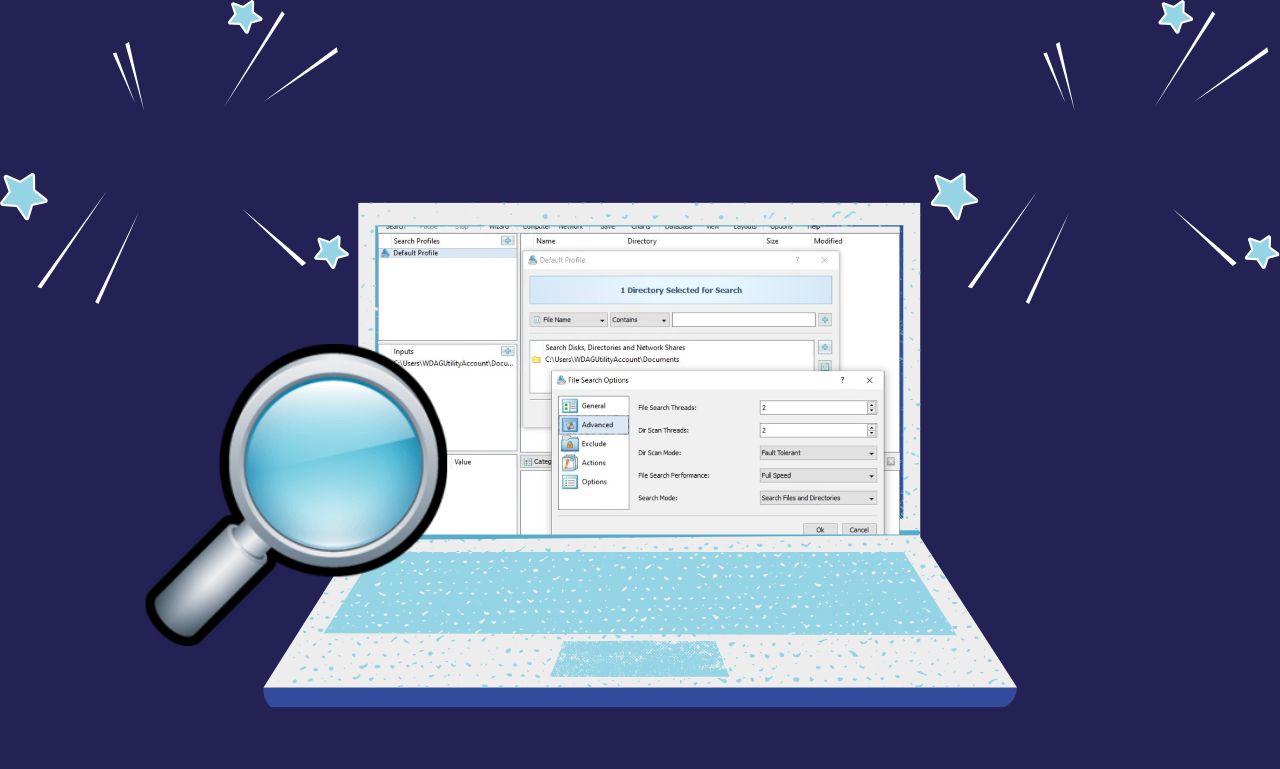
In the main interface, select the path for the search (e.g., C: or a specific folder).
Use the Criteria section to set search parameters:
File types: Choose from the dropdown list (e.g., documents, images, archives) or set custom extensions (e.g., *.docx;*.xlsx).
Size: Specify a range (e.g., >50 MB for large files).
Date: Search for files modified in the last 7 days or a custom range.
3- Start Scanning:
Click Search to begin immediate scanning. To manage performance, adjust priority level options in settings to avoid slowing down the system.
2- Advanced Search and Managing Results
1- Advanced Filters:
Text Search: Use the Text Search tab to search within content:
Enter keywords or use Regex for complex patterns (e.g., d{3}-d{2}-d{4} for social security numbers).
Select the appropriate encoding for texts (e.g., UTF-8 for Arabic texts).
Metadata: Search file properties (e.g., camera used in photos, author of a Word document).
2- Analyzing Results:
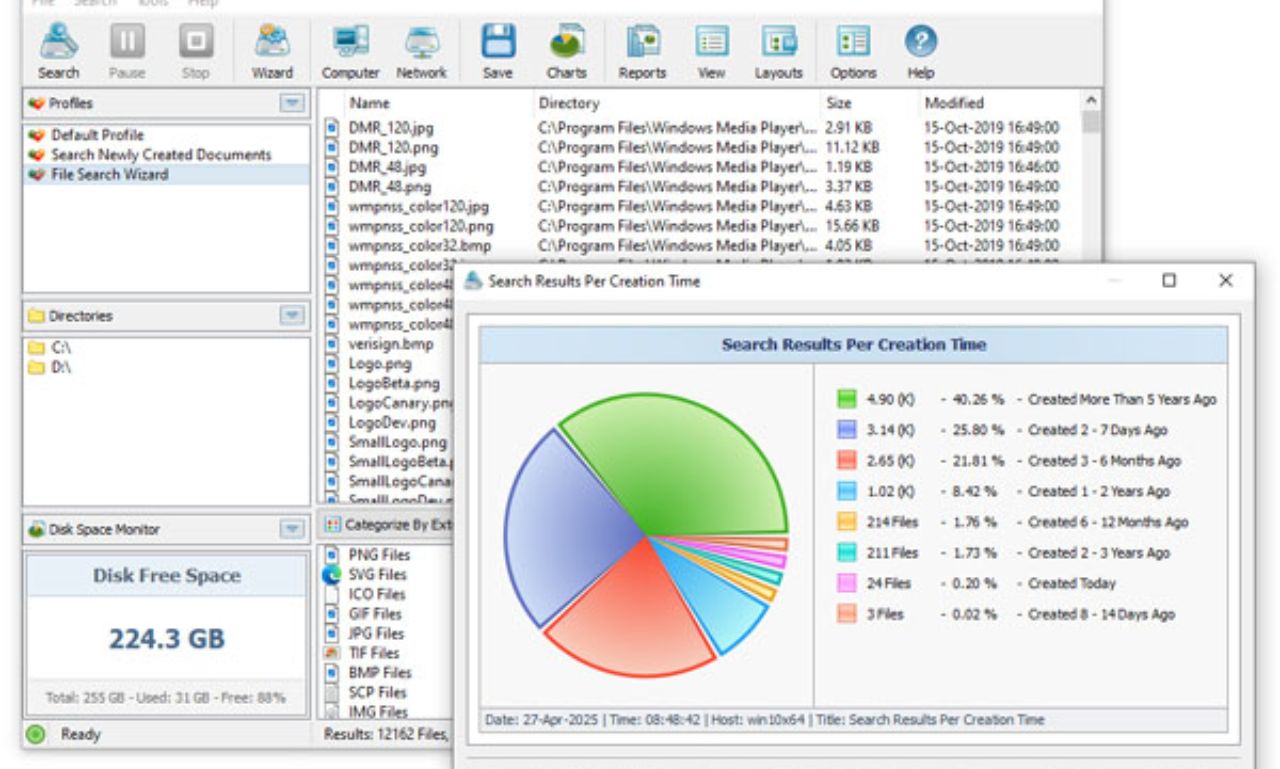
After scanning, use the table sorting tools to arrange results by:
Size (to identify space-consuming files).
Date (to find old or recent files).
Use the Preview feature to view file content directly without opening them.
3- Exporting Reports:
Click Export Results to save results in formats:
HTML: For interactive reports with charts.
CSV/Excel: For spreadsheet analysis.
XML/JSON: For integration with other systems.
Schedule Tasks option for automating search and report exports periodically.
3- Tips for Maximizing VX Search
1- Enhancing Performance:
Use pre-indexing for frequently used folders to speed up searches.
Exclude system folders (like WindowsSystem32) via the Exclusion List to avoid unnecessary results.
2- Examples of Advanced Uses:
Duplicate file search: Use the Duplicate Files tool with MD5 hash comparison.
Security investigation: Search for hidden files or files with unusual extensions (e.g., .exe disguised as .txt).
3- Troubleshooting:
If results don't appear, check folder access permissions (Admin Rights).
For network searches, ensure access to shared paths (Network Paths).
Now it's time to discover the amazing features of VX Search that will completely transform your experience.
1. Clear and User-Friendly Interface
The graphical interface of the program is a major draw for users. It's designed to be clear and easy to understand, with all tools neatly arranged. Once you download VX Search for file searching - direct link, you'll find accessing search options and settings is straightforward. Even beginners can navigate this interface without any difficulties, making the program popular among various user groups.
1- Simple Design
A simple design doesn't mean limited capabilities; quite the opposite. Developers have combined an attractive look with powerful performance. You'll find menus organized and icons clear, making it easy to navigate between tools. This simplicity enhances user experience and boosts productivity. Thus, the program is fully featured in terms of user interface.
2- Easy Access to Tools
Through the graphical interface, all search tools are accessible quickly and smoothly. You can perform a simple or advanced search in a few steps. You can also customize settings to suit your individual needs. This flexibility makes the program suitable for various uses, whether personal or professional. With continuous update download options, the program remains up-to-date.
2. VX Search Network Search Servers
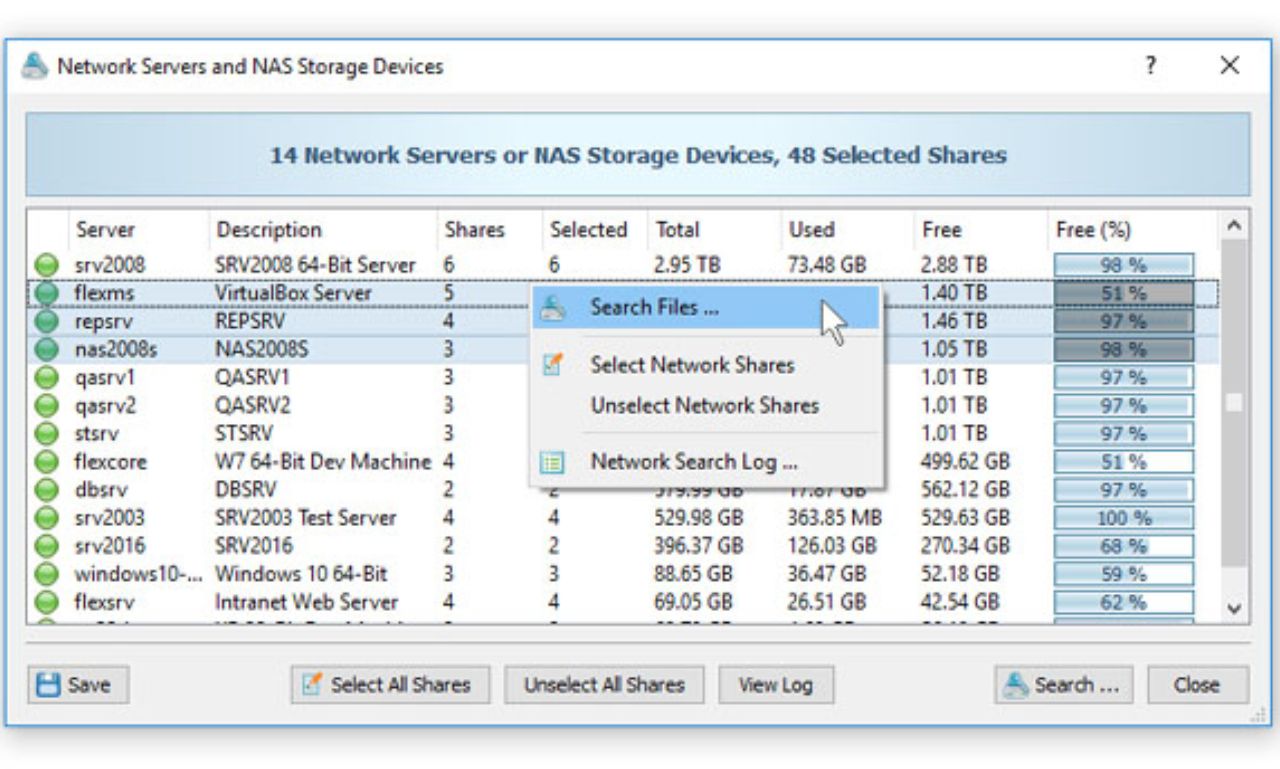
 VX Search Network Search Servers[/caption>
The server feature in VX Search gives users the ability to manage search operations across the network efficiently. This feature is specifically designed for companies or offices that need to handle a large number of devices simultaneously. After downloading VX Search for file searching - direct link, multiple computers can be connected to the server for centralized search operations. This simplifies data management and task distribution among connected devices. The system is fully integrated, ensuring smooth operation even with large networks.
1- Centralized Control
With VX Search servers, administrators can control all search operations from one place. This saves significant time and effort when dealing with massive data distributed across multiple devices. Results can be monitored and permissions managed easily to ensure data security. This feature makes the program a truly professional tool suitable for institutions. Therefore, it can be considered the best application for networks needing organized file management.
2- Efficiency in Teamwork
Using search servers boosts teamwork efficiency and makes file access faster and more accurate. Results can be shared or exported for immediate use among the team. This capability reduces redundancy and significantly increases productivity. The program's support for update download options makes it more flexible over time. This makes it an advanced choice compared to many other programs in the same field.
3. Network Search Commands in VX Search
VX Search also offers the feature of network search commands, a powerful tool for professional users. These commands allow for complex searches to be executed quickly through pre-set commands. Once you download VX Search for file searching - direct link, you'll find this feature provides greater control for users on how to obtain results. It's suitable for users who prefer precision and customization. This feature makes the program fully featured without a doubt.
1- Flexibility in Commands
The commands in VX Search are flexible and customizable to suit various search needs. Simple or complex commands with multiple conditions can be written. This feature gives users near-complete control over the search process. It's an important feature for those managing large data and needing efficient access. With direct download links, everyone can easily benefit from it.
2- Speed in Execution
Commands are faster to execute compared to manual search through the graphical interface. Users can write a specific command to execute the search in just a few seconds. This speed is crucial when immediate results are needed or when working under time pressure. Regular program updates ensure commands remain accurate and quick. Therefore, it's one of the best programs offering a balance between power and speed.
4. VX Search Command Line Tool
 VX Search Command Line Tool[/caption>
The command line tool is a key feature for file and system management professionals. It allows direct execution of text commands to get the desired search results. After downloading VX Search for file searching - direct link, experienced users can leverage this tool for faster and more accurate performance. This feature makes the program versatile and suitable for different categories. It is fully enabled to provide maximum benefit.
1- Extreme Precision
The command line tool provides extremely precise results thanks to the advanced options that can be entered. It allows you to specify file types or a particular path with great accuracy. This flexibility significantly improves search efficiency. It also offers a strong alternative to the graphical interface for those who prefer text commands. Thus, it enhances the value of this professional application.
2- Time-Saving
Using the command line, operations are executed noticeably faster compared to traditional methods. This saves users a lot of time, especially when dealing with large databases. Additionally, commands can be integrated into automated processes to perform repetitive tasks without manual intervention. With continuous download updates, the effectiveness of this tool improves over time. Therefore, the program is one of the standout applications supporting professional work.
5. A Special Interface for Users Needing Specific Searches
Alongside the main interface, VX Search offers a search client interface. This interface is aimed at users who need to perform specific search operations without dealing with all the program's features.
1- User-Specific Design
The search client interface is designed to be more specialized and quick to use. It focuses only on the tools needed for direct search. This simplification helps accomplish tasks without any distractions. It also adds an extra option for users who don't want to deal with all the details. This flexibility makes it one of the most versatile applications.
2- Boosting Productivity
Using the client interface, focused searches can be conducted faster. This boosts productivity and makes the program more efficient. This approach allows simple users to benefit from advanced search features easily. With support for direct installation links, the program remains a practical and fast choice. Therefore, it is considered a strong program in the field of file searching.
6. Performing Multiple Search Operations Automatically
 Batch File Searches[/caption>
One of the key features of VX Search is the ability to search in batch files. This feature allows multiple search operations to be performed automatically. After downloading VX Search for file searching - direct link, you'll notice this tool saves a lot of time and effort. It enables users to set search commands and run them collectively to get multiple results at once. This makes it an activated choice for advanced users.
1- Supporting Repetitive Tasks
The batch search feature

 File Name:
 Downloads:
 Version:
 Full Version:
 Created By:
 License Type:
 Release Date:
 Languages:
