


The PC Auto Shutdown program has been updated to the latest version: PC Auto Shutdown 7.4
Description of PC Auto Shutdown
PC Auto Shutdown is a program designed to turn off your computer on a schedule. With this software, you can set shortcut keys to either increase the load or shut down your computer. The utility can synchronize your computer's time with time servers, shut down the computer, monitor it, or even run any program while connected to the internet.
PC Auto Shutdown 7 is a useful tool that helps you automatically shut down, restart, sleep, hibernate, or log out of your computers at the specified time. It can shut down computers at a set time when no user is logged in or when the computers are in sleep mode. It offers various ways to schedule shutdown events according to your needs, such as daily, weekly, or one-time only. During shutdown, it can clean the recycle bin, temporary files, IE cache, IE cookies, IE history, auto-fill entries, and the recent documents list to enhance system performance and protect your privacy.
A typical computer left on 24 hours a day can consume over $70 in energy annually. If turned off at night and on weekends, it would only use about $20 in energy each year. Power outages have occurred worldwide, from the United States to Europe, making it essential for us to save electricity and money.
You can't always wait for your computer to finish a task before shutting it down, and there’s no other way to do this automatically without specialized applications. The PC Auto Shutdown provides one of the most important commands for your computer - automatic shutdown. With this tool, you can schedule shutdowns, restarts, sleep modes, and other similar tasks.
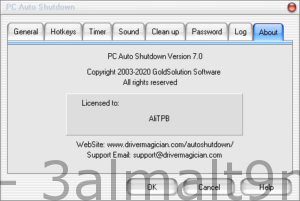
Features of PC Auto Shutdown:
* Shut down, power off, restart, hibernate, suspend, or log out at a specified time.
* Shut down, power off, restart, suspend, or log out of computers at a specified time when no user is logged in.
* Wake computers from power-saving mode with shutdown, power off, restart, hibernate, suspend, or log out at a specified time.
* Different schedules to meet your specific needs.
* You can set shortcut keys to instantly shut down your computer.
* Clean IE cookies, history, temporary files, and recycle bin to protect your privacy.
* Set a password to prevent others from changing your scheduled settings.
* Customize the alert sound and countdown duration during shutdown.
* Log all shutdown events.
The program's user interface consists of a wizard where you can organize multiple timers. In the first part, you set up one or more timers - add a timer title, select shutdown actions, specify the time (in hours and minutes), and activate it once, daily, on weekdays, or weekly, but you can also modify or delete these tasks.
Manage time settings and keep them secure
In the next step, the program asks you to configure the countdown duration before activating the shutdown event, enable/disable the system tray icon for easy access, as well as an Abort button in the countdown window, and prevent users from changing the system time.
Smart integration to support shortcut keys
Additionally, you can assign shortcut keys for shutdown actions (shutdown, power off, restart, hibernate, suspend, log out), and you can also enable and choose a sound to play when activating the shutdown command (loop sound, adjust volume).
Cleans your computer before executing the command
Moreover, you can clean certain items during shutdown - recycle bin, temporary Windows files, Internet Explorer (temporary files, cookies, browsing history, address bar history), and the recent documents list, as well as enable password protection and log shutdown events (view/empty log file).
In conclusion
Overall, the program uses a small amount of system resources, but it does not come with a help file or more advanced settings. However, it is a decent application for scheduling the shutdown process on your computer, saving you a reasonable amount of time.

 File Name:
 Downloads:
 Version:
 Full Version:
 Created By:
 License Type:
 Release Date:
 Languages: