

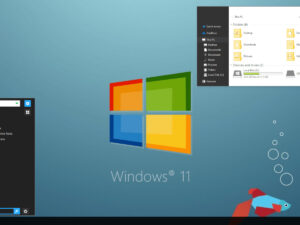
Windows 11 Version Dev Build 21996.1 Consumer Edition With Office 2019 Pro Plus Preactivated
Details and Information about the Release:
File Size: 7.8 GB
Architecture: (x86 / x64)
Languages: English
The main highlight of this announcement was a preview of a significant change in the user interface, dubbed Sun Valley.
As we know, a large portion of the UX changes will be borrowed from the Windows 10x shell,
and Windows 10x will not be coming to market. Now, as expected, the leaks about Windows 11 are starting to emerge.
What's New in Windows 11:
Windows 11 will receive a completely new design. Clearly, Microsoft needed a solid reason to reverse its previous claims and move away from Windows 10 by introducing a new operating system number. The brand new design is fantastic for that. The Redmond giant has long been preparing for a redesign for the update codenamed Sun Valley - apparently, under this name was Windows 11. The Sun Valley project has been flashing across the web for quite some time.
Microsoft has regularly revealed details about the new interface style, and insiders have shared previously unknown information,
with renowned designers in their circles sketching realistic concepts based on all this data.
- The Start and system elements will float above the taskbar.
The Start menu is the calling card and face of every recent version of Windows.
It’s not surprising that in Windows 11, developers are transforming it again, but not functionally as much as visually.
The Start window will hover above the taskbar.
We must admit that this small change gives the system a more modern appearance.
Based on information from the web, Microsoft will not drastically change the "insides" of this menu,
the innovations will only affect the design of the window itself.
The control panel will also float, and its design will match that of the "Start" menu.
The Action Center will be combined with control buttons,
similar to one that has long been used in some other operating systems.
All indications point to this new menu being an island
- control buttons will be on a separate panel, notifications on another panel,
and specific elements (like the player) in yet another separate component.
- The sharp corners will disappear and be replaced
by rounded edges. In fact, insiders and concept designers differ on this point.
The latter aligns better with the definition of "a completely new Windows"
- merely scrolling through menus is not enough for the new design to be truly considered new.
It is expected that the rounded edges will affect almost everything in the system, from context menus and system panels to all application windows.
However, even on this matter, opinions among concept designers vary.
Some are sketching rounded edges on all possible interface elements, while others are combining them with menu corners.
There will be a transparent background with blurriness everywhere.
There is a debate online regarding the island window display style,
corner design, and hover effects in the menu,
but almost everyone agrees on the transparency of the windows.
The vast majority of leaks and design showcases show transparency in all windows, whether it’s the Start menu or File Explorer at the very least.
Moreover, these effects were present even in the canceled Windows 10x build,
