

With the rapid advancements in digital content creation, having powerful tools for easy and efficient video editing and conversion has become essential. AceThinker Video Master stands out as a comprehensive solution that combines simplicity with professionalism. This program is specifically designed to meet the needs of users looking for a reliable tool for video format conversion, screen recording, downloading videos from the internet, and high-quality, fast video editing.
The program is an ideal choice for both beginners and professionals, thanks to its easy interface and support for a wide range of formats and advanced tools. Whether you're a YouTube content creator, a teacher providing visual tutorials, or just an everyday user wanting to edit personal videos, AceThinker Video Master offers everything you need in one place.
What is AceThinker Video Master?
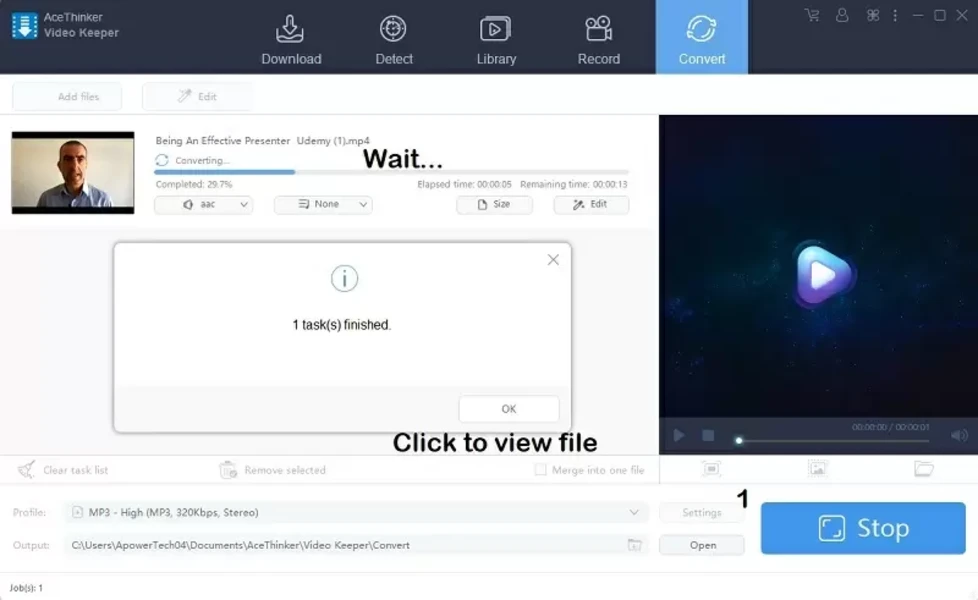
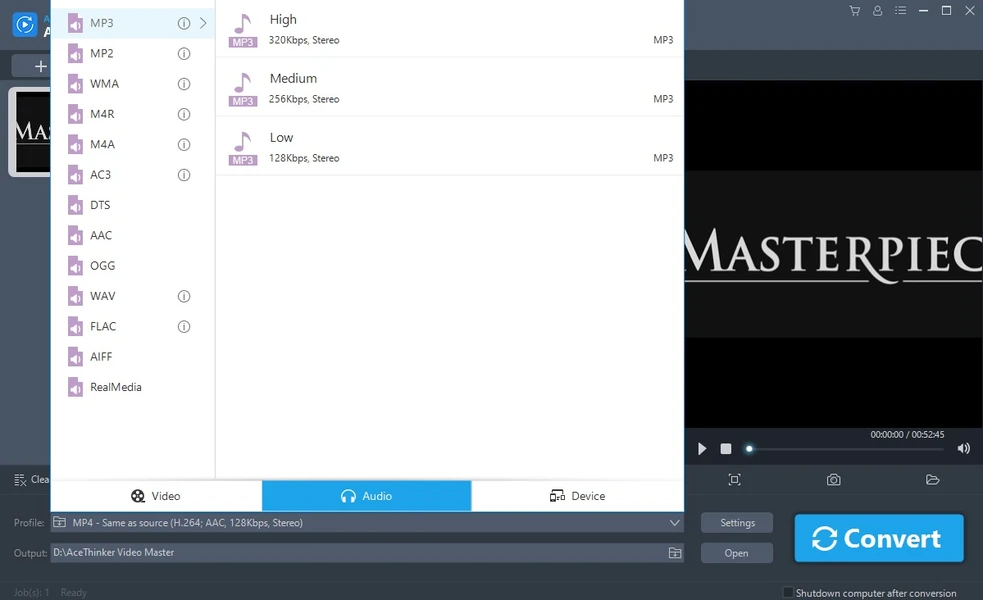
This multifunctional program combines video conversion tools, screen recording, video downloading from the internet, and editing clips. It features high-speed conversion, supports over 100 video and audio formats, and offers flexible editing tools including trimming, merging, adding effects, texts, and music.
Available for both Windows and macOS, the program is widely used in education, marketing, and digital content creation. It also supports converting videos to formats compatible with smartphones, tablets, and gaming consoles.
Popular Uses of AceThinker Video Master in 2025
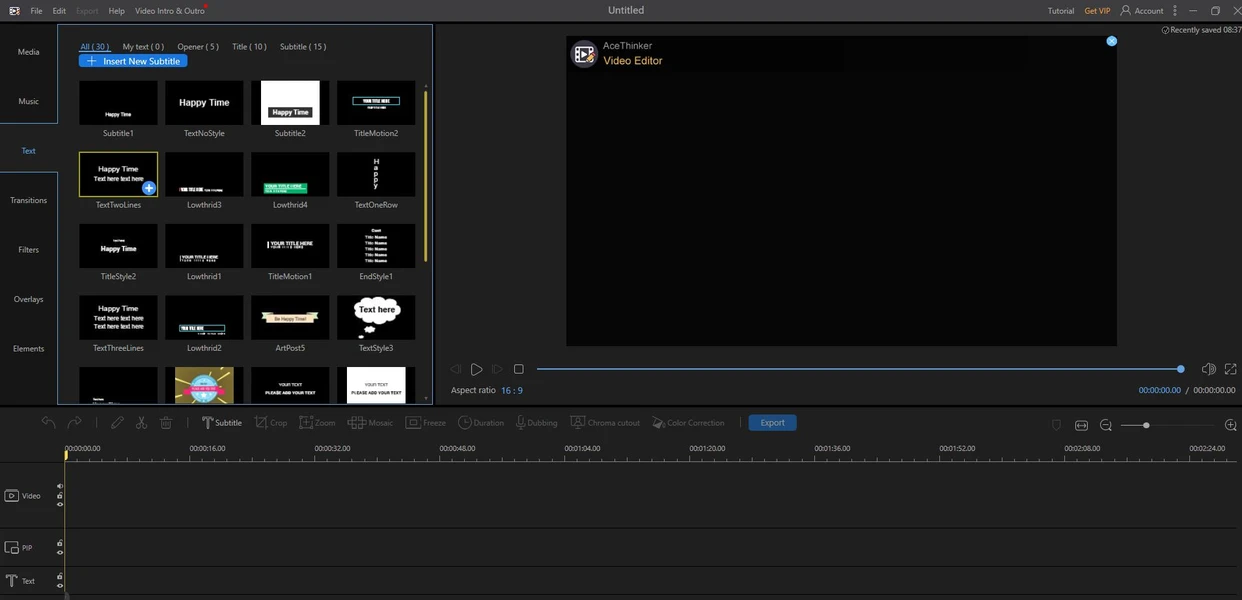
By 2025, AceThinker Video Master has become an indispensable tool for many users due to its versatility and ease of use. Here are some of the key uses that have made it a favorite in video editing and conversion:
- Used by content creators on YouTube, TikTok, and Instagram for quick video conversion and editing.
- Easily adds logos, texts, effects, and subtitles, giving videos a professional touch.
- Widely used by teachers and trainers to record screen tutorials with audio and video.
- Allows adding text or voice comments, making it ideal for online courses.
- Used for downloading videos from sites like YouTube, Vimeo, and Facebook for later viewing or reuse in educational or marketing projects.
- Converts files to formats compatible with phones, tablets, DVD players, or even streaming platforms.
- Supports over 100 formats, including MP4, AVI, MKV, MP3, and more.
- Used by small businesses and marketers to produce presentation videos, ads, or explainer videos.
- Easily combines images, music, and text into a single video.
- Reduces the size of large videos while maintaining quality, making it easier to share via email or upload online.
- Students use it to present their projects visually.
- Everyday users benefit from it by converting family event videos or editing travel clips.
Features of Downloading AceThinker Video Master Full Version
Core Features
- Convert videos to over 100 formats like MP4, AVI, MOV, MKV, FLV.
- Support for converting videos in 4K and 8K resolution while maintaining original quality.
- Screen recording with internal and external audio, perfect for tutorials and gaming.
- Download videos from over 100 sites like YouTube, Vimeo, Dailymotion.
- Video editing: trim, merge, rotate, add effects, texts, music, and logos.
- User-friendly interface with drag-and-drop support, suitable for all levels.
- Convert videos to formats compatible with smartphones, tablets, and gaming devices.
New Version Features
- Improved conversion speed by up to 50% with the new conversion engine.
- AI support for automatic video quality enhancement.
- New tools for audio editing, noise removal, and lighting adjustment.
- Enhanced subtitle support with the ability to merge SRT files directly into videos.
- Support for converting videos to HTML5 formats for web publishing.
- Overall performance improvements and stability on modern operating systems.
How to Download via Direct Links
Step-by-Step Download Instructions
- Visit the official AceThinker website.
- Select the appropriate operating system (Windows or macOS).
- Click the Download button to start downloading the trial version.
- Wait for the download to complete, then open the executable file.
- Follow the installation steps outlined in the next section.
Tips to Avoid Issues During Download
- Avoid random links: Always ensure the site you're downloading from is the official site or a known source like Softpedia or GitHub.
- Steer clear of pirated versions: They may contain malware or spyware.
- Check for a security certificate (HTTPS) in the address bar before starting the download.
- Test your internet speed with tools.
- Use a wired connection (Ethernet) if possible, as it's more stable than Wi-Fi.
- Restart your router if you notice slow or frequent disconnections.
- Use a reliable browser like Google Chrome or Firefox.
- Regularly update your browser to avoid compatibility issues.
- Clear cache and cookies if the download doesn't start or stops suddenly.
- Enable pop-ups temporarily if the site relies on them to start the download.
- Temporarily disable antivirus or firewall if it's blocking the download, then re-enable it after completion.
- Don't forget to scan the file after downloading with a trusted security program.
- Ensure there's enough space on your hard drive before starting the download.
- Delete temporary or unnecessary files to avoid download failure due to a full disk.
- Use download managers like Internet Download Manager or Free Download Manager, as they:
- Support resuming downloads if interrupted.
- Speed up the download process by splitting the file.
- Provide a clear record of downloaded files.
- Don't open downloaded files directly from the browser; save them first, then run them.
- Close heavy programs during the download to free up system resources.
- Avoid using a crowded network (like shared Wi-Fi with multiple devices) when downloading large files.

 File Name:
 Downloads:
 Version:
 Full Version:
 Created By:
 License Type:
 Release Date:
 Languages:
 Tags:
Tags:


