

If you're on the lookout for an easy-to-use video editing program packed with features that deliver professional results without needing advanced technical skills, AceThinker Wind Cut is the perfect choice. This software is specifically designed to meet the needs of users who want to edit videos quickly and efficiently, whether for personal or professional purposes. Thanks to its intuitive interface and diverse tools, you can create stunning videos in just a few minutes.
Whether you're a YouTube content creator, a teacher providing visual tutorials, or even a hobbyist wanting to edit family event videos, Wind Cut offers you the tools you need to get your work done easily and professionally.
What is AceThinker Wind Cut?
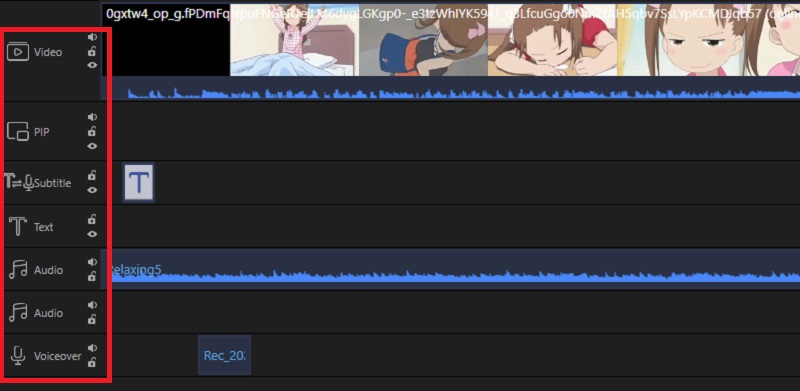
It's a comprehensive video editing software that works on both Windows and macOS systems, allowing users to cut, merge, rotate, and edit video clips with ease. It supports adding visual effects, transitions, text, music, and other interactive elements. The program excels in handling a wide range of video and audio formats like MP4, AVI, MKV, MOV, MP3, WAV, and more.
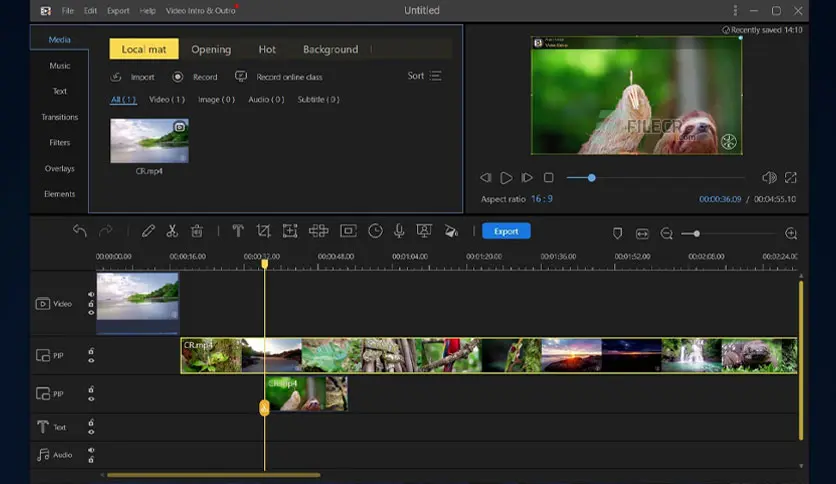
The software uses a timeline-based editing interface, making it easy to organize clips and effects. You can save projects to continue working on them later or export the final video in high quality for sharing on various platforms like YouTube, Facebook, and TikTok.
Popular Uses for AceThinker Wind Cut in 2025
In 2025, AceThinker Wind Cut has become an essential tool relied upon by users across various fields. Thanks to its perfect balance of simplicity and professionalism, its smooth interface and diverse tools have made it the preferred choice for content creators, educators, marketers, and even everyday users looking for an effective way to edit videos without complexity. Some of its standout uses this year include:
Editing Educational Videos
The program has become a key tool for both teachers and students, used for recording lectures, trimming tutorials, and adding explanatory texts and visual effects to make content more engaging and interactive. It's also used for preparing graduation projects and visual presentations.
Creating Digital Content
Content creators on platforms like YouTube, TikTok, and Instagram use it to produce short, captivating videos. With its support for quick cutting, adding filters, and transition effects, it allows for easy addition of background music, animated texts, and logos, giving videos a professional touch without the need for complex software.
Digital Marketing and Advertising
Marketers use the program to produce promotional videos for products and services, where they can merge multiple clips, add promotional texts, and export videos in high quality compatible with social media platforms. It's also used for preparing commercial presentations and product demos.
Editing Personal Event Videos
Wind Cut has become a favorite tool among regular users for editing videos of events like weddings, birthdays, and trips. It allows for merging photos and clips, adding music and effects, and easily creating memorable videos.
Creating Visual Content for Businesses and Organizations
Some companies rely on the program to produce videos for internal use such as training videos, guidelines, or documentation, thanks to its ability to handle multiple files and export them in high quality.
Transforming Videos into Interactive Educational Content
With its support for adding texts, effects, and integrating audio and video, the program is used to transform ordinary videos into rich educational content that can be used in online courses or educational platforms.
All these uses illustrate that AceThinker Wind Cut has evolved from being just a video editing tool to a comprehensive platform that meets the needs of users in 2025, allowing them to express their creativity with ease and efficiency.
Features of Downloading AceThinker Wind Cut in Full
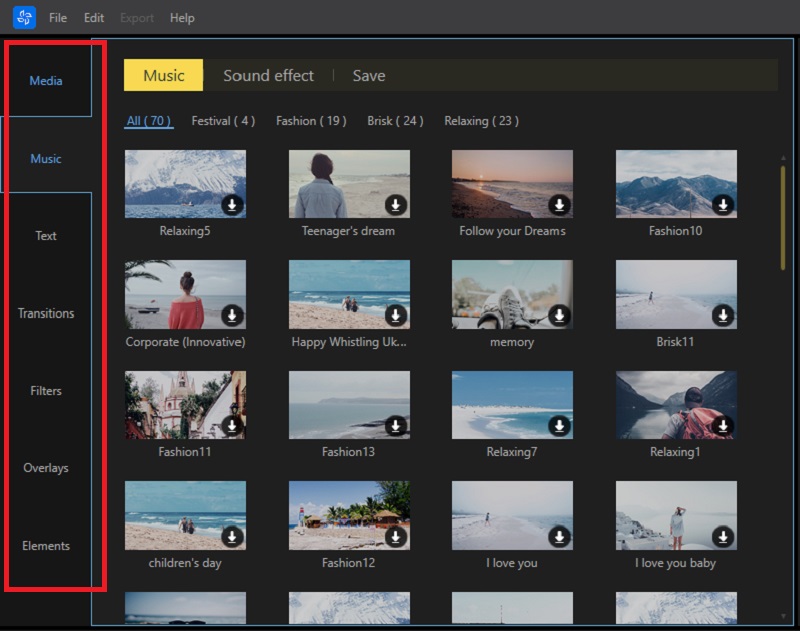
Key Features
- Comprehensive video editing: cut, merge, rotate, speed up, slow down, and adjust colors.
- Add visual effects like filters, transitions, animated texts, and emojis.
- Multiple format support: compatible with most video, audio, and image formats.
- User-friendly interface designed for both beginners and professionals.
- Ability to export video in high quality up to 4K, with multiple format options.
- Drag and drop support for easy file addition and organization within the project.
- Option to save projects for continued editing later without losing progress.
New Version Features
- Overall performance improvement: faster processing and exporting.
- Better support for high-resolution videos: like 4K and HDR.
- Addition of new effects: professional transitions, cinematic filters, and animated fonts.
- Improved subtitle support: ability to add and edit SRT files within the program.
- Better support for modern operating systems: like Windows 11 and macOS Ventura.
- Fixes for previous bugs: and improvements in program stability.
How to Download via Direct Links
Step-by-Step Download Guide
- Go to the official AceThinker Wind Cut page.
- Select the appropriate operating system (Windows or macOS).
- Click the Download button to start downloading the trial version.
- Wait for the download to complete, then open the executable file.
- Follow the installation steps outlined in the next section.
Tips to Avoid Issues During Download
- Use a reliable browser like Google Chrome or Firefox.
- Ensure a stable and fast internet connection to avoid file corruption.
- Temporarily disable antivirus programs if they block the download, then re-enable them after installation.
- Avoid using unofficial links to prevent malware or fake versions.
- Check for sufficient hard drive space before starting the download.
Installation and Activation After Download
Installation Method
- Open the downloaded installation file.
- Choose the appropriate language and click "Next."
- Agree to the terms of use.
- Select the installation folder or leave it as default.
- Click "Install" and wait for the process to complete.
- Once finished, click "Finish" to launch the program.
Activating the Full Version
-
- After opening the program, click on the Register or Activate button.
- Enter the activation key you received from the official site or via email.
- Click "Confirm" and the full version will be activated.
<li style="font-weight:

 File Name:
 Downloads:
 Version:
 Full Version:
 Created By:
 License Type:
 Release Date:
 Languages:
 Tags:
Tags:


