Auslogics Registry Cleaner is a free, open-source tool designed to repair the damage left by malware on Windows operating systems after removal. This tool is particularly useful for users who want to restore system functionality without having to reinstall the entire system. Auslogics Registry Cleaner is a trusted free tool aimed at cleaning the system registry on Windows operating systems, helping to fix errors and improve system performance by removing invalid or leftover entries from uninstalled programs.
Main Features of Auslogics Registry Cleaner
Auslogics Registry Cleaner is an excellent choice for users looking for a simple and effective way to clean the system registry and enhance their computer's performance, thanks to its straightforward interface and useful features, including:
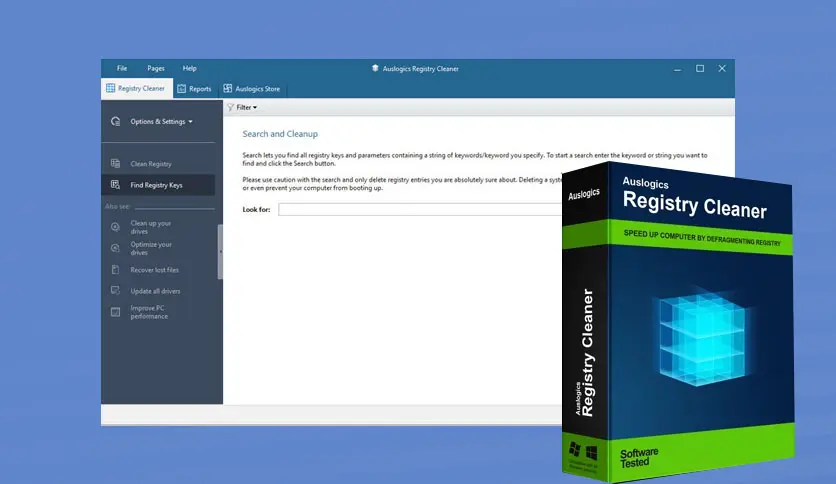
- The tool scans the system registry to find and fix corrupted or invalid entries, contributing to improved system stability and reduced crashes.
- It helps clean up leftover entries in the registry after removing programs, which can negatively affect system performance.
- Users can review the entries found before deciding to delete them, providing an extra level of security and control.
- Enhancing computer performance by cleaning the registry, reducing system load, and generally improving speed.
- The tool supports multiple languages, making it suitable for a wide range of users worldwide.
How to Use
- Download the tool from the official website or trusted sources.
- Install the tool on your computer.
- Open the tool and select "Scan Now" to start scanning the system registry.
- After the scan is complete, review the entries found and choose which ones to fix or delete.
- Click "Repair" to apply the changes.
- You may be prompted to restart your device to fully apply the changes.
Pros
- Simple and easy-to-use interface.
Ability to create a backup of the registry before making any changes. - Technical support available for users.
- Noticeable improvement in system performance after use.
Cons
- Lacks advanced features like registry compression or automatic scan scheduling.
- May not be effective in fixing all complex registry issues.
Comparison with Other Registry Cleaners
When comparing Auslogics Registry Cleaner with other tools like CCleaner or Wise Registry Cleaner, here’s what stands out:
- Auslogics excels with a beginner-friendly interface, unlike some tools with complex or cluttered settings.
- Unlike some tools that limit features in the free version, Auslogics offers most essential functions for free without annoying ads.
- Features thorough scanning with a system that categorizes issues by severity, helping users make safe decisions before deletion or modification.
- Automatically creates a restore point or backup of the registry before making changes, making rollback easy and safe.
Tips Before Using the Tool
- Create a system restore point manually as an extra precaution.
- Start with a regular scan before moving to an advanced scan.
- Avoid deleting unfamiliar keys manually unless you are an expert.
- Keep the tool updated for the latest improvements and compatibility.
Manual Cleanup
Advanced users can choose specific registry categories to clean, such as:
- Old software paths.
- Corrupted DLL entries.
- Leftover MSI files.
Automatic Scheduling
Although the free version doesn’t support advanced scheduling, you can use Windows Task Scheduler to run the tool automatically at a set time.
Program Drawbacks
Despite its advantages, there are some downsides to be aware of:
- Doesn't include additional optimization tools like startup enhancement or program removal.
- Some may find it limited compared to comprehensive maintenance programs.
- The free version doesn’t support direct technical support or scheduling.
Uses of Auslogics Registry Cleaner
Auslogics Registry Cleaner is a powerful tool for cleaning the Windows operating system registry and enhancing its performance. Its main uses include:
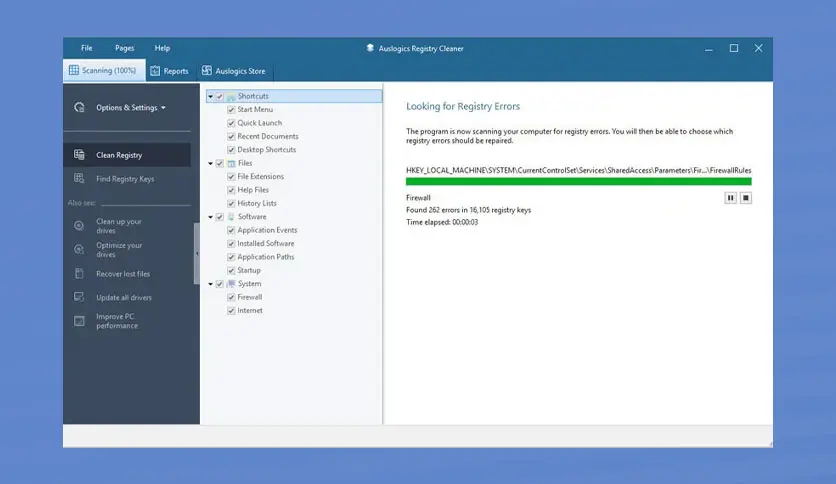
- Scans the registry for errors and fixes them to improve system stability and prevent crashes.
- Helps eliminate unnecessary entries left by programs after uninstallation, contributing to improved system performance.
- Cleaning the registry reduces system load, helping the computer run more smoothly.
- Allows you to review entries identified as faulty, and you can exclude any if you wish to keep them.
- Enables you to create a backup of the registry before making any changes, ensuring you can restore the system if any issues arise.
What Are the Benefits of Using Auslogics Registry Cleaner?
Auslogics Registry Cleaner offers numerous benefits for improving the performance of Windows computers, including:
- Helps remove unnecessary entries from the system registry, reducing the load on the computer and allowing it to run more smoothly.
- Addresses common Windows registry issues, such as broken links and invalid entries, reducing annoying error messages.
- <span style="

 File Name:
 Downloads:
 Version:
 Full Version:
 Created By:
 License Type:
 Release Date:
 What's New:
 Languages:
 Tags:
Tags: