

If you're someone who follows the manufacturing industry, you're probably aware that this field is becoming faster and more precise every day. Everyone is looking for solutions to make their work easier and manage their factories with the highest efficiency possible. That's where Autodesk Factory Design Utilities comes in. This software has truly transformed factory design worldwide. It not only helps you sketch out your factory layout but also lets you visualize it in 3D, allowing you to imagine how the work will flow before you even start. This helps you avoid mistakes, saving time, effort, and money. In short, it's your secret weapon if you want your factory to operate at peak productivity with minimal effort.
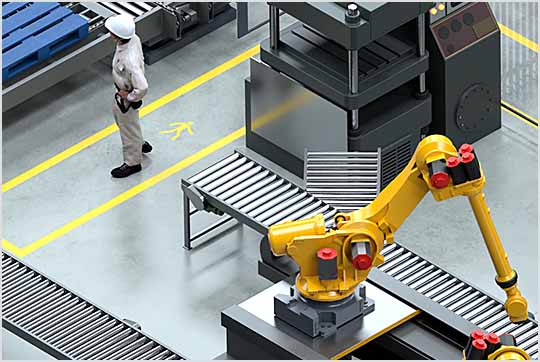
Overview of Autodesk Factory Design Utilities
When discussing the software itself, Autodesk Factory Design Utilities is part of a larger suite called the Product Design & Manufacturing Collection by Autodesk, a well-known name in engineering design. The idea behind this software is to consolidate building and equipment data in one place, allowing you to design your factory layout in both 2D and 3D. This means you can see the actual factory setup before implementation. Additionally, you can conduct a comprehensive review of the design and easily manage equipment installation and operation schedules. In essence, the software lets you foresee the future and plan accurately before taking any steps.
Key Features of Autodesk Factory Design Utilities
The first thing you need to know is that this software is designed to help you work smart, not hard. Some of its incredible features include:
- Allows you to easily rearrange and plan your factory according to changes in demand.
- Helps you coordinate all project data without losing track or getting confused.
- Reduces repetitive processes that take a long time.
- Enables you to design an eco-friendly factory and save energy intelligently.
- Includes a ready library of equipment and tools you can use in your design.
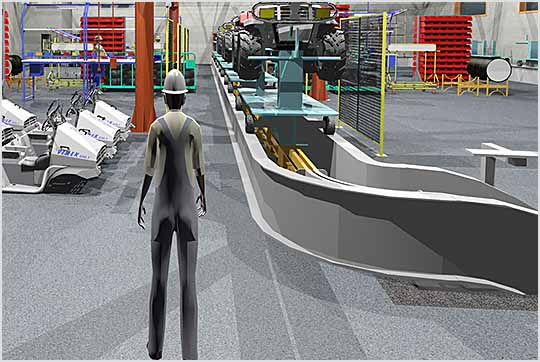
- The best part is you can see everything in real life from the start, so you don't wait until the design is complete to discover mistakes.
Technical Specifications and System Requirements for Autodesk Factory Design Utilities
Before you start, you need to know what you require to run the software smoothly. The basic requirements are:
- Operating System: Windows 11 and Windows 10 64-bit.
- CPU Type:
- Recommended: 3.0 GHz or faster, 4 cores or more
- Minimum: 2.5 GHz or faster
- Memory:
- Recommended: 20 GB of RAM or more with 160 GB or more of free disk space
- Minimum: 8 GB of RAM for fewer than 500 part assemblies
- 40 GB of free disk space
Note: Autodesk recommends settings that allow the Microsoft Windows system to manage virtual memory as needed, and the free hard disk space should be at least twice the size of the system memory (RAM).
- Graphics Hardware:
- Recommended: 4 GB GPU with 106 GB/s bandwidth and DirectX 11 compliant
- Minimum
- 1 GB GPU with 29 GB/s bandwidth and DirectX 11 compliant
- Display Resolution
- Recommended: 3840 x 2160 (4K) preferred scaling: 100%, 125%, 150%, or 200%.
- Minimum: 1280 x 1024
Advanced Features of Autodesk Factory Design Utilities
Here's where the real fun begins. The software is not just for factory design but also:
- Can be used as a smart tool for continuous work analysis and improvement, allowing you to easily generate 3D models from DWG files and link everything to a central library containing project data and assets.
- The great feature is that you can spot errors before they occur in reality because you see the entire design digitally before execution.
- It also allows you to simulate installation and operation schedules so you're not caught off guard by any issues later.
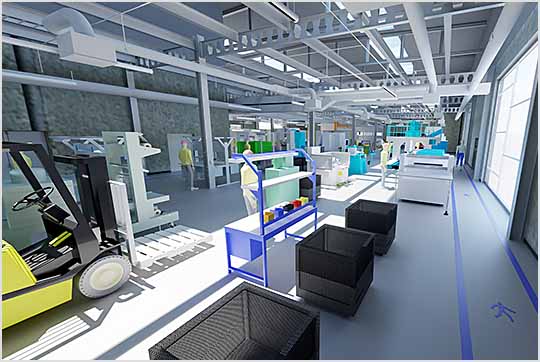
- Simply put, Autodesk Factory Design Utilities lets you control every detail in the factory as if you were actually inside it.
Conclusion
If you're looking for a way to make your factory work faster, more accurately, and at a lower cost, then Autodesk Factory Design Utilities is your best choice without competition. The software is not just a design tool but a comprehensive system that helps you see every part of the factory and understand how to improve it. The great thing is that it is compatible with most operating systems, so you won't face difficulties. Just imagine being able to plan, view, and execute everything from your place while avoiding mistakes before they happen. That's why the software is worth trying, especially if your goal is to enhance your factory's production, reduce costs, and increase productivity.

 File Name:
 Downloads:
 Requirements:
 Version:
 Full Version:
 Created By:
 License Type:
 Release Date:
 Languages: