

If you're tired of searching websites for safe and direct download links, we've got the solution for you all in one place at عالم التقنية. You can now easily and quickly download Little Snitch, a powerful privacy protection and network monitoring tool for macOS. There's no need to worry about unreliable sources; everything is ready for you with just one click.
Overview of Little Snitch Download
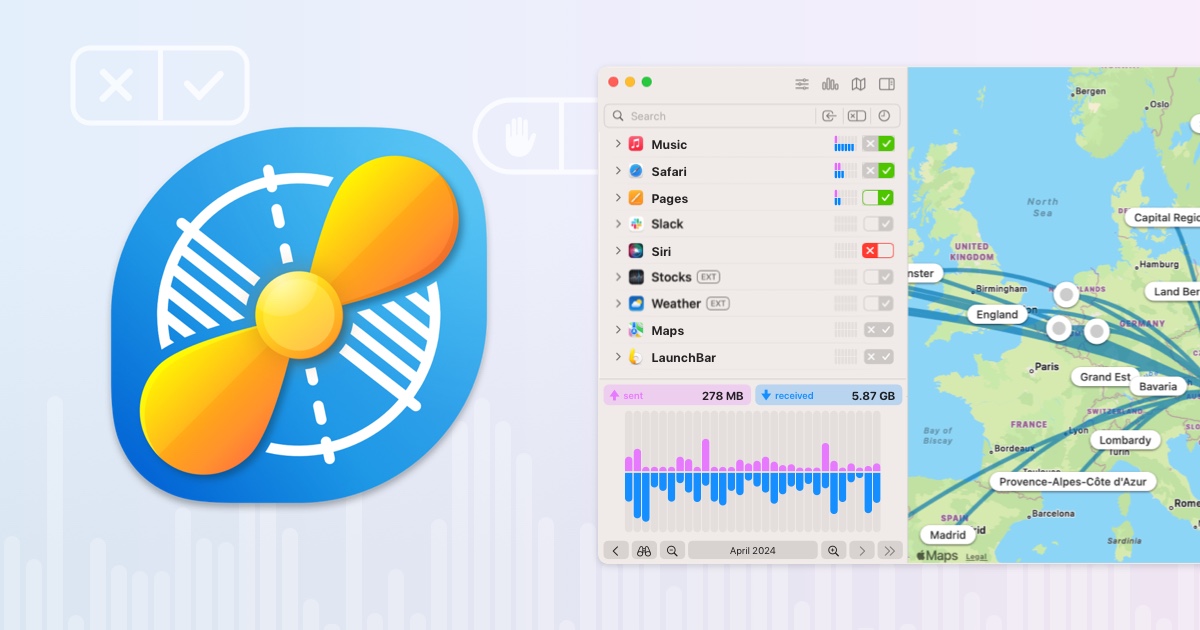
Little Snitch is an advanced firewall tool designed for macOS, allowing users to monitor and control outgoing connections from installed applications. Unlike traditional tools that focus on incoming connections, Little Snitch excels at detecting every attempt by any application to connect to the internet, giving users the freedom to allow or block each connection individually. This makes it an ideal tool for protecting privacy and preventing data leaks without the user's knowledge, especially in work environments or when using untrusted applications.
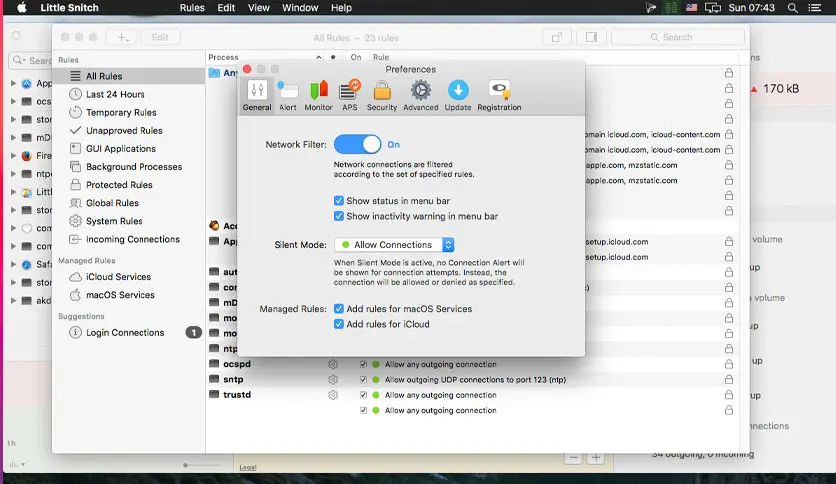
Little Snitch was developed by Objective Development Software GmbH, an Austrian company specializing in security and privacy software for macOS. The company is known for its focus on providing powerful and user-friendly tools for professional users and developers, and it has maintained continuous updates for the software since its initial release in 2003, making it one of the most reliable and widely used network monitoring tools among Mac users worldwide.
Developers and programmers use it to analyze the behavior of the applications they develop and ensure that connections are made securely and with permission. Cybersecurity experts rely on it as an accurate tool to monitor any suspicious activity or data leaks.
Privacy-conscious users, such as journalists and activists, turn to it to protect their communications from tracking and surveillance. In sensitive environments, companies and institutions also benefit from it to secure employee devices and prevent applications from sending internal data to external parties. The software serves anyone looking to understand and control data traffic on their device.
Features of Little Snitch
- Notifies you when any application attempts to connect to the internet, allowing you to decide whether to allow or block it, preventing data transfer without your consent.
- Temporarily allows new connections without interrupting you, so you can make decisions later at your convenience.
- Displays live network activity with detailed information such as data size, server locations, ports, and protocols.
- Reveals connections from your device to servers around the world, helping you accurately identify trackers.
- Provides an interactive chart of current and past data traffic, with the ability to track patterns for up to 12 months.
- Search for connections by application, hostname, country, city, and more using flexible search codes.
- Choose from organized block lists by category, with daily updates and support for IP addresses.
- Protects browsing activity from spying by encrypting DNS requests using DoH, DoT, and DoQ technologies, with support for reliable services like Quad9.
- Listen for custom audio alerts when specific connections occur, even without looking at the screen.
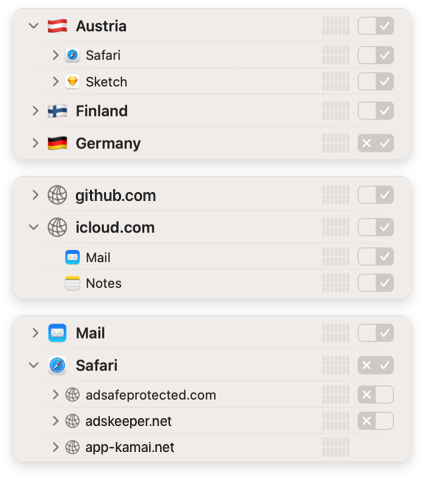
- Create rules based on application, domain, or country, and organize them into local or shared groups, with automatic suggestions and flexible control.
- Displays active and rejected connections, allowing easy control over operating modes.
- Create rules that apply to all macOS processes or simulators at once.
Additional Functions of Little Snitch
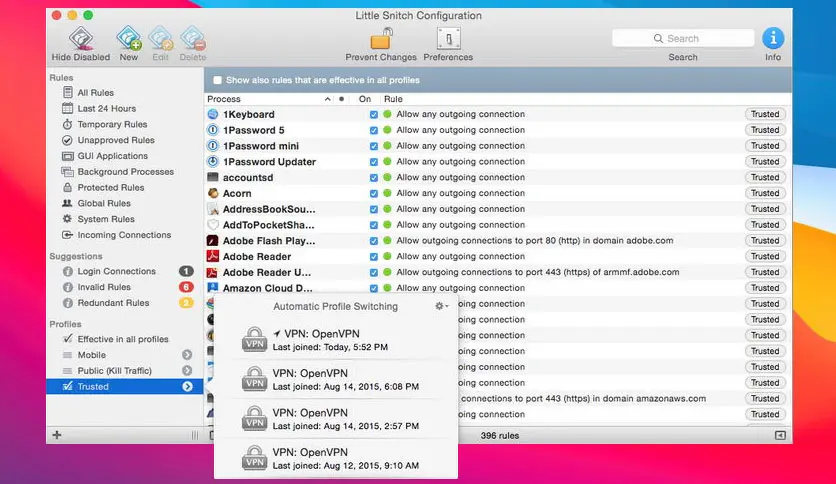
- Organize lists by category (ads, tracking, malware).
- Activate them with just a few clicks.
- Automatic daily updates to ensure continuous protection.
- Faster and more efficient filtering performance with large lists.
- Full encryption of DNS requests to protect browsing.
- Customizable system-level settings.
- Support for popular services like Quad9 using DoH, DoT, and DoQ.
- A new, clearer user interface.
- Group connections by application, country, or server.
- Display geographical labels on the map.
- Customizable traffic counter (live or timeline).
- Show current activity and recently rejected connections.
- Organize rules into adjustable groups.
- Support for application signing instead of path to avoid transfer or renaming issues.
- Bidirectional rules for incoming and outgoing connections.
- Better support for Homebrew applications.
- Custom sounds based on the amount of data transferred.
- Display the usage count for each rule or block entry.
- Filter rules by usage or last activity date.
- "Unused" filter to facilitate cleanup and optimization.
- Customize notification appearance in the notification center.
- Display application extensions more clearly in the connection list.
- More powerful search and filtering options.
System Requirements for Little Snitch
- Supported Operating System
- macOS 15 (Sequoia)
- macOS 14 (Sonoma)
- macOS 13 (Ventura)
- macOS 12 (Monterey)
- macOS 11 (Big Sur)
- Processor
- Compatible with Intel devices
- Compatible with Apple Silicon (M1, M2, M3) devices
- Memory (RAM) 4 GB or more is recommended for stable operation
- Approximately 300–500 MB of storage space required for installation and operation
- Requires administrator privileges during installation
- Supports automatic updates
- Runs in the background to protect the network without affecting performance
Conclusion
Little Snitch is not just a firewall; it's a smart tool that lets you see all the activity on your device and control it comfortably, from connection alerts to DNS encryption and ready-made block lists. Every feature is designed to protect your privacy and give you real control over your device's network if you're using a Mac and care about privacy. This software is definitely worth trying.

 File Name:
 Downloads:
 Requirements:
 Version:
 Full Version:
 Created By:
 License Type:
 Release Date:
 What's New:
 Languages: