


CoolUtils Total Doc Converter with Crack
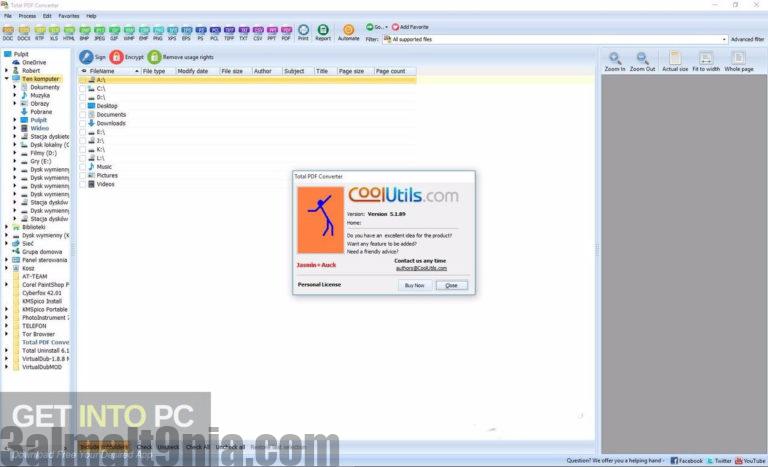
The Coolutils Total PDF Converter allows you to convert PDF files into HTML, DOC (Word), Excel, PostScript, CSV, or image files (like TIFF). When you need to convert PDF files to other formats or PS to PDF, Total PDF Converter is the perfect choice for you. Why? Because it is fast, user-friendly, accurate, and does not require Adobe Acrobat. It supports numerous target formats and has a batch option that can convert hundreds of PDF files as well as individual files at once.
Coolutils Total PDF Converter is available for free download from our software library. It can convert PDF files to HTML, DOC (Word), text, Excel, PostScript, CSV, or image files (like TIFF). When you need to convert PDF files to other formats or convert PS to PDF, Total PDF Converter is the ideal choice. Why? Because it is fast, easy to handle, accurate, and does not require Adobe Acrobat. It supports many target formats and has a batch option (it can convert hundreds of PDF files along with individual files). Additionally, registered users receive command line support for managing the tool with maximum efficiency.
CoolUtils Total Doc Converter (Repack & Portable) is a professional solution for converting documents: (Word, Doc, DocX, DocM, RTF, RVF, TXT files) into PDF, DOCX, XLS, JPEG, PNG, TIFF, HTML, or XHTML formats. In batch mode, thanks to its intuitive interface design, new users will find it easy to set up and run conversion projects. For advanced users, Total Doc Converter can also be run via the command line.
Total Doc Converter strictly maintains the document layout; you will receive an exact copy of the original file in a new format! Additionally, reliable extra features help you achieve perfect results.
CoolUtils Total Doc Converter allows you to convert documents in DOC format to other formats, with a list available on the official website or you can carefully view the screenshot. I believe the question will no longer be, you can download CoolUtils Total Doc Converter below. There is a batch processing option, overall, everything is convenient, I hope you like it.
Total Doc Converter is a comprehensive and feature-rich text conversion tool, which is extremely essential when storing or printing text. It also has the ability to automatically search for text files on the system, batch processing, and perform the conversion with just a few clicks.
CoolUtils Total Doc Converter (Repack & Portable) is a professional solution for converting documents: (Word, Doc, DocX, DocM, RTF, RVF, TXT files) into PDF, DOCX, XLS, JPEG, PNG, TIFF, HTML, or XHTML formats. In batch mode, thanks to its intuitive interface design, new users will find it easy to set up and run conversion projects. For advanced users, Total Doc Converter can also be run via the command line.
Total Doc Converter strictly maintains the document layout; you will receive an exact copy of the original file in a new format! Additionally, reliable extra features help you achieve perfect results.
The intuitive interface design of this program makes it easy for new users to set up and run conversion projects. Advanced users can also run Total Doc Converter via the command line.
This program strictly maintains the document layout; you will get an accurate copy of the source file in a new format! Additionally, powerful optional features help achieve perfect results. For example, you can merge multiple source DOC files into a single multi-page PDF or TIFF.
Moreover, users can encrypt the final PDF file to prevent copying or editing. Total Doc Converter also preserves the original document properties (author, creator, keywords, subject, title, etc.) when converting DOC to PDF.
This converter can process any number of documents in one go while maintaining folder structure to avoid confusion. Download the most powerful batch document converter for free today! Note that the 64-bit version is available upon request. Here’s a server version with ActiveX.
Key Features of Coolutils Total PDF Converter
Here are some features and properties you will enjoy after downloading Coolutils Total PDF Converter
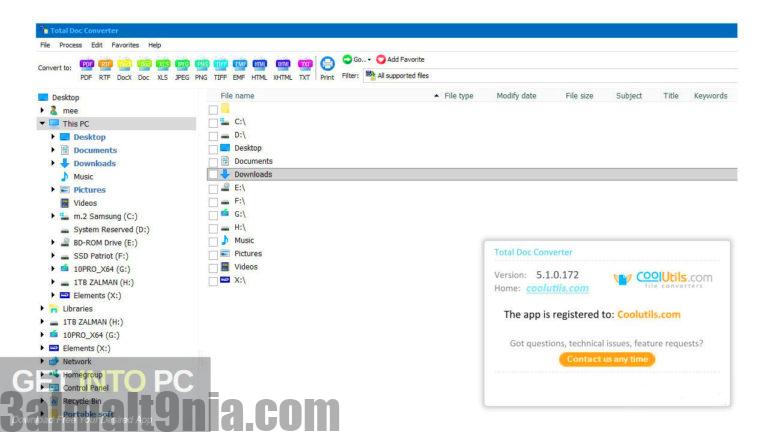
Comes with a set of converters including:
-
- A collection of converters in one (doc to pdf, doc to html, doc to xls, doc to jpg, doc to tiff, doc to txt)
Rvf to PDF, Excel, HTML, JPEG, TIFF, RTF, and text
DocX (Word 2007) to PDF, Excel, HTML, JPEG, TIFF, RTF, and Text
Command line support
Output PDF files can be signed
Header and footer support
Integrates with Windows
Transparent interface
Batch conversion
Can preview the content of each file before conversion
Fast
Compatible with Vista - Convert documents to PDF, HTML, XLS, JPG, TIFF, or text;
- Batch file processing;
- Full integration with Windows operating system;
- Command line support;
- Support for DocX files (Word 2007);
- Preview file contents before conversion
Features of the repacked version of CoolUtils Total Doc Converter:
- DocX (Word 2007) to PDF, DOC, Excel, HTML, JPEG, TIFF, RTF, text
- Convert TXT to PDF, Excel, HTML, JPEG, TIFF, RTF, text
- Command line support
- Ability to sign the resulting PDF files
- Can add page counters, date, watermarks, and QR codes
- Convert Word 2010 to Word 2003
- Convert Word 2003 to Word 2010
- Batch conversion
- Smart default settings for each file type
- Transparent interface
System Requirements and Technical Details
- Supported Operating Systems: Windows 11, Windows 10, Windows 8.1, Windows 7
- RAM: 2 GB (4 GB recommended)
- Free Hard Disk Space: 200 MB or more
-
- Install the program or unpack the portable version (PAF) combined in a single distribution package
- No registration required
- Multi-language interface (including Russian)
- Catches Desktop.xml settings file (if present next to the installer)
-
- A collection of converters in one
- A collection of converters in one (doc to pdf, doc to html, doc to xls, doc to jpg, doc to tiff, doc to txt)
System Requirements for Running Coolutils Total PDF Converter
Before you start downloading and installing Coolutils Total PDF Converter, make sure your computer meets the minimum system requirements.

- Operating System: Windows XP / Vista / 7/8/10
- Memory (RAM): 2GB
- Hard Disk Space: 2 GB
- Processor: Intel Core 2 Duo or faster
Unzip Password: 123

 File Name:
 Downloads:
 Version:
 Full Version:
 Created By:
 License Type:
 Release Date:
 Languages: