

New Adobe Lightroom Classic for 2024: Adobe Lightroom Classic 2024 is the latest version of Adobe's renowned photo editing and management software, offering a wide range of features for photographers of all levels, from beginners to professionals.
The new features in Lightroom Classic 2024 will make editing your photos easier and more efficient. For instance, the AI-powered object selection feature will allow for precise adjustments to specific objects in your images, saving you time and effort while enabling you to create more polished, professional-looking photos.
The improved performance in Lightroom Classic 2024 will also make working with your images easier. Lightroom Classic is already a responsive program, but the new performance enhancements will make it even faster, meaning you can edit your photos more quickly and efficiently. You can also download Adobe Photoshop 2024 for free.
Stay with us in this article as we show you how Lightroom can help you work faster, smarter, and more efficiently!
Uses of Lightroom Classic
Lightroom 2024 is a powerful tool for editing and organizing photos, making it incredibly easy to create professional-looking images.
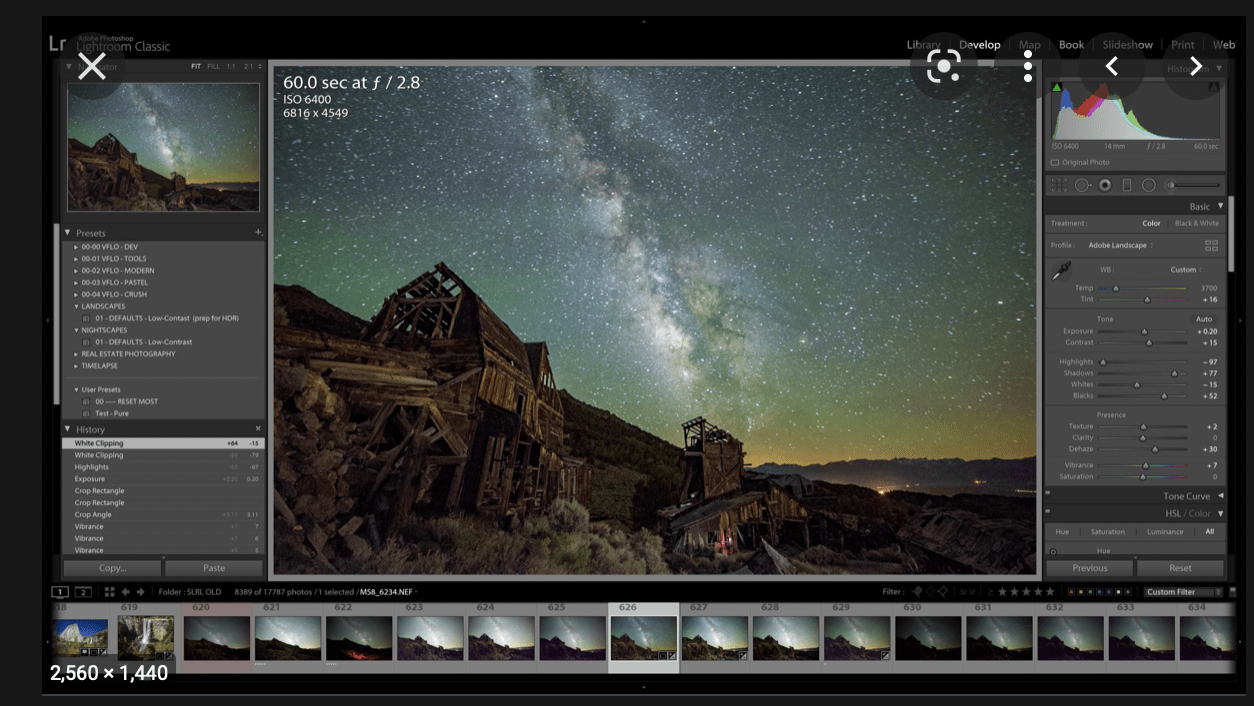
Lightroom Classic can be used in a variety of different contexts, such as:
Professional photography: Lightroom Classic is the preferred photo editing software for many professional photographers, offering a wide range of essential features and tools for professional photography, such as color grading, lens corrections, and batch editing.
Amateur photography: Lightroom Classic is also a great choice for amateur photographers, providing a variety of features that make it easy to edit and organize your photos, even if you don't have much experience.
Social media photography: Lightroom Classic can be used to edit your photos and share them on social media, offering a variety of optimized export options for different social media platforms.
New Features in Adobe Lightroom Classic 2024
Adobe Lightroom Classic 2024 was released in October 2023, introducing a number of new features and improvements that make organizing, editing, and sharing your photos much easier.
Adobe Lightroom Classic 2024 includes several new AI-powered features that simplify photo editing.
These features include:
Object Selection: This feature allows you to easily select objects in your images, making it simpler to apply adjustments to specific areas. Adobe Lightroom Classic 2024 will use AI to facilitate object selection in photos, enabling users to make precise adjustments to specific objects without the need for manual masking.
Performance Improvements: The performance of Adobe Lightroom Classic 2024 has been significantly enhanced, making it faster to import, edit, and export photos. Lightroom Classic 2024 will be quicker and more responsive than previous versions, thanks to several performance enhancements, including a new GPU-accelerated rendering engine.
New Presets and Brushes: Adobe Lightroom Classic 2024 will include a new set of presets and brushes to help users easily create stunning images.
Subject Selection: This feature allows you to easily select the subject of your photos, making it simpler to apply adjustments to the entire scene.
Auto Tone: This feature automatically adjusts the tone of your photos, making it easier to create images with a cohesive look and color palette.
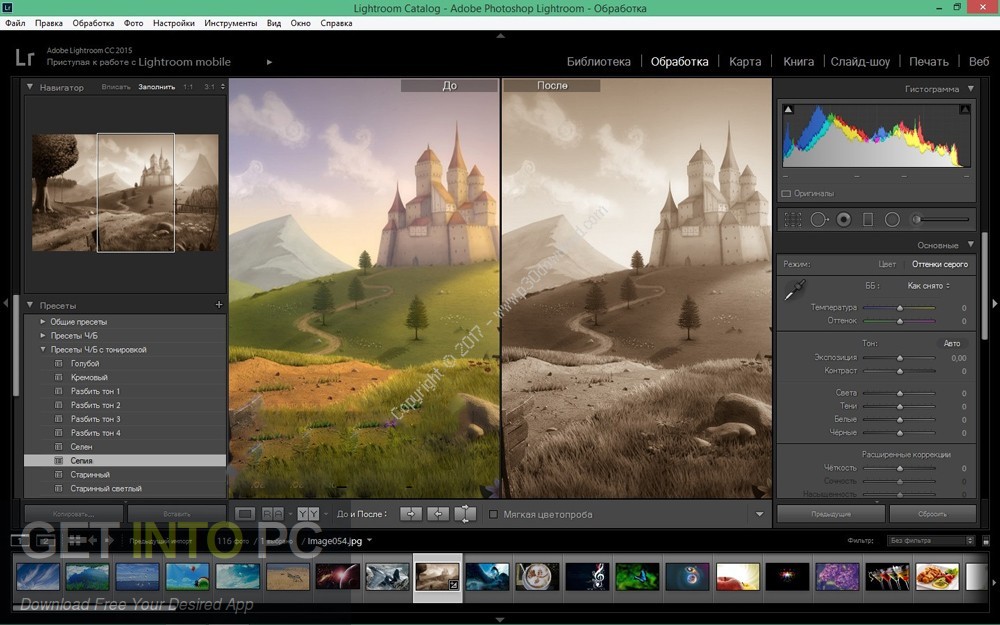
New Collaboration Features: Adobe Lightroom Classic 2024 includes several new collaboration features that make it easier to work with others on photo projects.
Shared Collections: This feature allows you to share collections of photos with others, facilitating collaboration on projects.
Comments: This feature allows you to leave comments on photos, making it easier to communicate feedback.
Reviewer Track: This feature enables you to create a separate track for reviewer comments, making it easier to keep track of feedback.
Other New Features: Lightroom Classic 2024 will also include several other new features, such as the ability to edit HDR photos, create custom color profiles, and export images in a variety of different formats.
Adobe Lightroom Classic 2024 also includes several other notable improvements, including:
New Keyboard Shortcuts: Adobe Lightroom Classic 2024 includes several new keyboard shortcuts, making it easier to quickly access frequently used tools and commands.
Improved Search Functionality: Adobe Lightroom Classic 2024 has enhanced search functionality, making it easier to find the photos you need.
New Accessibility Features: Adobe Lightroom Classic 2024 has been updated with several accessibility features, making it easier for users with disabilities to use the software.
System Requirements for Lightroom Classic 2024
The minimum system requirements for Adobe Lightroom Classic 2024 are as follows:
Operating System: Windows 10 (64-bit) version 21H2 or later, macOS Monterey (version 12.0) or later
Processor: Intel Core i5 or AMD Ryzen 5 processor
Memory: 8 GB of RAM (16 GB or more recommended)
Hard Disk Space: 10 GB of available hard disk space (additional free space required during installation and synchronization)
Screen Resolution: 1280 x 768 display (1920 x 1080 or larger recommended)
Technical Details of Lightroom Classic 2024
Developer: Adobe Inc.
Full Program Name: Adobe Lightroom Classic 2024
Download File Name: _Adobe_Lightroom_Classic_2024_x64.rar
Download File Size: 2 GB. (Due to ongoing updates, the file size or name may vary)
Application Type: Offline Installer / Full Standalone Setup
Compatibility Architecture: 64-bit (x64)
Updated Application Version: Adobe Lightroom Classic 2024 x64 Multilingual
How to Install Adobe Lightroom Classic 2024?
Extract the compressed file using WinRAR or WinZip or by using the default Windows command.
The required password is always 123
Open the Installer, accept the terms, and then install the software.
Conclusion
In this article, we discussed the new features of Adobe Lightroom Classic for 2024. Adobe Lightroom Classic 2024 is highly sought after as one of the latest photo editing software, being one of Adobe's best products relied upon daily by millions worldwide. The new Adobe Lightroom Classic 2024 is packed with numerous features and enhancements, such as improved performance compared to previous versions, AI-powered object selection, new presets and brushes, customizable profiles, exporting images in various formats, and much more.
Therefore, it can be said that Adobe Lightroom Classic 2024 is a significant upgrade over previous versions, making it easier to organize, edit, and share your photos, regardless of your skill level or needs.
You might also like
- Download Adobe Acrobat Pro DC 2020 Full with Activation
- Download Adobe After Effects 2022 Full with Activation
- Professional Photo Editor Adobe Photoshop Lightroom
- Adobe Express AI-Powered Thumbnail Maker
- Adobe Character Animator Animation Software
- Which is Better Adobe Fresco or Procreate for Creating Unique Images
- <a href="https://3almalt9nia.com/adobe-firefly-%d9%85%d9%88%d9%84%d8%af-%d8%a7%d9

 File Name:
 Downloads:
 Version:
 Full Version:
 Created By:
 License Type:
 Release Date:
 Languages: