

If you're looking for an innovative educational tool that combines programming with fun, the mBlock mobile app is the perfect choice for you. This app is specifically designed to give students, teachers, and even hobbyists the opportunity to learn programming in an enjoyable and easy way through a visual programming environment that supports popular programming languages like Scratch and Python. What sets this app apart is that it doesn't just focus on theoretical explanations; it allows you to implement real projects such as controlling robots or designing interactive games. Additionally, it is user-friendly on smartphones and tablets, making the learning process flexible and accessible anytime and anywhere. If you're in search of a smart app that merges creativity with modern technologies, the mBlock mobile app will be an ideal tool among the best educational programs in 2025.
Download the mBlock mobile app
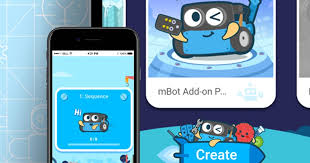
Downloading the mBlock mobile app is a crucial step for anyone wanting to enter the world of programming in a fun and simple way. This app combines education and entertainment through a graphical interface that relies on drag-and-drop functionality, supporting popular programming languages like Scratch and Python. It is specifically designed to help students, hobbyists, and even beginners understand the basics of programming and execute practical projects on smartphones and tablets with ease. It is available through direct links from official sources to ensure a safe and smooth downloading experience.
What is the mBlock mobile app?
The mBlock mobile app is a comprehensive programming environment developed to teach children and young people the principles of programming and artificial intelligence in an interactive and simple manner. It relies on a drag-and-drop system for code creation, making it suitable even for complete beginners. It also supports connections with popular robots like mBot and Codey Rocky, as well as handling sensors and motors, and is equipped with an easy-to-use interface, making it a favorite among teachers for practical programming lessons.
Most Popular Uses of the mBlock mobile app in 2025
The year 2025 witnessed a significant leap in the spread and use of the mBlock mobile app worldwide, becoming one of the most popular educational programs among students, teachers, and young developers. The reason behind this widespread adoption is the vast diversity in its usage methods, as it is no longer limited to traditional education but has become a comprehensive tool that can be utilized in many fields. Some of the most notable uses include:
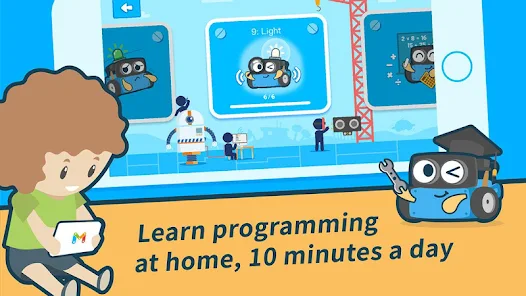
Teaching Programming to Children and Youth
Thanks to its simplified user interface based on drag-and-drop, children and beginners can easily learn the basics of programming without having to write code manually. This approach has made the mBlock mobile app an ideal tool for schools and educational centers.
Designing and Developing Educational Games
The app provides a flexible environment for creating interactive games that combine fun and education, helping to reinforce information for students in an enjoyable way. Users can also download projects and share them online, increasing opportunities for creativity and collaboration among users.
Programming Robots and Controlling Smart Devices
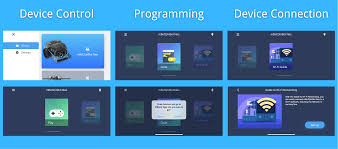
One of the app's strongest features is its ability to connect directly to robots like mBot and Codey Rocky and control them through programming commands executed from a phone or tablet. This feature has made the app a key tool in educational robotics competitions around the world.
Training in Artificial Intelligence and Data Analysis
The app allows users to experience artificial intelligence techniques in a simplified manner, such as image recognition, voice recognition, and data processing, giving learners a practical idea of how these technologies work in the real world.
Supporting Remote Learning and Interactive Education
With the increasing need for flexible education, teachers can now offer interactive remote lessons using the app, allowing students to work on their programming projects from home and share them with teachers or peers through secure and fast direct links.
Developing Innovation and Problem-Solving Skills
Through challenges and practical activities, the app helps users think critically and solve problems creatively, which are essential skills in the future job market.
Thanks to all these uses, the mBlock mobile app has become more than just a programming app; it is a comprehensive educational and creative platform that can prepare a new generation of programmers and innovators.
Features of the mBlock mobile app
Core Features
Some of the key features offered by the mBlock mobile app include:
- User-Friendly: Thanks to its simplified interface, anyone can start using it immediately without prior experience.
- Multi-Platform Support: Works on Android and iOS systems, with the ability to sync with the computer version.
- Integration with Devices: Direct connection with a range of educational devices and robots via Bluetooth or cable.
- Project Diversity: Ability to create programming projects, games, or automation programs for devices.
- Built-in Lessons: Contains ready-made educational lessons to help users learn step by step.
New Version Features
The new version of the mBlock mobile app comes with several important improvements:
- Faster Performance and improved user interface for a smoother experience.
- Added Download feature for projects for easy sharing.
- Support for additional programming languages alongside Scratch and Python.
- Increased compatibility with new robots in the market.
- Security updates to ensure safe and secure downloading processes.
How to Download via Direct Links
Step-by-Step Download Instructions
- Open the internet browser on your phone or tablet.
- Search for the official website or trusted direct link pages for the mBlock mobile app.
- Click on the download button for the app designated for your operating system.
- Wait for the file to finish downloading.
- Once the downloading is complete, go to the installation file to start the process.
Tips to Avoid Issues During Download
- Ensure that the source of the app download is reliable and well-known.
- Avoid using unofficial sites to prevent downloading harmful files.
- Check the compatibility of the app version with your operating system.
- It is preferable to use a stable internet connection to avoid interruptions during the download process.
- Before installation, close all other applications to improve performance and ensure no conflicts occur.
Installation and Activation After Download
Installation Method
After completing the app download process, follow these steps to install it:
- Open the installation file you downloaded.
- Agree to the terms of use.
- Choose the installation location for the app on your device.
- <

 Downloads:
 Version:
 Full Version: