

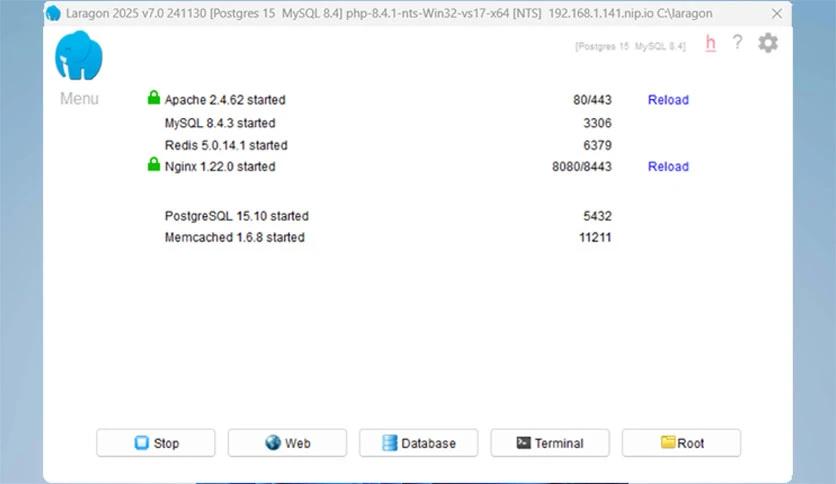
In the world of web development on Windows systems, Laragon stands out as one of the most powerful solutions sought by developers due to its integrated, fast, and easy-to-set-up development environment. If you're looking to download Laragon or even set up a local development environment on your computer, you're facing an ideal choice that combines speed, lightweight performance, and the ability to work without complications. Whether you're a beginner in web programming or a professional developer, Download Laragon provides you with all the tools you need, from PHP and MySQL to Redis and Apache, all activated and ready to work right after installation. One of the best features of the program is that it comes with direct download links and operates on a simple and fast download system, making it an essential tool for anyone looking for a secure and reliable development environment.
Introduction to Laragon
What is Laragon?
Laragon is a local development platform designed specifically for Windows, aimed at being faster, simpler, and more stable compared to traditional solutions like XAMPP or WAMP. The program allows you to create an isolated development environment that supports the latest web technologies without the need for complex configurations.
The program supports running Laravel, Node.js, WordPress, and various versions of PHP, in addition to MySQL and MariaDB databases, with the ability to easily add Redis and Memcached.
Features of the Full Laragon Download
Main Features
Laragon has many advantages, including:
- Ultra-fast performance: Booting in seconds with low memory consumption.
- Isolated and portable settings: Copy your work environment to any other device, and it will work immediately.
- Automatic virtual hosting: URL addresses for your projects without modifying system files.
- One-click HTTPS activation: Local security certificates ready for use.
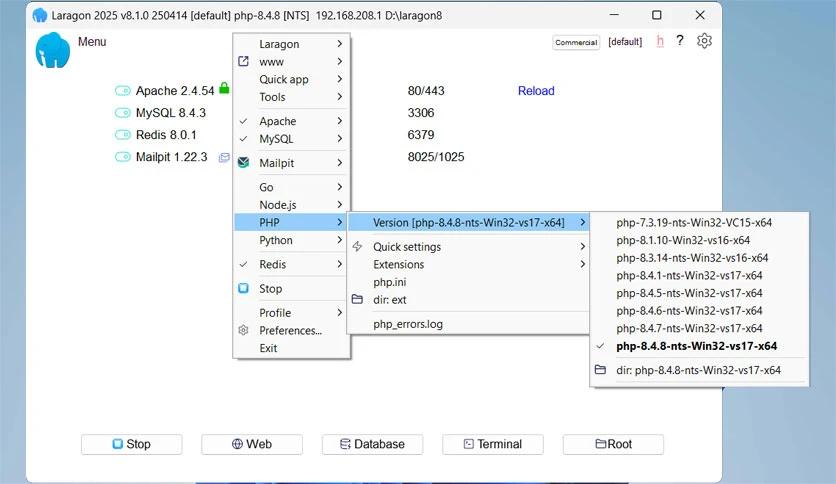
- Multi-version support: Easily switch between PHP or MySQL versions.
- Quick project sharing: Direct public link for any local project.
- Integrated tools: Git, Composer, npm, and more.
Features in Version 8.2.3
- Performance improvements on Windows 11.
- New security updates and support for newer protocols.
- Improved resource management to reduce CPU consumption.
- Ability to download Laragon activated with all ready components.
How to Download via Direct Links
Download Steps
Here are the main steps to download Laragon:
1. Go to the Laragon download link provided at the bottom of the article.
2. Choose the version Download Laragon 8.2.3.
3. Click the download button and wait for it to complete.
4. Save the file in a designated folder.
Tips Before Downloading
- Use a fast and stable internet connection.
- Ensure you have at least 500 MB of free space.
- Do not run other download programs while downloading Laragon.
Installation and Activation After Download
- Open the installation file you obtained after downloading.
- Follow the instructions and select the installation folder.
- Once the process is complete, you will find the program activated and ready for use.
User Experiences and Opinions
- Ahmed – Developer from Egypt
"After downloading Laragon, I no longer waste my time configuring settings. Everything works instantly."
- Sara – Developer from the UAE
"I loved the feature of easily switching between PHP versions. The program is very lightweight."
- John – Developer from the USA
"The one-click HTTPS feature saved me hours of manual setup."
Based on reviews from developers and users across tech forums and rating sites, their impressions of Laragon can be summarized as follows:
Pros
- Instantaneous startup speed for Apache and Nginx servers.
- Simple and easy interface even for beginners.
- Support for a wide range of programming languages and databases.
- Ability to set up a complete development environment with just a few clicks.
Cons
- Limited Arabic documentation compared to programs like XAMPP.
- Some advanced plugins require manual setup.
- Quote from one developer:
"I have tried many development environments, but Laragon completely changed my workflow. I can set up a new project in less than a minute, saving me hours of tedious work."
Technical Requirements to Run the Program on Your Computer
- Operating System: Windows 7 / 8.1 / 10 / 11
- Processor: 1GHz or faster (2.4GHz recommended)
- Memory: 2 GB (4 GB recommended)
- Free Space: At least 500 MB
Previous Versions of Laragon
Since its initial release, Laragon has seen many versions that brought notable improvements, making it the preferred choice for developers. Here’s a glimpse of some of those versions:
- Laragon 3.x: The version that caught developers' attention due to its high speed and ability to run PHP and MySQL development environments easily, with support for Native Windows Services.
- Laragon 4.x: Added broader support for Node.js and Python, along with performance enhancements and reduced resource consumption.
- Laragon 5.x: Came with important security updates, a smoother interface, and support for PHP 8, allowing management of multiple projects simultaneously.
- Beta versions: Served as a testing ground for new ideas, such as adding Docker Integration support and faster setup options for ready projects.
Frequently Asked Questions about Laragon
1. Is Laragon completely free?
Yes, Laragon is available for free download and use, making it an ideal choice for developers and beginners looking for a local development environment without any fees.
2. Does Laragon support different operating systems?
Currently, Laragon primarily supports Windows, but it can be configured to work on virtual environments or using other tools on different operating systems.
3. Can Laragon be used to develop PHP and Laravel projects?
Absolutely, it is specifically designed to support PHP and popular frameworks like Laravel, with the ability to easily install different PHP versions.
4. Can different databases be installed on Laragon?
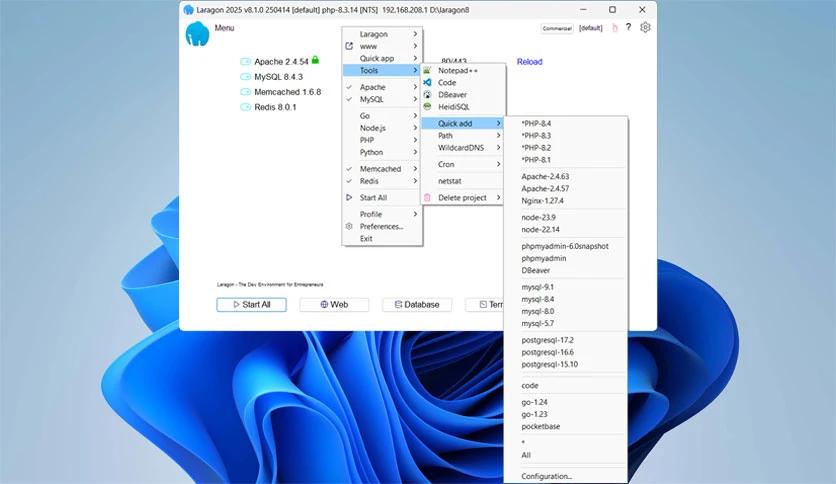
Yes, Laragon supports the installation and management of multiple databases such as MySQL, MariaDB, PostgreSQL, and even MongoDB, giving developers the freedom to choose what suits their project.
5. Does Laragon require a constant internet connection?
Not necessarily, as it can be fully used offline for developing and testing projects, but an internet connection is required when installing packages or updates.
6. Is Laragon suitable for large projects?
Yes, it features high performance and efficient resource management, making it suitable for both small and large projects.
7. Can Laragon settings be customized?
Very easily, as it allows users to modify settings for Apache, Nginx, PHP, or databases according to their project requirements.
8. How does Laragon compare to programs like XAMPP and WampServer?
Laragon stands out for its speed and lightweight performance compared to XAMPP and WampServer, in addition to its automatic support for modern technologies and the silent operation feature that provides a seamless experience.
Who is this program for?
Laragon is primarily aimed at:
- Web developers looking to create a fast and flexible local development environment to test their applications before deploying them to the actual server.
- Beginner programmers who need an easy-to-set-up environment without delving into the complexities of traditional servers.
- Professional developers who want a tool that supports multiple technologies and languages like PHP, Node.js, Python, and Java.
- Designers and small business owners who need to test websites and databases locally before uploading them online.
Conclusion
If you're looking for a local web development platform that offers speed, ease, and reliability, downloading Laragon via direct links is the perfect choice for you. The program is fully activated and ready to develop your projects, whether you're working on Laravel, WordPress, or any other framework.

 File Name:
 Downloads:
 Publisher:
 Version:
 Full Version:
 Created By:
 License Type:
 Release Date:
 What's New:
 Languages:
 Tags:
Tags:


