

For those working in user interface design or anyone looking to create prototypes for applications and websites, having a specialized tool that combines speed and precision is essential. The new version of Adobe XD for Mac offers a comprehensive environment that helps designers turn their ideas into professional designs. The program is user-friendly and integrates well with other Adobe products, making it the go-to choice for designers seeking a powerful tool. Download it now and start creating more distinctive user experiences for your projects. In this article, we will present Adobe XD CC, its features, functions, and all the details about it, so stay tuned.
Overview of Adobe XD CC for Mac
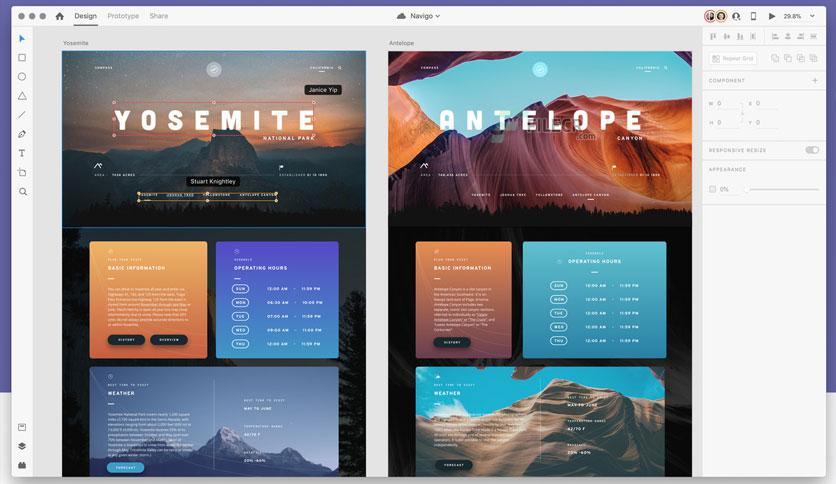
Adobe XD for Mac, also known as Adobe Experience Design, is one of the strongest solutions for user interface and user experience designers. The application is designed to simplify daily design tasks, making them faster and easier, allowing you to create website and application interfaces in a practical and straightforward way.
The program provides a ready-made library of tools and templates, including icon sets and basic user interfaces, saving users time and helping designers focus on creativity. It also features high flexibility in creating interactive graphics and prototypes that can be shared directly with teams or clients. Being part of Creative Cloud, it offers integration with Photoshop and Illustrator, making it easy to import and edit files effortlessly. All of this makes it a comprehensive solution suitable for anyone working in digital design.
Key Features of Adobe XD
Here’s a glimpse of the standout features that make Adobe XD for Mac the top choice among designers:
- It has a simple and user-friendly interface suitable for both beginners and professionals.
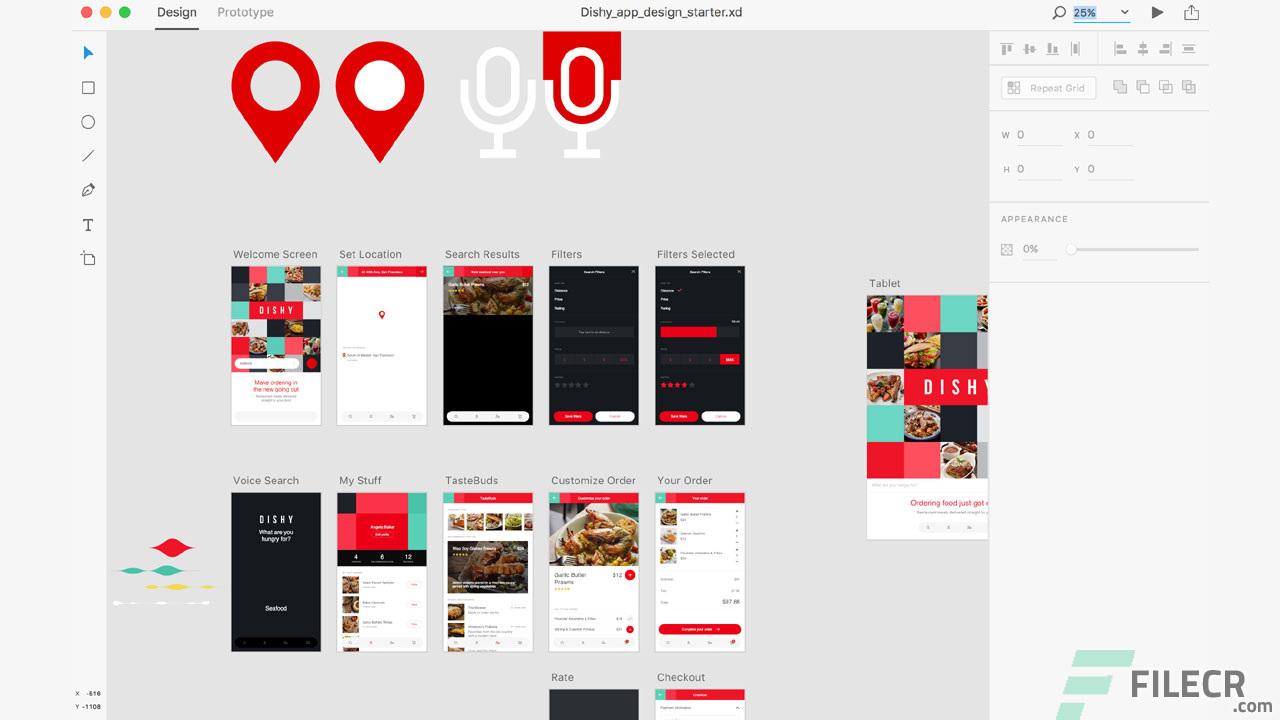
- The program includes a Repeat Grid feature for quickly duplicating elements.
- It supports interactive prototypes for real-time design previews.
- It offers flexible artboards that make it easy to create multiple pages within a single project.
- You can import Photoshop and Sketch files and automatically convert them to XD.
- It includes free libraries with ready-made icons and templates.
- The program has powerful editing tools for layers and symbols with distinctive redesign options.
- It boasts high speed and stable performance on both Mac and Windows devices.
Technical Details and System Requirements for Adobe XD
To run Adobe XD for Mac smoothly, certain basic requirements must be met:
- It supports macOS starting from version 10.15 or later.
- It requires a multi-core Intel processor with a minimum speed of 1.4 GHz.
- The required RAM is at least 4 GB, although 8 GB is recommended for handling larger projects.
- For storage, 1 GB of free space is sufficient to install the program, plus additional space for saving projects.
- The program integrates with modern graphics cards, ensuring fast and easy performance when creating interactive prototypes or viewing large projects. This version is perfectly suited for user interface designers looking for a reliable and secure tool.
Advanced Features of Adobe XD
Adobe XD for Mac offers additional features that empower designers to enhance their projects:
- Design components can be fully controlled through shared libraries, making it easier to reuse elements in other projects.
- The program also allows for direct exporting and sharing of prototypes via a link that can be viewed in any other browser.
- It supports collaborative work, enabling multiple people to work on the same file simultaneously, streamlining workflows among large teams.
- Additionally, comments can be gathered directly on the design, saving time and reducing the need for external tools.
These capabilities make Adobe XD not just a design tool but a comprehensive platform for managing user interface projects.
Conclusion
Adobe XD for Mac is a powerful option for anyone working in interface design and user experience because it combines speed, ease of use, and accuracy in results, along with strong support for integration with other Adobe programs. If you're looking for a tool that helps you design websites or applications professionally while allowing for simultaneous collaboration with your team, Adobe XD is the best solution for enhancing your skills and producing more professional work.

 File Name:
 Downloads:
 Requirements:
 Version:
 Full Version:
 Created By:
 License Type:
 Release Date:
 Languages: