

Are you looking for a program that helps you organize and edit your photos with high quality and professionalism on your Mac? This is where Adobe Lightroom Classic for MacOS comes in, the ultimate tool for both professional and amateur photographers. It combines the management of large photo libraries with non-destructive editing, fully supporting RAW files and the latest cameras and lenses. The program gives you control over lighting, colors, contrast, and sharpness, and allows you to remove imperfections like dust or unwanted elements using smart AI-powered tools. It also lets you sync your photos with Lightroom Mobile and Lightroom Web for access from anywhere, with seamless compatibility with Adobe Photoshop for more advanced edits.
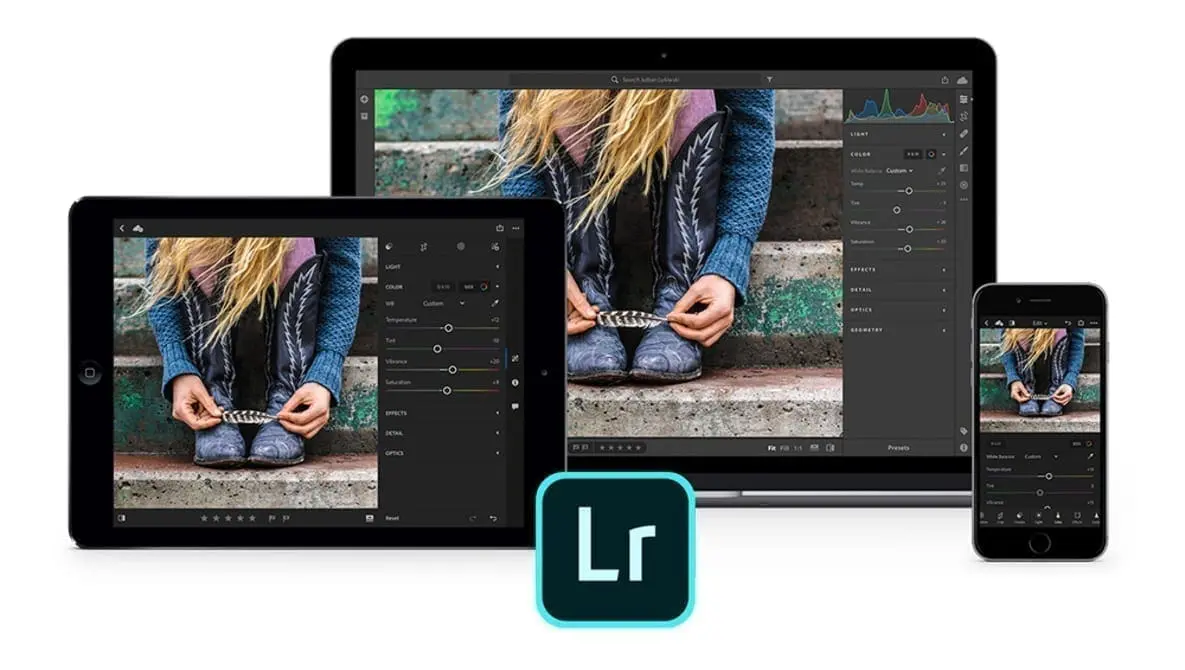
Overview of Adobe Lightroom Classic for MacOS
Adobe Lightroom Classic is one of Adobe's products aimed at professional and amateur photographers. It is used for managing, organizing, and editing photos at high quality. It works on macOS and supports the latest Apple Silicon processors (M1/M2) as well as Intel processors, making it an ideal choice for Mac users.
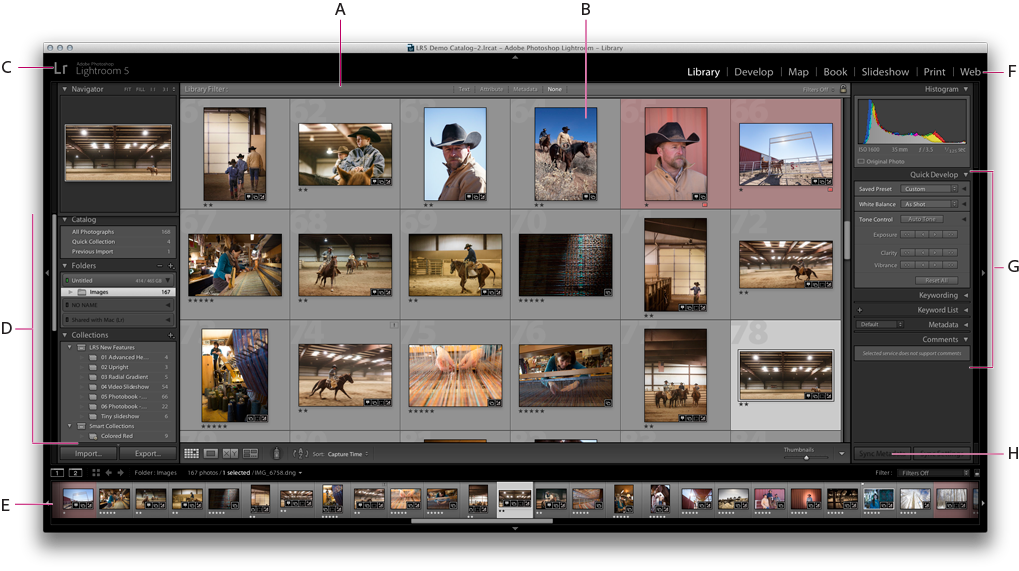
The program features an easy-to-use interface with powerful tools for controlling lighting, colors, contrast, and sharpness, with full support for RAW files. It allows for non-destructive editing, meaning adjustments do not affect the original image and can be reverted at any time. Additionally, it provides tools for removing imperfections like dust or unwanted elements, with AI support for enhancing images.
The program is widely used for organizing large photo libraries, editing event photos and professional shoots, and preparing images for publication on social media or printing in high quality. It also allows syncing with Lightroom Mobile and Lightroom Web to access photos from anywhere, with seamless compatibility with Adobe Photoshop for further advanced edits.
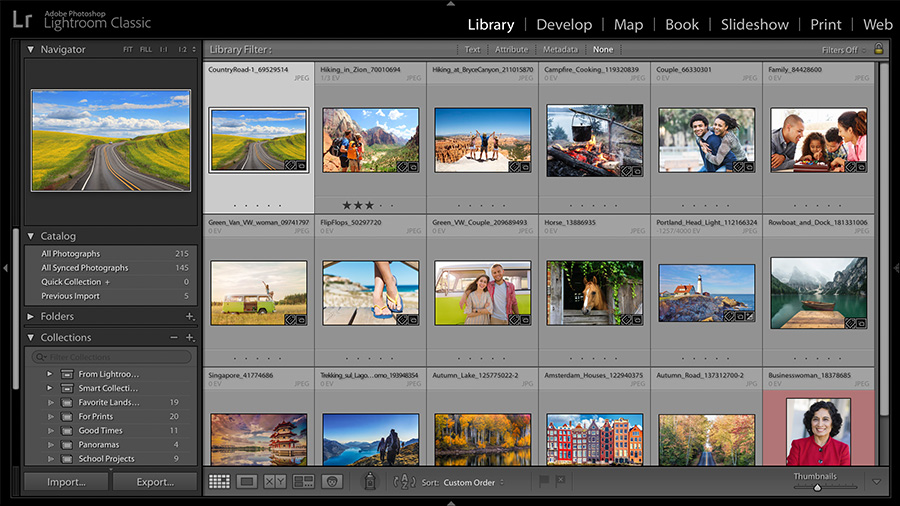
With Adobe Photoshop Lightroom Classic CC, you can easily organize, manage, and edit your photo collections on your computer. The program allows you to control brightness, colors, contrast, and sharpness using advanced professional tools, and provides ready-made settings for effects and color correction, giving your photos a distinctive look and professional touch with just one click.
Adobe Lightroom Classic for MacOS offers a comprehensive experience for managing and editing your photos on your computer. You can easily organize your photo library and accurately locate them, whether through camera metadata or by adding them manually. It also allows you to adjust lighting, colors, and contrast using advanced tools, along with benefiting from real-time previews to monitor the results of adjustments directly. Thanks to these features, it becomes easy to transform your ordinary photos into more attractive and professional shots.
Features of Adobe Lightroom Classic for MacOS
- Helps you quickly select the best photos from large collections using AI.
- Automatically groups similar photos or those taken at the same time to facilitate organization.
- Dust Removal tool to detect and remove dust spots caused by the camera sensor or lens.
- Faster navigation between photos and editing tools, with smoother responsiveness during editing.
- Direct support for Fujifilm cameras without the need for external plugins.
- Expanded support for Fuji X-Trans and Linear DNG files with better results.
- Improvements to the tool for intelligently removing unwanted elements from photos.
- Content Credentials to add credentials for protecting images and ensuring their authenticity.
- Easily organize thousands of photos through catalogs, keywords, and classifications.
- Non-destructive editing, meaning any adjustment does not affect the original image and can be reverted at any time.
- Powerful editing tools to control lighting, colors, contrast, and sharpness, with full support for RAW files.
- Ability to sync photos with Lightroom Mobile and Lightroom Web for access from anywhere.
- Ease of transferring photos between Lightroom and Photoshop for more advanced edits.
- Continuous updates to add profiles for new lenses and cameras.
System Requirements for Adobe Lightroom Classic for MacOS
- Operating System:
- macOS Monterey (12.0) or later.
- Supports macOS Ventura (13) and macOS Sonoma (14).
- Processor (CPU):
- Intel processor (supports SSE4.2) or Apple Silicon processor (M1 or later).
- Memory (RAM):
- Minimum: 8 GB.
- Recommended: 16 GB or more, especially when dealing with large RAW images or massive libraries.
- Graphics Card (GPU):
- Graphics card that supports Metal.
- Video memory (VRAM) of at least 2 GB.
- Recommended: 4 GB or more for faster processing and image display.
- Storage:
- At least 2 GB of free space for installing the program.
- It is recommended to use an SSD for faster read and write operations and image loading.
- Display:
- Screen resolution of at least 1280 × 800.
- It is recommended to use a high-resolution (Retina) display or 1920 × 1080 to fully benefit from the program's interface.
- Internet Connection:
- Required for activating the program and updating it, as well as for accessing some cloud features.
Conclusion
In conclusion, we have reached the end of our journey with Adobe Lightroom Classic for macOS, where we explored its origins and features that combine powerful editing with flexible organization, along with modern tools supported by AI that make the photography experience more professional and efficient. The importance of Lightroom Classic lies in being a comprehensive platform for photographers; it is not limited to just photo editing but also gives you the ability to manage large libraries, sync your work across devices, and integrate with other tools like Photoshop to expand your creative possibilities.


 File Name:
 Downloads:
 Requirements:
 Version:
 Full Version:
 Created By:
 License Type:
 Release Date:
 Languages: