PDF Expert has become one of the best tools for editing PDF files on Mac devices, combining speed, simplicity, and the ability to easily perform all tasks related to text files and digital documents, from editing texts and images to electronic signatures and filling out forms. This makes it an indispensable choice for students, employees, and professionals alike. If you are looking for a reliable program to manage your PDF files, PDF Expert provides a smooth experience that is worth downloading and trying. Therefore, we can provide all the details of the program, including its features, additional functions, operating requirements, and frequently asked questions that users have about the program.
PDF Expert Overview
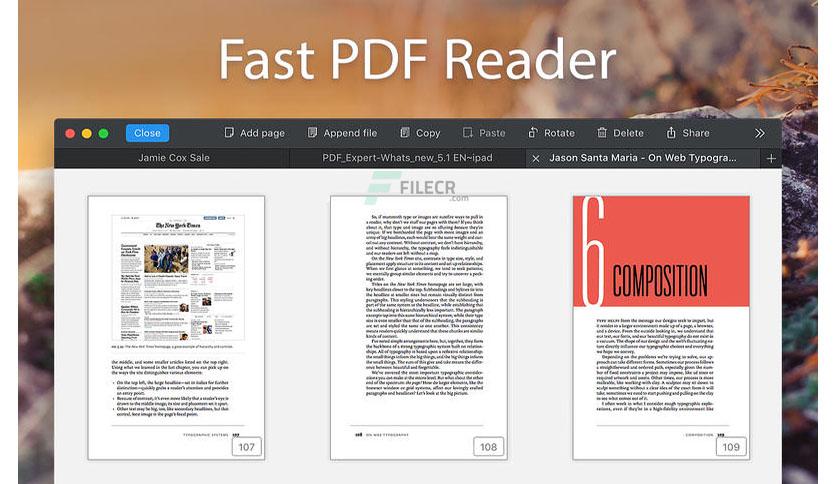
PDF Expert for macOS, from Readdle, is a powerful tool designed to simplify everyday PDF document handling. Its simple interface and elegant design allow you to read, edit, and organize files faster and more efficiently.
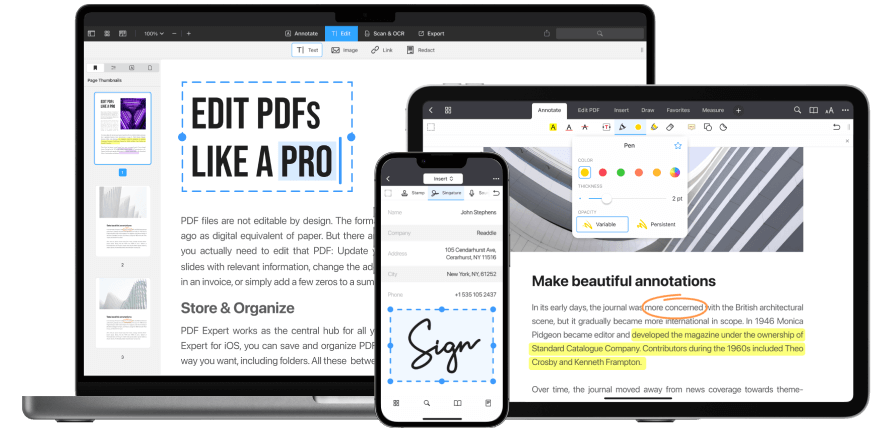
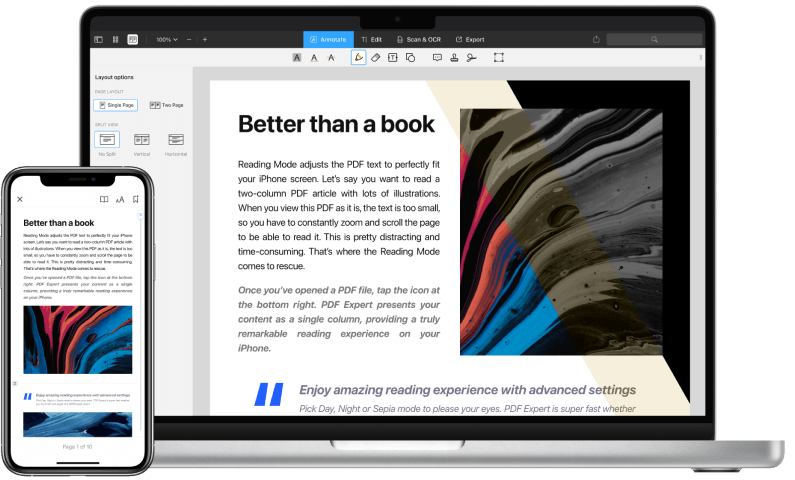
The program provides everything the user needs to deal with files, whether in terms of adding notes, editing texts, inserting images and links. You can also sign contracts electronically or fill out forms directly without the need to print and re-scan them. The program also provides multiple display styles that help you browse long documents easily and organize tabs and notes, making the work experience more efficient and smooth.
Key features of PDF Expert program
Let's now look at the key features that make PDF Expert an ideal choice for managing PDF files:
- Fast and powerful performance in viewing and editing files.
- The ability to edit text, images, and links directly within the document.
- Supports the commenting and note-taking feature in a professional manner.
- The ability to sign contracts and agreements electronically.
- An easy-to-use interface that supports smooth operation with various file sizes.
Technical details and operating requirements for PDF Expert software
Before installing PDF Expert, it is important to familiarize yourself with its technical requirements, which are:
- The program works efficiently on macOS systems from version 10.13 and above, making it suitable for most modern Macs.
- The program size is approximately 110 megabytes, which is a relatively small size compared to the multiple functions it offers.
- It is also available in multiple languages to suit the needs of different users. The developer, Readdle, is keen to release periodic updates to the software, which ensures stable performance and support for the latest security standards, thus increasing its reliability for personal or professional use.
Advanced features of PDF Expert
Beyond its basic advantages, PDF Expert offers some advanced functions that enhance its value, such as:
- The ability to merge multiple PDF files into a single document or split a large file into smaller parts, and you can also protect documents with strong passwords to maintain privacy.
- The program also allows saving notes and comments in an organized way and provides smart search capabilities within files to quickly access any word or phrase.
- It also supports iCloud syncing so you can easily keep track of your files on more than one Mac or iPhone device.
conclusion
After reviewing the PDF Expert program, it became clear that it is not just an ordinary PDF reader, but rather an integrated tool that gives you everything you need to manage your files flexibly and professionally, from editing and commenting to protection and electronic signature. With a simple and easy-to-use interface, dealing with documents becomes a comfortable and smooth experience.
If you are a Mac user and are looking for a reliable and fast PDF editing program, PDF Expert would be the perfect choice for you, as it combines high performance and advanced functions to make document management a more convenient and enjoyable process.

 File Name:
 Downloads:
 Requirements:
 Version:
 Full Version:
 Created By:
 License Type:
 Release Date:
 Languages:
 Tags:
Tags: