

gSyncit for Microsoft Outlook is a powerful solution that helps synchronize Outlook data with various services such as Google, iCloud, and Toodledo. Many users face challenges in unifying data across multiple platforms, and this program offers a practical and quick solution without complications.
The program provides a flexible experience on Windows, allowing you to automatically sync emails, contacts, calendars, and tasks, making it an essential tool for boosting productivity, especially for those using multiple devices or services simultaneously. You can easily download it from the Tech World website and take advantage of all its features.
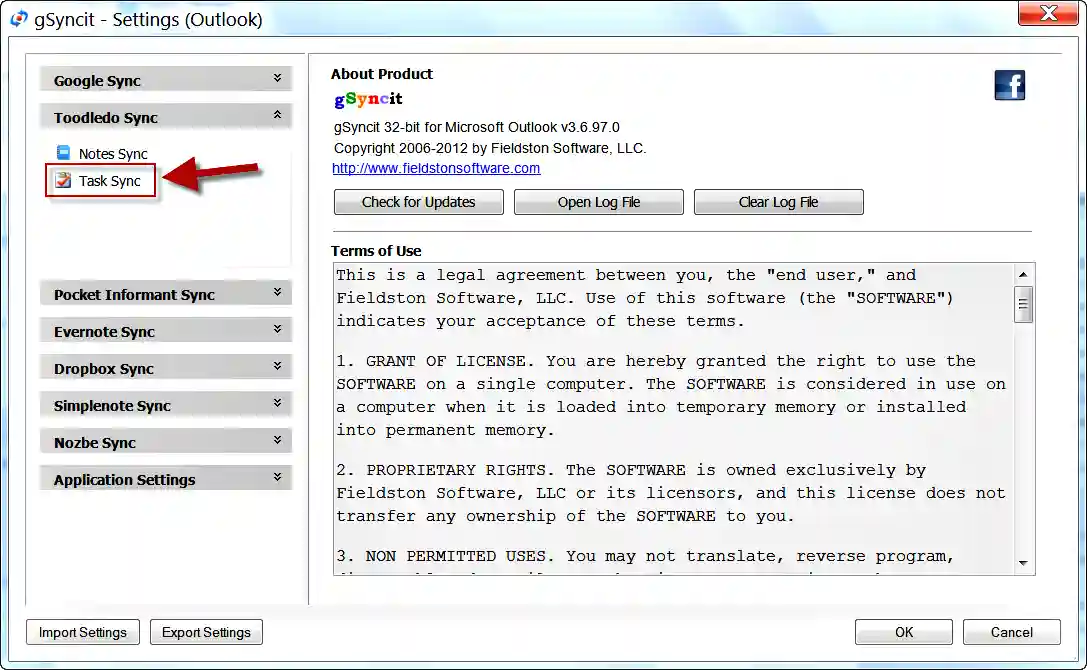
Overview of gSyncit for Microsoft Outlook Download for Windows - Direct Link
gSyncit for Microsoft Outlook is a specialized tool for connecting Outlook with various external services, allowing data synchronization between it and Google Calendar, Google Contacts, iCloud, and other cloud services, providing a unified experience for users.
The program relies on a flexible synchronization system that lets you choose what to sync, whether it's emails, contacts, appointments, or tasks, giving you complete control over the data exchanged between platforms.
It also offers automatic background synchronization, meaning your data remains continuously updated without the need for manual intervention each time.
It features two-way synchronization, ensuring that data is updated on both sides, whether in Outlook or the connected service, preventing any conflicts in information.
Additionally, it provides tools for resolving conflicts in case of discrepancies between data, allowing users to select the correct version they wish to keep.
Moreover, it is suitable for users who rely on Outlook for work but also use other services simultaneously and want to connect everything in one place without losing data.
Features of gSyncit for Microsoft Outlook
- Sync Outlook with multiple services
- Support for Google and iCloud
- Contact synchronization
- Calendar synchronization
- Task synchronization
- Limited email synchronization
- Support for automatic synchronization
- Two-way synchronization
- User-friendly interface
- Complete control over data
- Data conflict resolution
- Support for multiple accounts
- Improved data organization
- Reduced manual work
- Continuous data updates
- Background operation support
- Enhanced productivity
- Integration with Outlook
- Suitable for personal and professional use
- Customization of synchronization
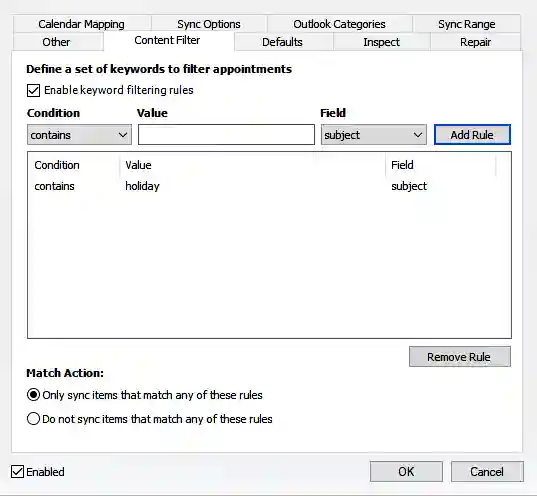
- Support for synchronization filters
- Reduced data loss
- Support for scheduled synchronization
- Light on system resources
- Stable performance
- Support for multiple cloud services
- Ability to specify certain folders
- Improved time management
- Suitable for advanced users
- Easy setup
Technical Details and System Requirements for gSyncit for Microsoft Outlook
Minimum system requirements:
- Processor: 500 MHz CPU.
- RAM: 1GB of RAM
- Program size after installation: 200MB
- Microsoft Outlook: 2007, 2010, 2013, 2016, 2019, 2021, 2024, or Office 365 (desktop client).
- Operating System: Windows 7, 8, 10, or 11.
Advanced Features of gSyncit for Microsoft Outlook
- Two Way Sync Engine
This feature is one of the most important aspects of gSyncit for Microsoft Outlook, allowing two-way data synchronization between Outlook and connected services. This means any changes made on one side are automatically applied to the other, preventing loss of updates and maintaining complete synchronization across all devices and services. - Selective Sync Control
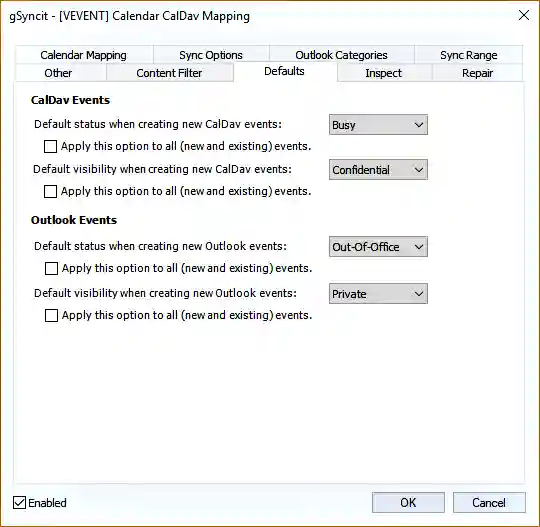
This tool provides complete control over what gets synchronized, allowing you to choose to sync only contacts, calendars, or tasks without the rest of the data, giving you great flexibility in managing data according to your actual needs and reducing unnecessary data transfer. - Conflict Resolution System
This tool detects conflicts that may occur during synchronization, such as discrepancies in contact data or specific appointments, offering users options to select the correct version, preventing data loss or incorrect replacements. - Automatic Background Sync
This feature provides automatic background synchronization without user intervention, ensuring that data is periodically updated, keeping all information synchronized across your computer, phone, or any other connected platform. - Multi Account Integration
This tool allows you to link multiple accounts within the same program, enabling you to sync several Google or iCloud accounts with Outlook simultaneously, simplifying the management of different accounts from one place. - Advanced Filter System
This tool allows you to specify certain items for synchronization, such as appointments within a specific time frame or particular contacts, helping to reduce the amount of data transferred and improving synchronization speed. - Scheduled Sync Manager
This tool allows you to schedule synchronization operations at specific times, such as every hour or daily, helping to organize the process and avoid continuous resource consumption on the device. - Secure Data Transfer Protocol
This feature relies on securely transferring data between Outlook and various services, maintaining the privacy of information and preventing any issues during the synchronization process.
 gSyncit for Microsoft Outlook[/caption>
Conclusion
gSyncit for Microsoft Outlook is one of the best solutions for the challenges of multiple platforms and data incompatibility. It helps you easily connect Outlook with other services and maintain complete synchronization of all your data automatically. If you're facing issues with data discrepancies between devices, this program will be a strong solution for you. You can download it from the Tech World website and start organizing your data professionally.

 File Name:
 Version:
 Full Version:
 Created By:
 License Type:
 Release Date:
 Languages: