

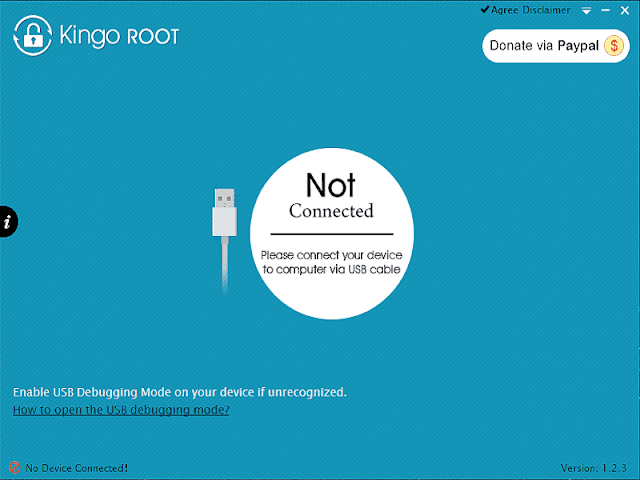
Download Kingo Android ROOT for Rooting Android Devices
Many Android users want to root their mobile phones but often struggle to find the right and easy method among all the programs, tutorials, and YouTube videos available online. Today, I bring you a powerful tool for easy rooting: the new Kingo Android ROOT, which allows you to root your Android device with just one click. Before we dive into the details of this application, let’s take a moment to understand what rooting actually means.
Many Android users have heard the term "root," but may not know what it really means. This term has become closely associated with the Android operating system, which is widely recognized and provided by the tech giant Google. Today, I will clarify the meaning of the term "root."
Definition of Rooting
Rooting is a method that allows you to gain multiple permissions on your device, similar to having admin rights on Windows. For example, after rooting your device with Kingo ROOT, you can modify or delete the firmware files embedded in your phone, access system files, reveal hidden and protected files, control the brightness of the flash, and adjust the processor speed. In essence, rooting gives you complete control over the Android system and breaks the existing security measures. But are there benefits to rooting?
Yes, there are many benefits that we will outline.
And there are also drawbacks.

Benefits of Rooting
Here are several advantages of rooting, presented in bullet points:
Run applications and games that require root access. Some games and apps only work if your phone has been rooted.
Customize your Android device as you wish.
Change the entire system firmware.
Change the ROM of your phone, meaning you can install a Samsung ROM on an LG or HTC device running Android. You can also install custom and modified ROMs.
Create a backup of all your phone's data.
Easily change fonts on Android or add decorative fonts. If you want to change the font without rooting, it will require much more effort.

Drawbacks of Rooting
The drawbacks of rooting are not many, and you can overlook them, but I will present them so you can decide whether to root or not.
If your phone is under warranty and you root it, you will void the warranty because you may have altered the original system of the manufacturer. If the warranty states that rooting is not allowed and you violate this rule, the warranty becomes invalid.
Some users misuse rooting by modifying or changing processor settings to consume more power than necessary, which can prevent the processor from handling multiple tasks simultaneously and may cause damage. So be very cautious in this regard and only approach the processor if you know what you are doing.
Advantages of Downloading the New Kingo ROOT Program for Rooting Android Phones
One-click rooting: After connecting your phone to the computer via USB, you can simply click on "Root," and the program will work in seconds.
The ability to unroot with just one click within Kingo ROOT.
Complete security: Root using the best rooting application quickly to ensure data safety.
The program size is very small.
Available in both a computer version and a mobile version.

 File Name:
 Downloads:
 Created By:
 License Type:
 Languages: