

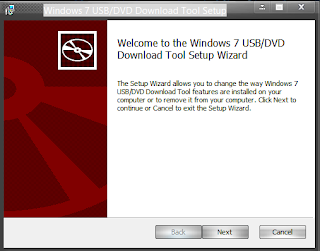
The Windows USB/DVD Download Tool is designed to help you create a bootable copy of a Windows 7/8 ISO file on a USB flash drive or DVD.
To create a bootable DVD or USB flash drive, simply download the ISO file you need and then run the Windows 7 USB/DVD Download Tool. Once completed, you can install Windows 7 or Windows 8 directly from the USB drive or DVD on your system. To install Windows from the USB drive or DVD, just plug the USB drive into a USB port or insert the DVD into the DVD drive and run Setup.exe from the root folder on the drive.
To create a bootable USB device, you need a Windows image file and a USB storage device large enough to hold the files.
The Windows USB/DVD Download Tool features a user-friendly interface that will guide you through all the necessary steps and fields. Essentially, you select the ISO file and the storage device you want to use, and you're all set.
The Windows 7 USB/DVD Download Tool has notable advantages, including leveraging the speed of the USB drive and reducing the time it takes to install the operating system.
Tutorial Video for Using the Tool
To create a bootable DVD or USB flash drive, download the ISO file and then run the Windows 7 USB/DVD Download Tool. Once that's done, you can install Windows 7 directly from the USB drive or DVD.
The ISO file contains all the Windows 7 installation files bundled into a single uncompressed file. When you download the ISO file, you need to copy it to some media to install Windows 7. This tool allows you to create a copy of the ISO file on a USB flash drive or DVD. To install Windows 7 from the USB drive or DVD, all you need to do is insert the USB drive into a USB port or insert the DVD into the DVD drive and run Setup.exe from the root folder on the drive.
Note: You cannot install Windows 7 from the ISO file until you copy it to a USB flash drive or DVD using the Windows 7 USB/DVD Download Tool and install it from there.
The ISO file created by the Windows 7 USB/DVD Download Tool is bootable. Bootable media allows you to install Windows 7 without needing to boot into an existing operating system first on your device. If you change the boot order of drives in your computer's BIOS, you can boot the Windows 7 installation directly from the USB drive or DVD when you start your computer. Please refer to your computer's documentation for information on how to change the BIOS boot order for drives.
For Windows XP users. The following applications must be installed before installing the tool:

 File Name:
 Downloads:
 Version:
 Full Version:
 Created By:
 License Type:
 Release Date:
 Languages: