


AutoClose Description
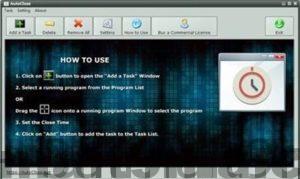
AutoClose allows you to automatically close programs as well as shut down the system or restart it. With automatic closing, you have the option to set when you want to turn off the computer, log out, hibernate, or restart the computer. It also enables you to perform multiple tasks at once and effectively manage background tasks.
Leaving your device running for extended periods can be harmful, leading to overheating and potential malfunctions.
For laptops, this can be costly as prolonged continuous use can severely impact battery life. However, there are situations when you might download a large file
or when the operating system is being upgraded; there’s no way to avoid leaving your device on for long periods.
These scenarios are where AutoClose becomes useful. It can automatically finish activities and then shut down the system once tasks are completed.
AutoClose is designed to automatically close all programs and shut down or log out after a user-defined period, and it is simple enough to set up, making it beneficial for all types of users.
AutoClose Features
AutoClose can:
- Close a running program after a set interval or at a specified time
Close hidden or background processes
Automatically shut down, hibernate, restart, or log out
Be set to accomplish multiple tasks

 File Name:
 Downloads:
 Version:
 Full Version:
 Created By:
 License Type:
 Release Date:
 Languages: