

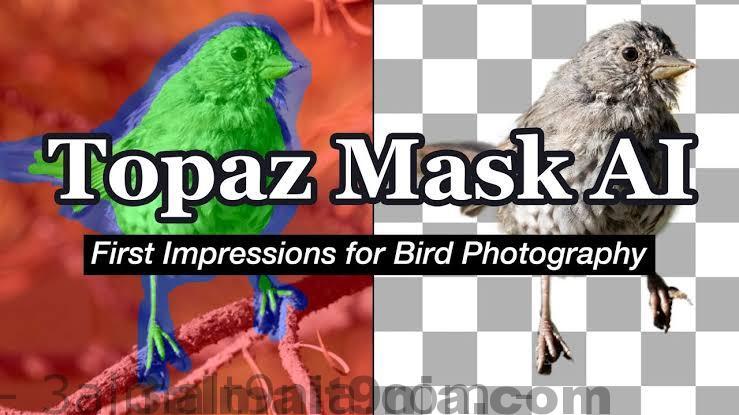
Topaz Mask AI
Creating complex selections manually and perfecting them often takes longer than expected. Enter Topaz Mask AI. This tool allows you to create intricate masks in record time, thanks to its intuitive machine learning technology and cutting-edge cutting techniques. Achieving a high-quality mask has always been a dream for photographers, and now you can achieve that with Mask AI.
Features:
How We Simplified It
Unlike Photoshop, Mask AI doesn’t require tedious brushes to achieve a high-quality mask. There’s no need to learn complex codes and tools. With Mask AI, you simply need to roughly outline your subject in blue, click once to fill in what you want to cut out, click again to fill in what you want to keep, and then hit 'Compute Mask'. It really is that simple. Our neural network is trained to recognize hard edges, so you can get a fantastic mask on your first try.
Making masking easy for all types of images
AI Mask includes machine learning for a more precise mask with minimal refinement needed!
Unique Trimap Technology of AI Mask
Creating a good mask in Photoshop can be a pain and may take a whole day. The color-coded system of Mask AI reduces it to just four simple steps: Keep, Cut, Compute, and Replace.
Brush for Computing.
Just draw a blue line around the edges of what you want to compute. The best part is that you don’t have to be perfect—just keep a little of the subject and the immediate area you want to hide within it. Our technology will handle the heavy lifting.

Brush for Refinement
Our smart brushes (Cut, Keep, and Compute) utilize our technology and allow you to make clean and precise enhancements without needing to paint perfectly. Our tools will make decisions for you and speed up your workflow!
Sliders for Perfection.
Use post-processing sliders to quickly finalize the mask. The Edge Softness slider is useful if you want to add more sharpness to a rocky landscape or perhaps soften the edges for a portrait.
Edge Softness Slider
This is easy to use if you want to add more sharpness to a rocky landscape or maybe soften the edges for a portrait.
Edge Shift Slider
This shifts the edge of the mask in either direction.
Foreground Recovery Slider
This revives the color in weaker or more transparent areas. This can be a great tool for fur, hair, or wigs.
Defringe Slider
This removes the edges of the mask to help with color contamination and bleeding.
Background Replacement to Finish.
Being a great photographer requires a lot of techniques and tools at your disposal. You’ve planned and executed with military precision to get the shot. But when nature gives you less than a perfect sky or an unwanted background, background replacement in Mask AI allows you to regain control over your work.
Complex Masks Made Easy with AI Mask
Flyaway hair. Feathers. Fur. Weeping willows. There will always be complex masking tasks, but with Mask AI’s machine learning technology, you’ll never have to worry about the details. Our tool will handle the heavy lifting!
You can download the 'software' from our website for free, so you can try out all the settings or just test it. The archive also includes a crack or patch or key or keygen, and I’m sure all users of our site are smart people, so I won’t describe how to use the crack or keygen. If you come across a program in Repack version, it means that all necessary activation steps have already been completed—you just need to install the software and test it as much as you want, and if you still encounter any issues, please don’t hesitate to ask. Good luck.

 File Name:
 Downloads:
 Version:
 Full Version:
 Created By:
 License Type:
 Release Date:
 What's New:
 Languages: